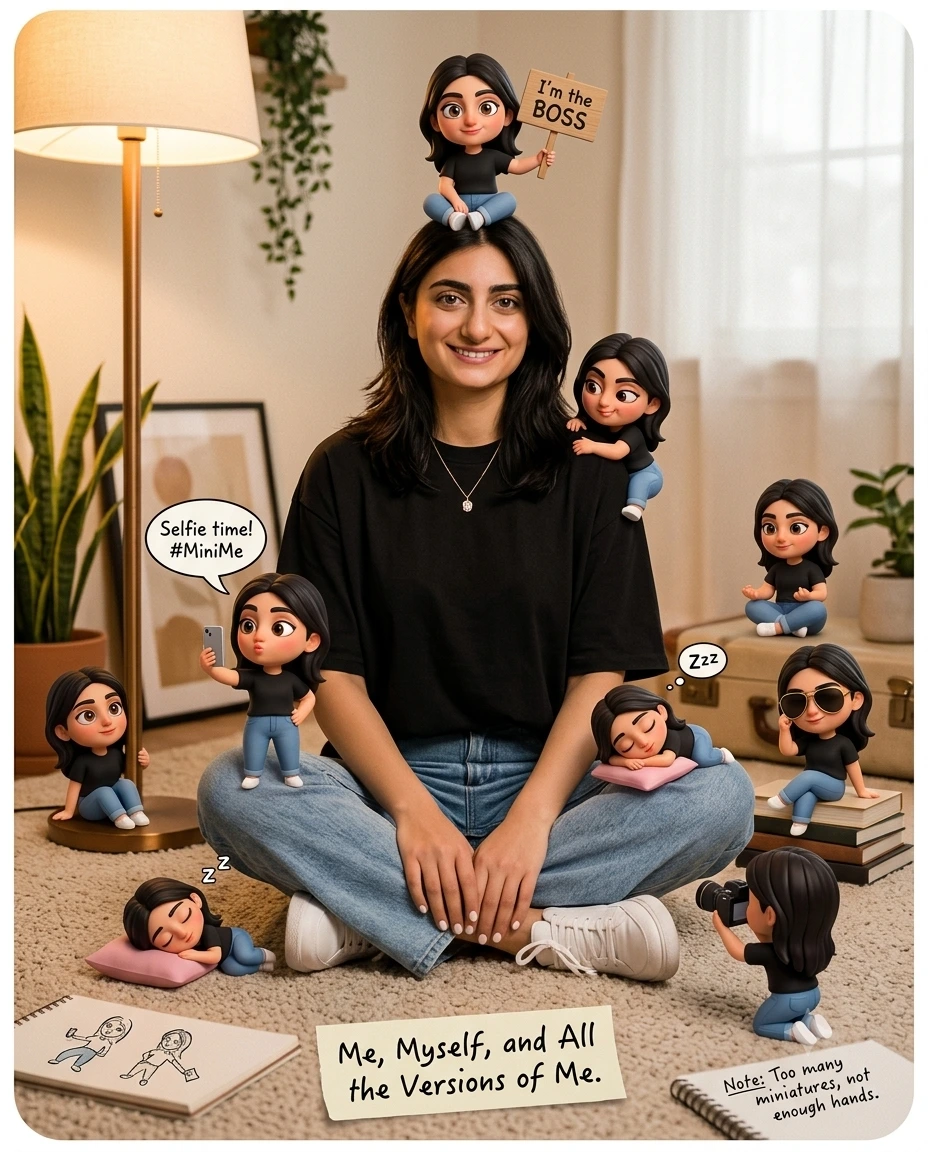
Miniature Clone Lifestyle Portrait in Cozy Room
Create a playful 3D lifestyle portrait with miniature lookalike characters, cozy indoor details, speech bubbles, and warm editorial lighting.
Create a playful mixed-media 3D lifestyle portrait of a young woman surrounded by several tiny versions of herself, each acting out a different humorous moment. STYLE - Use polished 3D character illustration blended with a softly realistic editorial portrait. The main woman should retain believable skin, hair and clothing texture, while the miniature characters have rounded chibi proportions, oversized expressive eyes and smooth animated-film surfaces. Keep the tiny figures clearly related to the central character through matching black shirts, blue jeans and dark hair. COMPOSITION - Place the woman seated cross-legged on a beige carpet in the center, wearing an oversized black T-shirt, loose light-blue jeans, white sneakers and a small pendant necklace. Scatter miniature versions around her: one sitting on her head holding an “I’m the BOSS” sign, one on her shoulder, one beside the lamp, one taking a selfie, one sleeping on a pink pillow, one wearing sunglasses, one photographing her and another sitting on luggage. Add comic speech bubbles and handwritten-style notes as visible graphic elements. LIGHT - Use warm indoor light from the large floor lamp on the left and soft ambient room light, creating gentle shadows toward the right and underneath every miniature figure. CAMERA - Simulate a 50mm lens at f/4 from seated eye level, keeping the woman and most miniatures sharp while allowing mild background softness. GRADE - Use warm beige, cream, black and denim-blue tones with moderate contrast, subtle texture and consistent rendering across the entire frame. MOOD - Playful, cozy, witty, self-aware. OUTPUT - Use a vertical 4:5 composition at 2048 × 2560 pixels with rounded-corner framing. AVOID - Avoid flat sticker-like miniatures, inconsistent character faces, floating figures, unreadable signs, distorted hands, random props, harsh shadows or a sterile background.
How to Build
- 1Gemini: use image generation with the 4:5 portrait aspect ratio.
- 2Paste the full prompt and keep image quality at the highest setting.
- 3Generate one version, then re-roll for cleaner miniature placement.
- 4Compare the central character, clothing and tiny clones across results.
- 5Keep the best composition and vary only the scene-detail wording.
- 6If wrong, re-prompt Gemini with the failed detail stated precisely.
Pro Tips
- Change “warm indoor” to “cool studio” to shift the room mood without flattening it.
- Change “chibi proportions” to “small realistic proportions” for less cartoon styling.
- Keep “matching black shirts” so the miniature characters read as the same person.
- Keep “50mm lens” so the central figure and surrounding clones retain natural scale.
- Keep “speech bubbles” so the playful comic-poster character does not disappear.
Share This Prompt
About the Author
Mina
**AI Prompt Engineer at MFDA.** I design precise, creative prompts for AI image generation, photo editing, portraits, fashion, and visual storytelling.