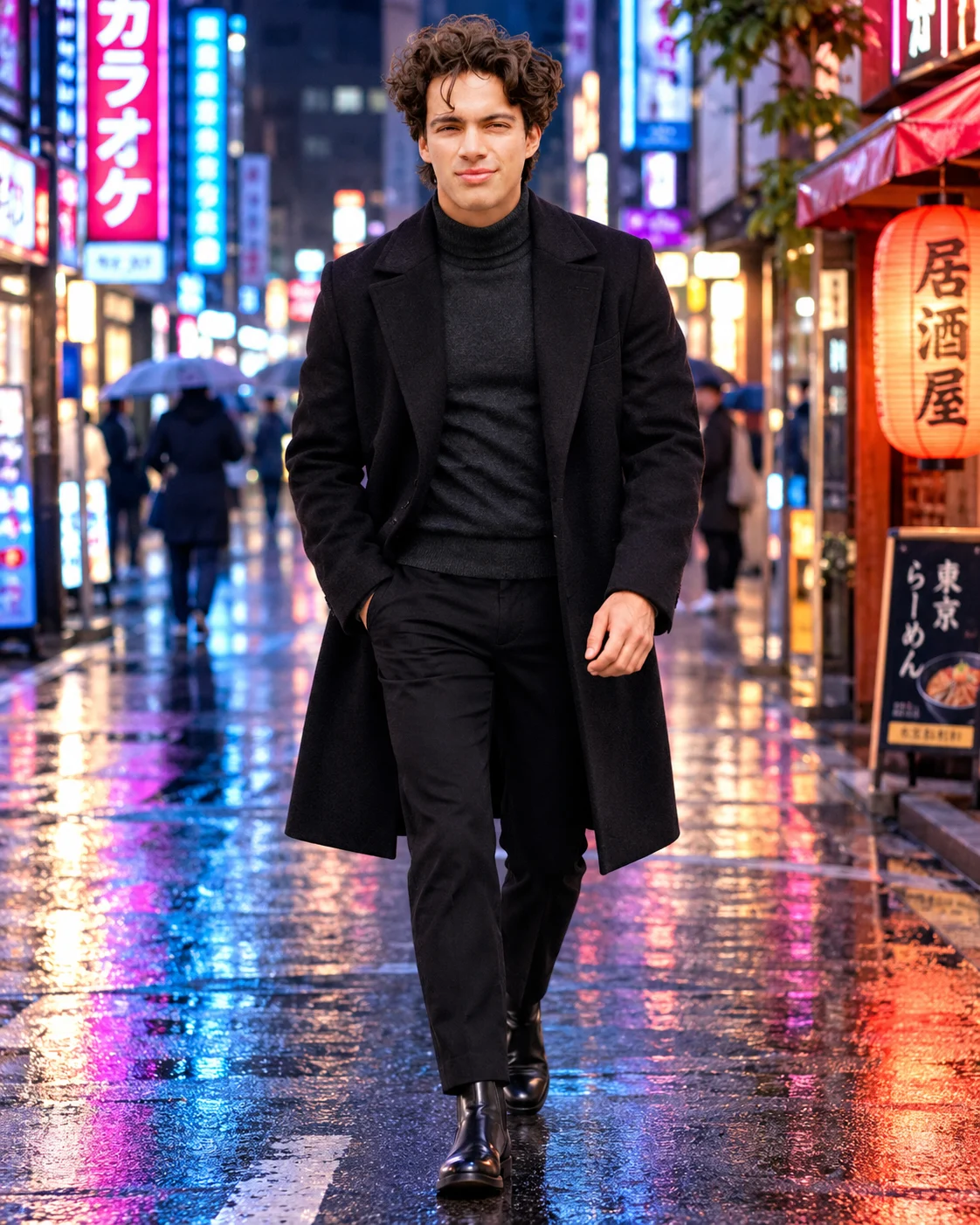
Midnight Tokyo Neon Street Men's Fashion Portrait
Create a cinematic Tokyo night portrait with a black wool overcoat, wet neon streets and blue-magenta reflections while preserving your exact facial identity.
Using the uploaded photo, create an ultra-realistic full-body cinematic men's street-fashion portrait of the same recognizable person walking through a rain-soaked Tokyo street at night, with a vertical 4:5 composition. KEEP — Preserve the person's exact recognizable facial identity and original facial geometry from the uploaded photograph. Retain the original forehead proportions, facial width, eyebrow shape and placement, eye shape and natural eye colour, nose bridge and tip, lip contours, cheek volume, cheekbones, jawline, chin, ears and natural facial asymmetry. Preserve the original skin tone, pores, fine lines, texture, age details and any visible marks without beautification. Keep the original hairline, hairstyle, hair density, texture and natural colour. Preserve existing facial hair exactly, including beard shape, moustache density and sideburn placement if present. Maintain the original neck, shoulders, height, body proportions and natural build. Do not reconstruct, blend, replace or reinterpret the face. CHANGE — Replace the original clothing with a tailored black wool-blend overcoat featuring broad structured lapels, a straight silhouette and subtle matte texture. Layer it over a fitted charcoal-grey cashmere turtleneck. Add slim black tailored wool trousers and polished black leather Chelsea boots. Give the person a confident walking pose, with one foot stepping forward, natural arm movement and relaxed shoulders. Keep the head naturally aligned with the walking direction. SCENE — Place the subject on a narrow Shinjuku-inspired Tokyo street at approximately 10 PM after rainfall. Wet charcoal asphalt reflects electric-blue, violet and magenta neon signage. Tall Japanese shopfronts, illuminated vending machines, distant pedestrians and overhead signs create depth behind the subject. Keep background architecture recognizable but softly blurred. LIGHT — Use mixed neon illumination from both sides, with cool blue light from camera-left and restrained magenta light from camera-right. Add soft frontal ambient illumination so facial features remain naturally exposed and integrated into the environment. Preserve realistic skin colour beneath the coloured reflections. CAMERA — Photograph at eye level using a 50mm full-frame lens at f/1.8, with full-body framing, sharp facial focus and controlled background bokeh. GRADE — Apply a cinematic teal-blue and magenta colour treatment, deep charcoal shadows, controlled highlights and realistic wet-surface reflections. Keep blacks detailed rather than crushed. OUTPUT — Vertical 4:5 aspect ratio, 8K resolution, realistic skin and wool textures, natural anatomy and professional nighttime fashion photography. DO NOT slim the face, whiten the skin, change eye colour, smooth away natural skin texture, alter facial hair, invent jewellery or tattoos, or introduce face replacement, plastic smoothing, distorted hands or artificial anatomy.
Photo Guide
- Upload a sharp, high-resolution photo with the entire face clearly visible.
- Use an eye-level or slightly elevated camera angle with minimal perspective distortion.
- Choose a photo with soft, even facial lighting and visible natural skin texture.
- Keep your original hairstyle, hairline, ears and facial hair unobstructed.
- A dark or neutral outfit helps the black overcoat blend naturally into the scene.
- Avoid heavily filtered selfies because neon lighting can exaggerate facial differences.
How to Build
- 1Open Gemini and select the image generation or photo editing option.
- 2Upload your original portrait as the identity reference.
- 3Paste the complete PROMPT CONTENT without removing the KEEP section.
- 4Choose 4:5 portrait framing and the highest available image quality.
- 5Enable reference image or identity preservation if the tool offers it.
- 6Generate the image and inspect the face, hands and neon reflections.
- 7If the first result looks wrong, refine only the incorrect details and regenerate.
Pro Tips
- Use a front-facing reference so neon lighting does not distort facial proportions.
- Choose a photo with visible hairline so the dark night styling stays believable.
- Keep sunglasses out of the reference so the original eye shape remains identifiable.
- Use a neutral expression to avoid unwanted changes to the original facial identity.
- Check that blue and magenta reflections do not overpower natural skin colour.
- Prefer a full-body reference so the walking pose preserves realistic proportions.
Share This Prompt
About the Author
Naziya
Creative AI writer at MFDA, sharing trendy photo-editing prompts and fresh ideas for beautiful, stylish AI images.