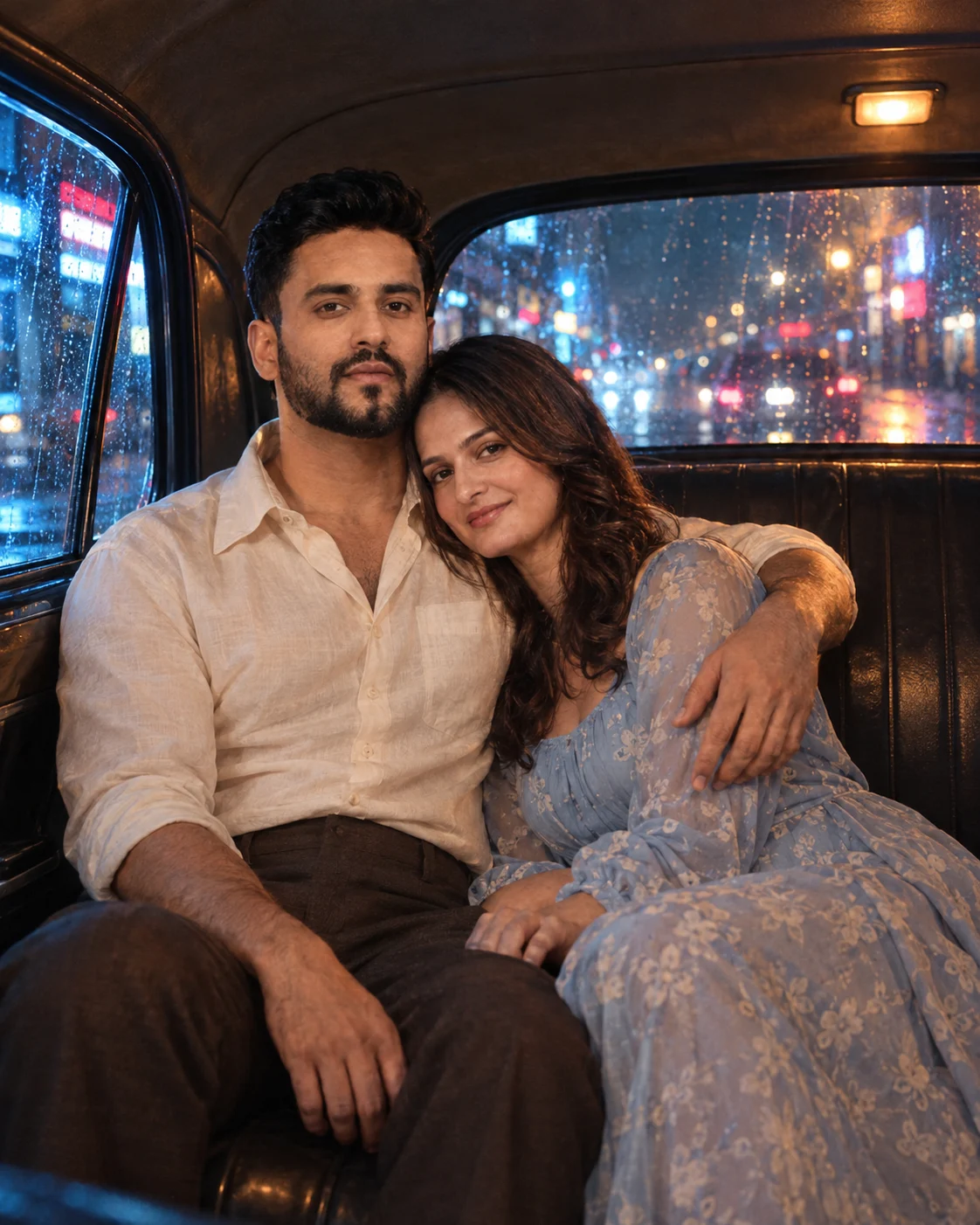
Midnight Taxi Ride Couple Photo Prompt
Create a cinematic midnight taxi portrait of a couple with neon reflections, natural intimacy, realistic skin, and strong identity preservation.
Using the uploaded photo, create a highly realistic cinematic portrait of the same couple seated together in the backseat of a vintage taxi at midnight. KEEP - Preserve both people’s exact identities from the uploaded photo. Keep each person’s original face structure, forehead shape, eyebrow pattern, eye shape and natural eye colour, nose structure, lip proportions, cheek shape, jawline, chin, facial proportions, and natural asymmetry. Keep their original skin tones, visible pores, fine texture, freckles or marks, without whitening or artificial smoothing. Preserve each person’s hairline, hair density, hairstyle pattern, and facial hair exactly as visible. Keep their natural body proportions, shoulder width, relative height, arm length, hand structure, and overall build. Preserve the couple’s distinct identities separately; do not blend their facial features. CHANGE - Place the couple in the backseat of a classic dark-coloured vintage taxi with aged leather upholstery and a slightly worn interior. Dress the woman in a [soft fabric dress colour] dress and the man in a [shirt colour] [cotton or linen] shirt with [trouser colour] trousers. The woman rests her head naturally against the man’s chest while his arm wraps gently around her shoulders. Keep her hands relaxed and visible. Make the pose affectionate but physically believable. SCENE - Set the taxi on a wet city street at midnight. Through the side and rear windows, show blurred neon shop signs, traffic lights, headlights, and rain-covered buildings. Keep the exterior strongly defocused while the couple remains the visual focus. LIGHT - Use cool blue and cyan neon light entering from the window side, with a softer warm amber dashboard glow filling the opposite side of their faces. Keep both light sources physically consistent across their skin, hair, and clothing. CAMERA - Shoot at 50mm, f/1.8, camera positioned at chest height from the opposite seat. Use shallow depth of field while retaining recognizable facial detail. GRADE - Apply a cool blue-cyan and warm amber cinematic grade, moderate contrast, restrained highlights, deep but detailed shadows, subtle film grain, and realistic wet-street reflections. OUTPUT - Create a 4:5 vertical composition at 1200 × 1500 pixels, keeping both faces and the embracing arms fully inside the frame. DO-NOT - No face slimming, no skin whitening, no changed eye colour, no plastic smoothing, no invented jewellery or tattoos, no face blending, no extra fingers, no distorted hands, no duplicated limbs, and no artificial model-like facial features.
Photo Guide
- Use a clear photo at least 1200px wide so facial texture survives the edit.
- A front or slight three-quarter angle keeps both eye shapes clearly readable.
- Use even indoor light; avoid strong coloured light already falling across the face.
- Keep the full face, hairline, shoulders, and hands visible in the source.
- A sharp face photo works best for this dark, shallow-focus taxi scene.
- Heavy filters or beauty retouching can cause facial identity drift.
How to Build
- 1Open Gemini and upload a clear photo showing both people.
- 2Choose image generation and paste the complete prompt unchanged.
- 3Replace only the bracketed wardrobe choices before generating.
- 4Use 4:5 portrait output if the tool provides an aspect-ratio setting.
- 5Check both faces, hands, and height relationship against the source.
- 6If the first result is wrong, regenerate while stressing the KEEP section.
Pro Tips
- Use a photo with visible shoulders so the embrace stays anatomically grounded.
- Keep both faces similarly exposed so neon light does not distort one identity.
- Choose muted wardrobe colours so cyan reflections stay believable on fabric.
- Use a source with natural skin texture so the dark grade does not create plastic skin.
- Keep the hands visible in the source so the affectionate pose does not invent fingers.
Share This Prompt
About the Author
Naziya
Creative AI writer at MFDA, sharing trendy photo-editing prompts and fresh ideas for beautiful, stylish AI images.