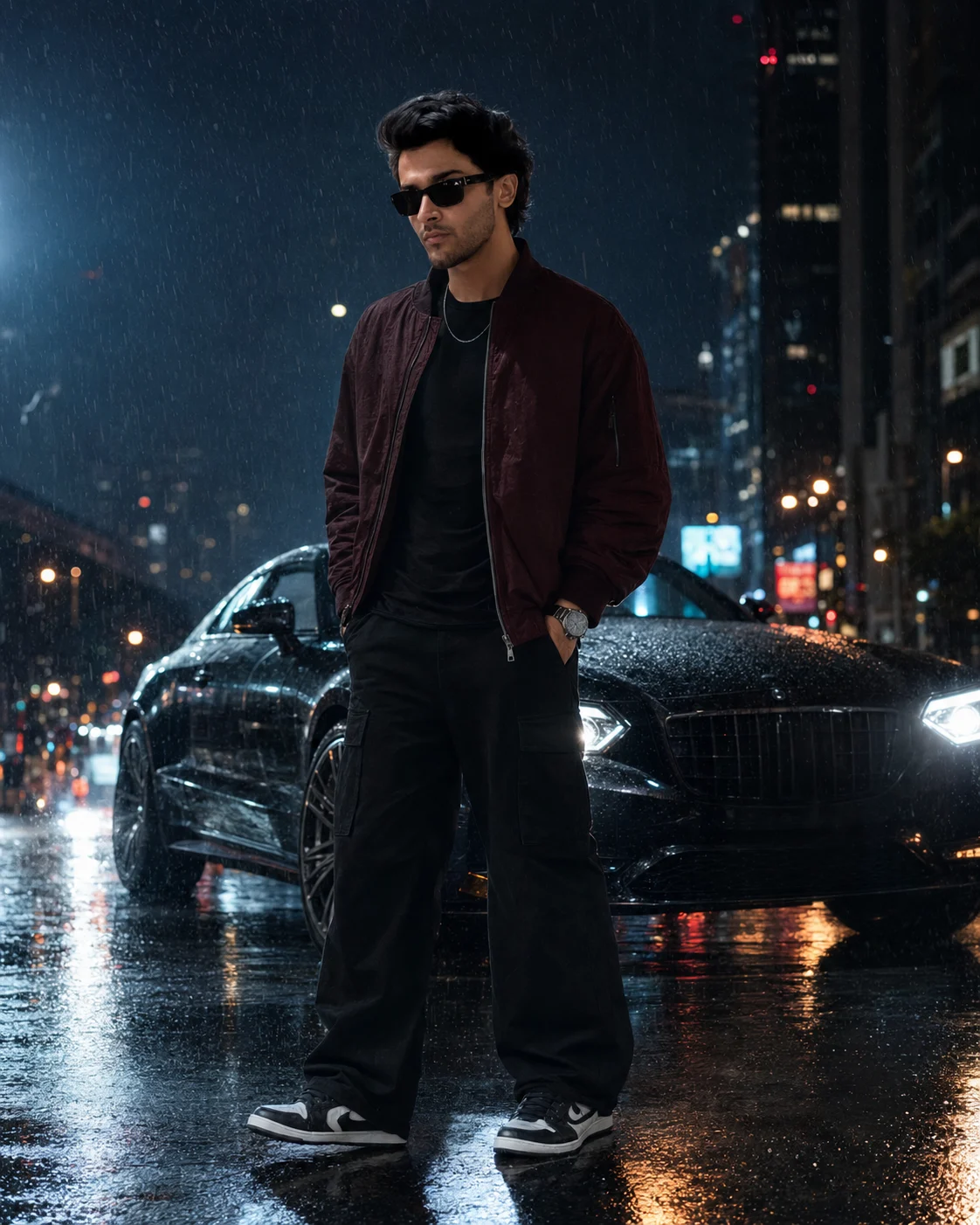
Midnight Rain Luxury Car Fashion Portrait
Create a cinematic midnight fashion portrait with heavy rain, a luxury coupe, wet reflections, burgundy outerwear, and natural face identity.
Using the uploaded photo, create a full-body cinematic fashion photograph of the same person in a rain-soaked luxury city scene at midnight. KEEP — Keep the uploaded person’s exact face structure, facial proportions, eye shape and natural eye colour, skin tone and visible skin texture, hairline, hairstyle, facial hair if present, and natural body proportions. Preserve the recognizable identity from the uploaded photo without reshaping the jaw, nose, cheeks, lips, forehead, or eyes. Keep the person’s apparent age and natural physical build consistent with the source photo. CHANGE — Change the wardrobe to a dark burgundy oversized bomber jacket over a fitted black T-shirt, wide-leg black cargo trousers, premium black-and-white sneakers, black sunglasses, a minimalist silver watch, and a thin silver chain. Change the pose to standing confidently with both hands inside the trouser pockets, shoulders slightly angled, chin naturally raised, and a serious editorial expression. Change the setting to a wet midnight boulevard with a dark metallic luxury coupe parked behind the subject at a three-quarter angle. Add heavy natural rain, wet asphalt, reflected city lights, and blurred glass buildings with amber and crimson lights. SCENE — Set the scene at midnight on a rain-soaked urban boulevard. Place the luxury coupe several feet behind the subject, with realistic water on its bodywork. Keep tall glass buildings and distant amber and crimson lights softly blurred behind them. LIGHT — Use cool blue ambient light from the surrounding city, with a soft directional key light from the front-left illuminating the face. Add warm-white headlights from the car behind and a subtle rim light around the hair and shoulders. Make every highlight physically consistent with the wet environment. CAMERA — Shoot on a full-frame 35mm lens at f/2.8, with the camera at chest height and a slightly low perspective. Use centered full-body framing, realistic lens compression, shallow depth of field, and sharp focus on the subject. GRADE — Apply a restrained blue-and-orange cinematic grade, controlled contrast, natural skin colour, subtle highlight roll-off, and fine film grain resembling an ARRI Alexa fashion campaign. OUTPUT — Create a vertical 4:5 image at 4096 × 5120 resolution with realistic rain droplets, reflections, wet fabric, and detailed skin texture. DO-NOT — Do not slim the face, whiten the skin, change eye colour, smooth skin into plastic, alter body proportions, invent jewellery or tattoos, distort hands, create fake reflections, or make the rain look artificial.
Photo Guide
- Use a sharp, high-resolution photo where the whole face is clearly visible.
- A front or slight three-quarter angle helps preserve facial proportions.
- Soft daylight on the original face gives cleaner identity reference data.
- Keep the hairline, eyes, jawline, and facial hair unobstructed.
- A dark indoor selfie can weaken the midnight-rain identity match.
How to Build
- 1Gemini: upload one clear identity photo as the main reference.
- 2Paste the full prompt and keep image generation at high quality.
- 3Choose a vertical 4:5 aspect ratio if the tool offers it.
- 4Keep the reference image strength high enough to preserve the face.
- 5Generate once, then compare the jaw, eyes, hairline, and body proportions.
- 6If wrong, regenerate using the same photo and strengthen the KEEP instructions
Pro Tips
- Use a sharp daylight portrait so skin texture remains believable in rain.
- Keep both eyes unobstructed so the sunglasses do not alter identity.
- Choose a photo showing the natural hairline so the rim light stays realistic.
- Use a full-body source when possible so body proportions do not drift.
- Avoid heavily edited selfies because facial smoothing can transfer into the result.
Share This Prompt
About the Author
Naziya
Creative AI writer at MFDA, sharing trendy photo-editing prompts and fresh ideas for beautiful, stylish AI images.