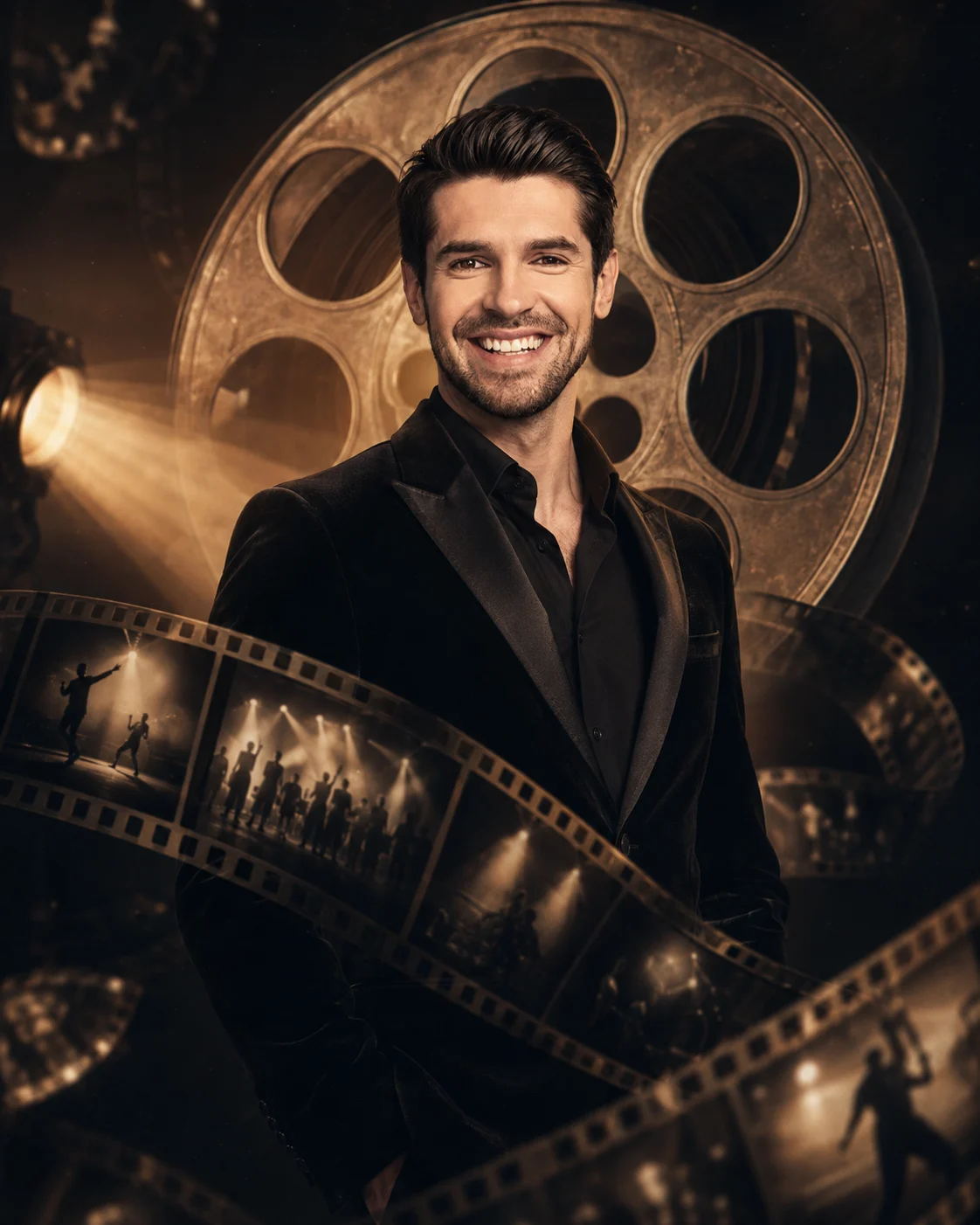
Michael Jackson Living Film-Reel Portrait
Turn your uploaded photo into a cinematic film-reel portrait with vintage concert imagery, translucent film strips, projector light, and holographic particles.
Using the uploaded photo, create a cinematic digital-art portrait of the same person emerging from a giant floating film reel suspended in a dark studio. KEEP — Keep the exact face structure from the uploaded photo, including the original jawline, cheek structure, nose shape, lip shape, forehead proportions, and facial symmetry. Keep the exact eye shape and natural eye colour. Keep the original skin tone and visible skin texture, including natural pores and small facial details. Keep the original hairline, hairstyle, and facial hair exactly as shown. Keep the person's natural body proportions, shoulder width, neck shape, and recognizable physical characteristics. The person must remain clearly identifiable as the individual in the uploaded photo. CHANGE — Replace the original wardrobe with a tailored black performance jacket made from fine matte velvet, with subtle satin lapels and no invented jewellery. Change the background into a black cinematic studio containing a large metallic film reel floating behind the subject. Add translucent 35mm film strips curling around the body, with abstract monochrome frames showing stage lights and dancing silhouettes. Change the lighting to warm amber projector illumination mixed with controlled neutral rim light. Change the pose to a calm three-quarter standing pose with the shoulders naturally angled toward the camera. Apply a restrained vintage-film colour grade with deep blacks and warm highlights. SCENE — Set the portrait inside a dark projection studio at night. Place the oversized film reel directly behind the upper body, slightly off-centre. Keep the distant reel and film strips softly blurred while the face remains sharply focused. LIGHT — Use warm projector light from camera-left at approximately 45 degrees, with a softer neutral fill from camera-right and a thin warm rim light behind the shoulders. Keep the facial lighting continuous with the neck and clothing. CAMERA — Use an 85mm lens at f/1.8, positioned at chest height, with shallow depth of field and natural facial perspective. GRADE — Use restrained 1970s-inspired analog film grain, warm amber highlights, charcoal blacks, moderate contrast, and subtle halation around bright projector lights. OUTPUT — Create a vertical 4:5 composition at 8K resolution, keeping the entire head, shoulders, upper torso, film reel, and surrounding film strips visible. DO-NOT — No face slimming, no skin whitening, no changed eye colour, no plastic smoothing, no altered facial proportions, no invented jewellery or tattoos, no readable text, no watermark, and no replacement face.
Photo Guide
- Use a sharp 4K+ photo where the full face and hairline are clearly visible.
- Choose a front or slight three-quarter angle so the jawline remains readable.
- Even facial lighting works best; avoid a face hidden in deep shadow.
- Keep the original hairline, eyes, facial hair, and shoulders unobstructed.
- A dark outfit is useful, but avoid black backgrounds in the source photo.
- Glasses, heavy blur, or cropped facial features can cause identity drift.
How to Build
- 1Open Gemini and choose image generation with your uploaded photo.
- 2Upload one clear identity photo before pasting the prompt.
- 3Paste the full prompt without removing the KEEP or CHANGE sections.
- 4Choose a vertical 4:5 image setting if available.
- 5Generate at the highest available resolution and inspect the face first.
- 6If the first result drifts, regenerate using a sharper identity photo.
Pro Tips
- Use a neutral expression so the facial proportions remain easier to match.
- Keep both eyes visible so the film-reel lighting does not distort them.
- Use a clear hairline photo so the silhouette stays consistent.
- Avoid source photos with beauty filters so skin texture survives the grade.
- Keep the reel behind the head, not across the face, so identity stays dominant.
Share This Prompt
About the Author
Naziya
Creative AI writer at MFDA, sharing trendy photo-editing prompts and fresh ideas for beautiful, stylish AI images.