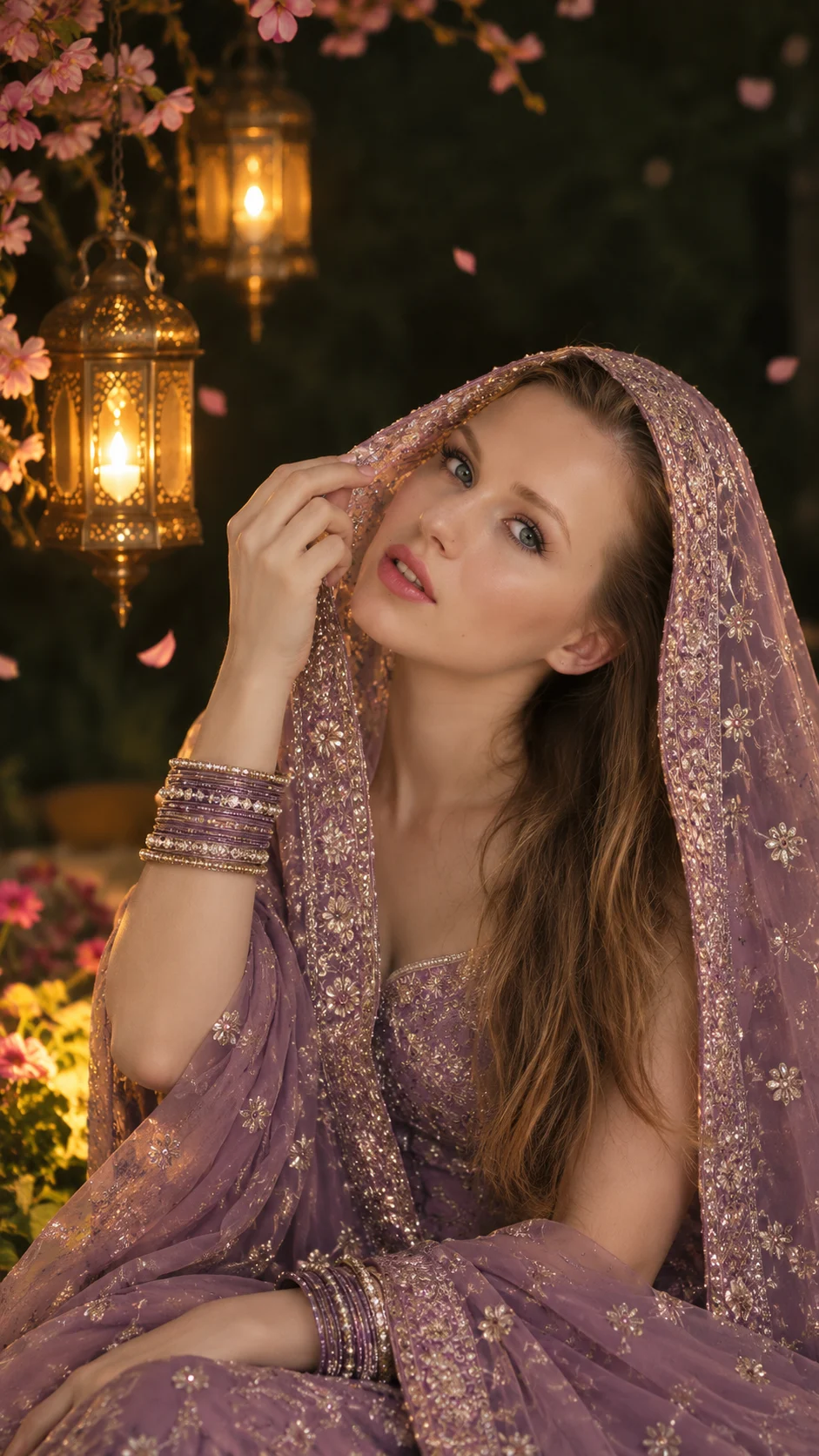
Mauve Purple Dupatta Portrait with Golden Lanterns
Create a cinematic Indian portrait with a mauve embroidered dupatta, antique golden lanterns, floating pink petals, and warm light against a deep green background.
Using the uploaded photo, create a photorealistic traditional Indian fashion portrait of the same person wearing an embroidered mauve-purple dupatta beneath warm antique lanterns, in a vertical 9:16 composition. KEEP — Preserve the person's recognizable facial identity, original face shape, forehead proportions, eyebrow placement, eye shape and natural colour, nose bridge and tip, lips, cheeks, cheekbones, jawline, chin, ears, facial width, and natural asymmetry. Retain the original skin tone, visible skin texture, natural marks, and age. Keep the original hairline, hair density, texture, colour, and natural body proportions. Preserve recognizable features even where the fabric shades part of the face. Do not substitute a generic model. CHANGE — Drape a lightweight mauve-purple dupatta over the head and shoulders, featuring fine antique-silver thread embroidery, tiny floral motifs, and a densely patterned ornamental border. Let the border fall diagonally across the forehead, partially shading the upper face without completely hiding the visible features. Add a matching embroidered blouse and coordinated purple, silver, and antique-gold bangles. Pose the subject with one hand gently lifting the dupatta near the temple, showing naturally curved fingers and a relaxed wrist. Allow long dark hair to fall over one shoulder where compatible with the uploaded hairstyle. SCENE — Set the portrait in a traditional courtyard at night. Place two hanging antique brass lanterns at different heights in the upper-left background. Add delicate branches of small pink blossoms along the upper-left edge, softly illuminated flowers near the lower-left corner, and a few suspended pink petals. Keep the remaining background deep forest green, uncluttered, and softly blurred. LIGHT — Use warm amber light from the upper left, balanced by gentle frontal fill light on the visible face. Create realistic highlights on the silver embroidery, fingertips, and brass lanterns. Keep facial shadows consistent with the lantern direction so the subject blends naturally into the scene. CAMERA — Use an 85mm portrait lens at f/1.8, with the camera near eye level. Frame from the head to the lap, keeping the visible face, raised hand, bangles, and embroidered border sharp while the lanterns dissolve into soft bokeh. GRADE — Apply muted mauve, dusty plum, antique silver, amber gold, and deep forest green. Use controlled contrast, warm highlights, rich shadows, and natural skin tones without artificial glow. OUTPUT — Vertical 9:16, 1440 × 2560 pixels, with detailed embroidery, realistic fabric folds, and natural skin texture. DO NOT slim the face, whiten the skin, change eye colour, smooth skin into plastic, invent jewellery or tattoos, alter age, or replace the uploaded person's identity.
Photo Guide
- Upload a sharp portrait with the face and natural skin texture clearly visible.
- Use a front-facing or slight three-quarter angle for a stable facial match.
- Choose soft, even lighting so the face blends with the warm lantern glow.
- Keep the hairline and facial features visible; the dupatta will cover part of the forehead.
- A visible hand helps guide the raised-hand pose and realistic finger placement.
- Avoid heavily filtered selfies because they weaken natural facial identity.
How to Build
- 1Open Gemini and select image generation with your uploaded reference photo.
- 2Upload one clear photo and paste the complete prompt content.
- 3Choose a vertical 9:16 aspect ratio if the tool offers that setting.
- 4Set the output to 1440 × 2560 pixels or the closest available resolution.
- 5Generate the portrait with image-reference or identity-preservation options enabled.
- 6Check the dupatta border, lantern placement, hand anatomy, and facial resemblance.
- 7If the result is wrong, regenerate with a specific correction while keeping KEEP unchanged.
Pro Tips
- Choose a photo with visible facial features so the dupatta does not erase identity.
- Keep the lanterns in the upper left to preserve the reference composition.
- Use fine embroidered borders so the fabric remains detailed rather than metallic.
- Keep frontal fill light soft so the shaded face does not become unnaturally dark.
- Limit the floating petals to a few so they do not distract from the portrait.
- Preserve the original hair texture so visible strands remain consistent across results.
Share This Prompt
About the Author
Naziya
Creative AI writer at MFDA, sharing trendy photo-editing prompts and fresh ideas for beautiful, stylish AI images.