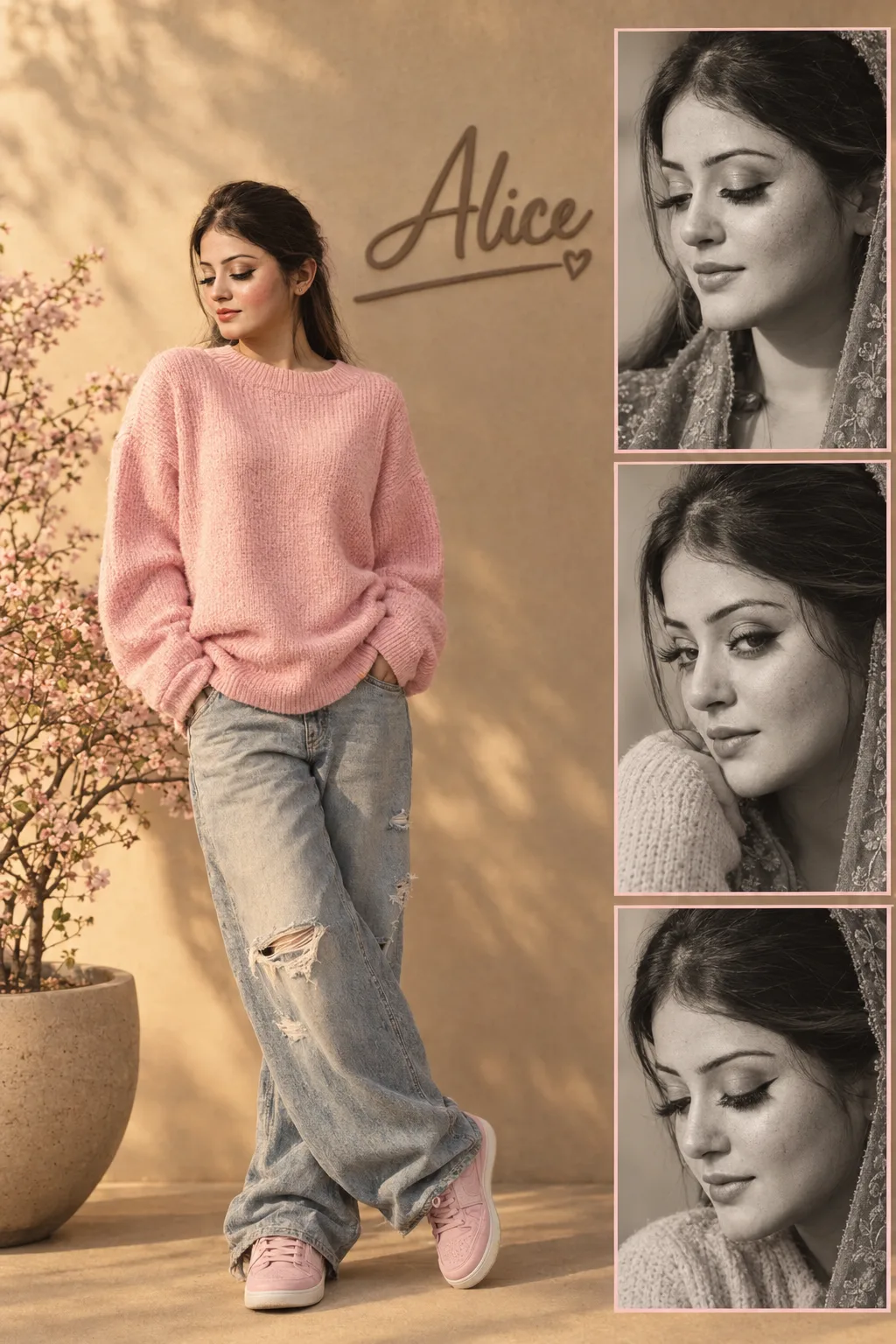
Luxury Pink Streetwear Fashion Editorial Collage
Create a warm luxury fashion collage with soft-pink streetwear, golden-hour shadows, a taupe name sign, and matching monochrome portraits.
Using the uploaded photo, create a photorealistic luxury fashion editorial collage in a vertical 2:3 composition. KEEP — Keep the person’s exact face structure, eye shape and natural eye colour, skin tone and visible skin texture, hairline, facial hair if present, and body proportions from the uploaded photo. Keep their recognizable facial identity unchanged across the main figure and all three portrait panels. Keep natural pores, real hair density, and authentic facial asymmetry instead of generating a new face. CHANGE — Change the wardrobe to an oversized soft-pink knit sweater, baggy distressed light-wash denim jeans, and clean pink sneakers. Change the pose to a nearly full-body stance with both hands inside the jean pockets and one leg naturally crossed forward. Change the setting to a warm beige minimalist wall with a matte-taupe 3D cursive sign reading exactly “Alice”, including a thin underline ending in a small heart. Add a large matte stone planter with a delicate cherry blossom tree in the lower-left corner. Change the lighting, background, and colour grade to the warm premium editorial style described below. SCENE — Place the person on the left with comfortable headroom and natural full-body proportions. Use warm golden-hour daylight. Behind them, keep the beige wall softly blurred while the physical “Alice” sign remains readable. On the right, stack three evenly sized monochrome close-up panels with thin soft-pink borders. LIGHT — Light the face from one side with broad, soft golden-hour sunlight. Use warm directional daylight around 4300–4800K, with gentle shadows and controlled highlights matching the face and clothing. CAMERA — Main portrait: 50mm lens, f/4, camera at chest height. Side panels: 85mm lens, f/1.8, camera at eye height, producing natural portrait compression. GRADE — Use warm beige, cream, ivory, matte taupe, and soft pink. Apply restrained contrast, soft highlights, natural skin colour, and subtle editorial film grain. OUTPUT — Render at a vertical 2:3 aspect ratio, ideally 2048 × 3072 pixels, with crisp facial detail and realistic fabric texture. DO-NOT — no face slimming, no skin whitening, no changed eye colour, no plastic smoothing, no invented jewellery or tattoos, no facial reshaping, no duplicated facial features, no distorted hands, and no altered body proportions.
Photo Guide
- Use a sharp photo with enough resolution to see pores and the hairline.
- Choose a front or slight three-quarter angle with the full face unobstructed.
- Soft daylight is best; avoid harsh coloured lights on the original face.
- Keep the forehead, jawline, hairline, and shoulders clearly visible.
- Avoid sunglasses in the source so the eye shape and colour remain accurate.
- A busy original background can make the beige wall replacement look less clean.
How to Build
- 1Open Gemini and choose image generation with the uploaded photo as reference.
- 2Paste the full prompt and keep the output ratio at 2:3.
- 3Use a clear face photo where both eyes and the hairline are visible.
- 4Generate once, then check the face across all four collage sections.
- 5If the first result is wrong, regenerate while stressing the KEEP section.
Pro Tips
- Use soft-pink clothing rather than bright pink so the beige palette stays refined.
- Keep the face evenly exposed so golden-hour shadows do not distort facial features.
- Use a sharp source image so the three close-ups retain the same identity.
- Avoid heavy makeup in the source so natural skin texture survives the edit.
- Keep the “Alice” sign physically wall-mounted so it does not look like floating text.
Share This Prompt
About the Author
Naziya
Creative AI writer at MFDA, sharing trendy photo-editing prompts and fresh ideas for beautiful, stylish AI images.