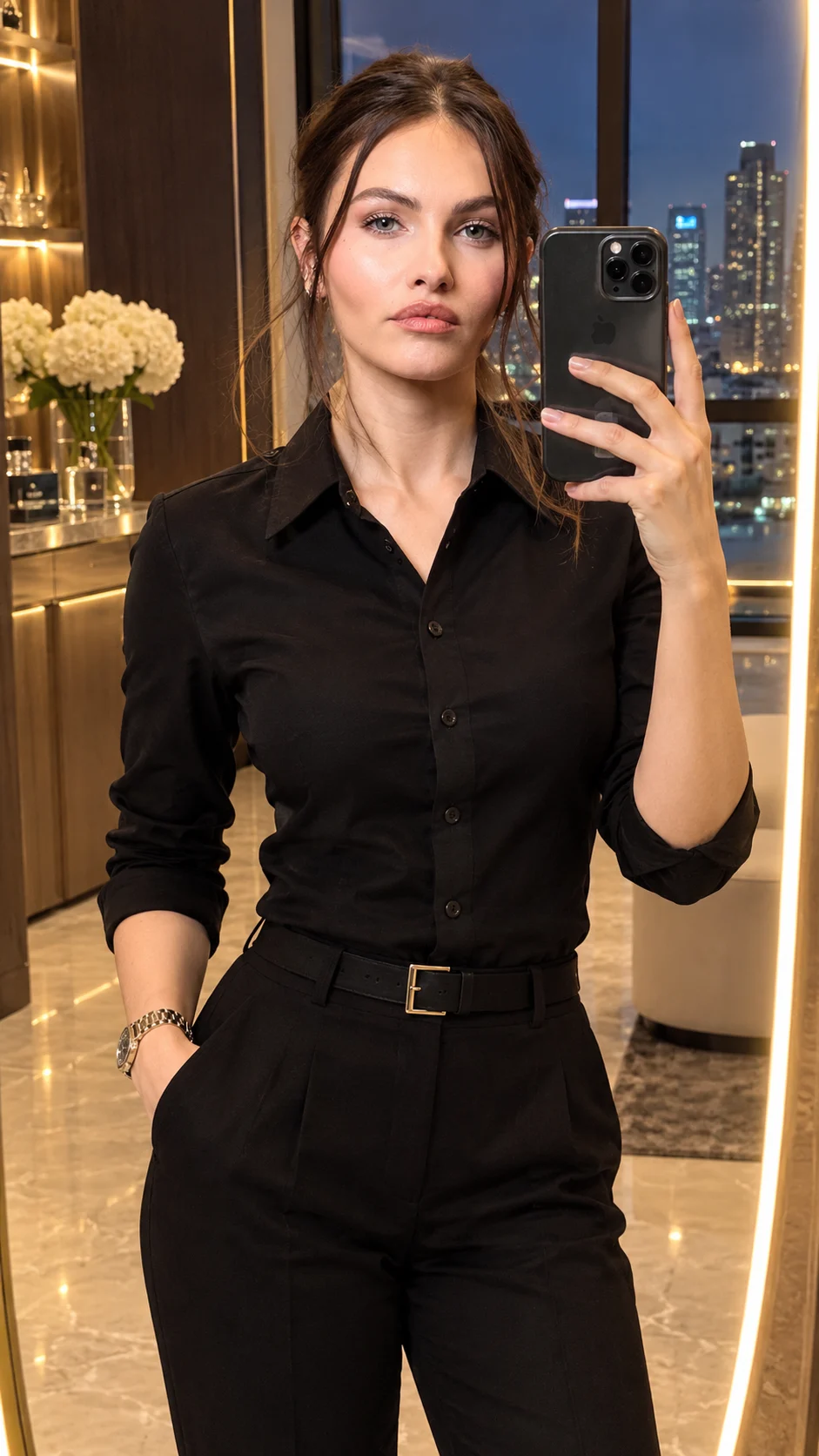
Luxury Penthouse LED Mirror Selfie Portrait
Transform your photo into a luxury penthouse mirror selfie with a champagne-gold LED mirror, tailored black outfit, marble interiors, and warm city lights.
Using the uploaded photo, create a photorealistic luxury penthouse mirror selfie of the same person, framed in a vertical 9:16 composition. KEEP — Preserve the person's exact facial identity and natural facial structure, including forehead shape, eyebrow placement, original eye shape and colour, nose bridge and tip, lips, cheeks, cheekbones, jawline, chin, ears, facial width, and natural asymmetry. Retain the original skin tone, visible pores, fine skin texture, natural marks, and age. Keep the original hairline, hair density, hairstyle, and facial hair. Preserve the person's natural body proportions, shoulder width, neck, and hand structure. Maintain the recognizable face and original expression. Keep the smartphone in the same hand, preserving its realistic size, grip, and position wherever visible. CHANGE — Replace the existing setting with a refined penthouse dressing area. Dress the subject in a tailored black cotton or fine-wool shirt, neatly fitted black trousers, and a simple premium wristwatch. Introduce a floor-to-ceiling asymmetrical mirror with a continuous champagne-gold LED border. Use beige marble flooring, dark walnut cabinetry, brushed-brass accents, and large windows overlooking a modern city skyline after sunset. Adjust the subject's placement only as needed to fit the mirror naturally. SCENE — Position the subject in front of the illuminated mirror, with the city skyline visible through the windows behind them. Show subtle building lights and a deep blue evening sky. Keep the cabinetry and interior details softly defined rather than heavily blurred. Ensure the mirror reflection matches the subject's pose, clothing, phone, and surroundings. LIGHT — Use warm 3000K LED illumination around the mirror, balanced by soft neutral room lighting from the front and slightly above eye level. Add gentle highlights to the face and shirt without creating harsh shadows. Keep the face naturally integrated into the room's lighting. CAMERA — Simulate a full-frame camera with a 50mm lens at f/2.8, positioned approximately at chest height. Maintain natural perspective, realistic body proportions, and moderate background separation. GRADE — Apply warm champagne highlights, neutral skin tones, deep walnut browns, and controlled black levels. Use restrained contrast, realistic dynamic range, and subtle cinematic colour grading without excessive sharpening. OUTPUT — Generate a high-detail photorealistic image in vertical 9:16 aspect ratio at 4K resolution. Preserve realistic mirror geometry, accurate reflections, natural fabric folds, and fine environmental textures. DO NOT slim the face, whiten the skin, change eye colour, alter age, smooth skin into plastic, invent jewellery or tattoos, replace facial features, blend identities, distort hands, duplicate the phone, or create inconsistent reflections.
Photo Guide
- Use a sharp, high-resolution photo with the face clearly visible.
- Choose a front-facing or three-quarter angle with natural facial proportions.
- Use even lighting so the original skin tone and facial details remain clear.
- Keep the hairstyle, hairline, shoulders, and phone hand visible if possible.
- A warm indoor photo blends naturally with the penthouse's golden LED lighting.
- Avoid heavy beauty filters because they can cause facial identity drift.
How to Build
- 1Open ChatGPT and select its image generation feature.
- 2Upload a clear photo of the person you want to preserve.
- 3Paste the complete prompt into the same conversation.
- 4Keep the output aspect ratio at 9:16 if the tool offers that setting.
- 5Choose the highest available image quality or resolution.
- 6Generate the image and check the face, phone grip, and mirror reflection.
- 7If the result is wrong, refine only the incorrect detail and regenerate.
Pro Tips
- Choose a photo with visible facial details so the identity stays consistent.
- Keep the original phone position to reduce hand and reflection errors.
- Use a black or dark outfit in the source for easier wardrobe continuity.
- Avoid extreme camera angles so the mirror perspective remains believable.
- Use a clear, unobstructed face so warm LED lighting does not hide features.
Share This Prompt
About the Author
Naziya
Creative AI writer at MFDA, sharing trendy photo-editing prompts and fresh ideas for beautiful, stylish AI images.