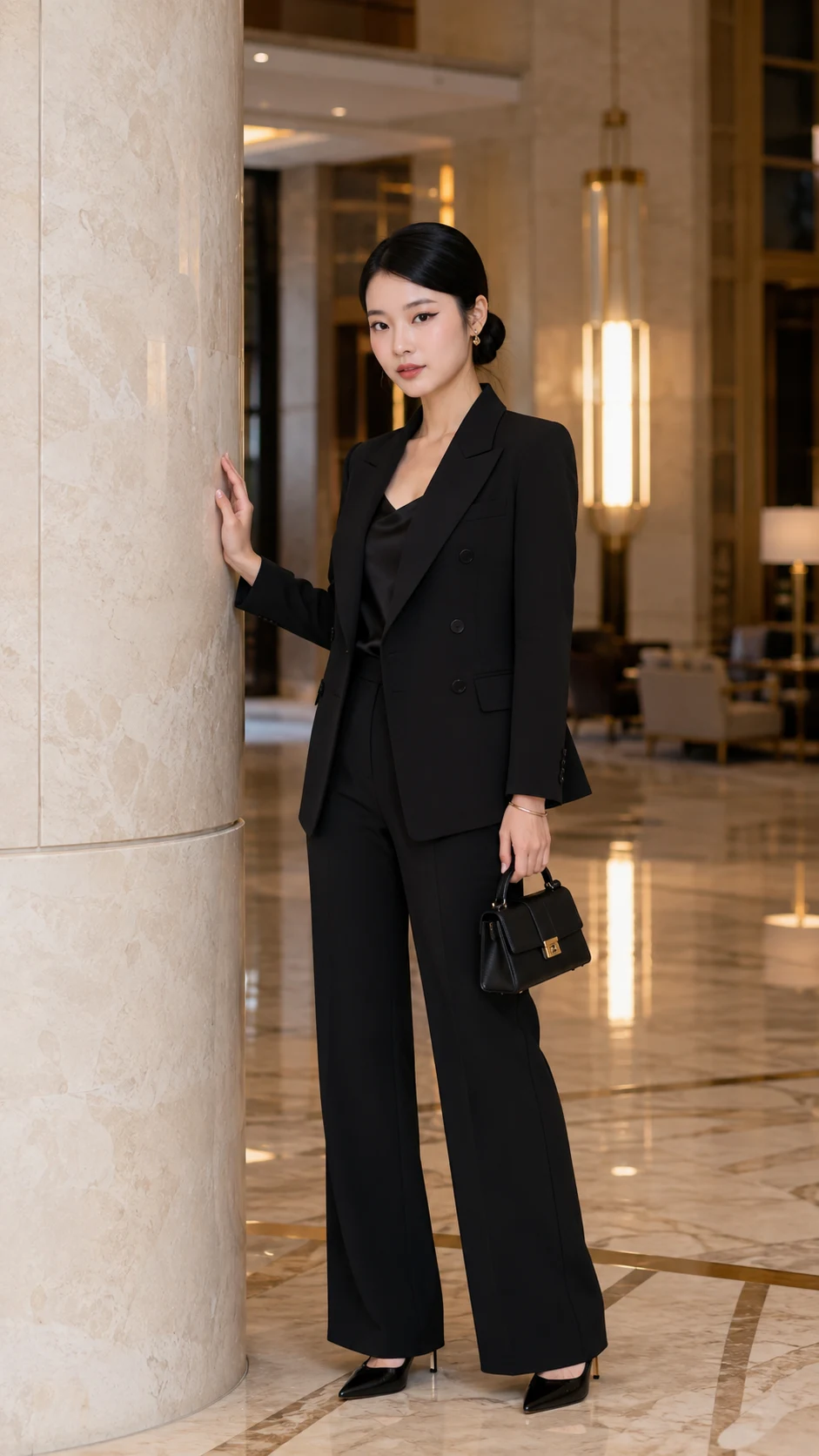
Luxury Hotel Lobby Black Suit Fashion Portrait
Create a polished full-body hotel-lobby fashion portrait with a tailored black suit, marble architecture, warm light, and natural likeness.
Using the uploaded photo, create a photorealistic full-body luxury fashion portrait of the same woman standing inside an elegant five-star hotel lobby. KEEP - Keep the uploaded woman's exact facial identity and visible structure: forehead shape, eyebrow shape and placement, eye shape and natural eye colour, nose structure, lips, cheeks, cheekbones, jawline, chin, ears, facial proportions, and natural asymmetry. Preserve her original skin tone, visible pores, fine texture, natural marks, hairline, hair density, facial hair if visible, and authentic body proportions. Keep her recognizable rather than converting her into a generic fashion model. CHANGE - Dress her in a [black double-breasted wool pantsuit] with clean tailoring, a [black satin camisole], pointed [black leather heels], small [gold hoop earrings], and one [slim gold bracelet]. Style her existing hair into a polished low bun with a center part while retaining her natural hairline. Place her beside a tall [cream marble column], with one hand resting lightly against it and the other holding a [small structured black leather handbag]. Keep her shoulders relaxed, torso upright, feet naturally positioned, and gaze directly into the camera. SCENE - Set the portrait inside a refined hotel lobby with cream marble flooring, tall pale stone columns, brushed brass architectural details, and warm pendant lights. Place softly blurred lounge furniture deeper in the lobby so the woman remains the clear subject. Make the space feel spacious without adding decorative objects that are not specified. LIGHT - Use soft warm interior illumination from above and slightly camera-left, supported by gentle window light from the same side. Keep the light direction consistent across her forehead, nose, cheeks, blazer, and hands. Use approximately 3200-3800K warmth with controlled highlights and soft shadows. CAMERA - Shoot at eye level from approximately chest height, using an 85mm lens at f/2.8. Frame her full body with natural perspective, sharp eyes, realistic fabric detail, and moderate background compression. GRADE - Use black, ivory, beige, wood, and muted brass tones with warm neutral white balance, restrained contrast, subtle cinematic depth, and natural skin rendering. OUTPUT - 9:16 vertical portrait at 2160 × 3840 pixels. DO-NOT - No face slimming, no skin whitening, no changed eye colour, no plastic smoothing, no invented jewellery or tattoos.
Photo Guide
- Use a sharp, high-resolution photo where the full face is clearly visible.
- A front or slight three-quarter angle works best for preserving facial proportions.
- Use even daylight or soft window light so the face maps naturally.
- Keep the hairline, ears, jawline, and visible skin texture unobstructed.
- Avoid heavy beauty filters; they can erase the details needed for identity.
How to Build
- 1Open Gemini and select image generation with the uploaded photo.
- 2Upload one clear identity photo with the face large enough to inspect.
- 3Paste the prompt exactly, keeping all [bracketed] choices unchanged.
- 4Choose 9:16 portrait output and the highest available resolution.
- 5Generate the image with the reference photo attached to the same request.
- 6If the first result drifts, regenerate with a clearer face reference and stricter KEEP text.
Pro Tips
- Use a front-facing source so the 85mm framing keeps facial proportions stable.
- Keep the forehead and hairline visible so the center-parted bun stays believable.
- Choose a source with natural skin texture so the warm light does not over-smooth it.
- Avoid sunglasses or hands covering the face because both reduce identity detail.
- Use a neutral expression in the source so the direct editorial gaze stays natural.
Share This Prompt
About the Author
Naziya
Creative AI writer at MFDA, sharing trendy photo-editing prompts and fresh ideas for beautiful, stylish AI images.