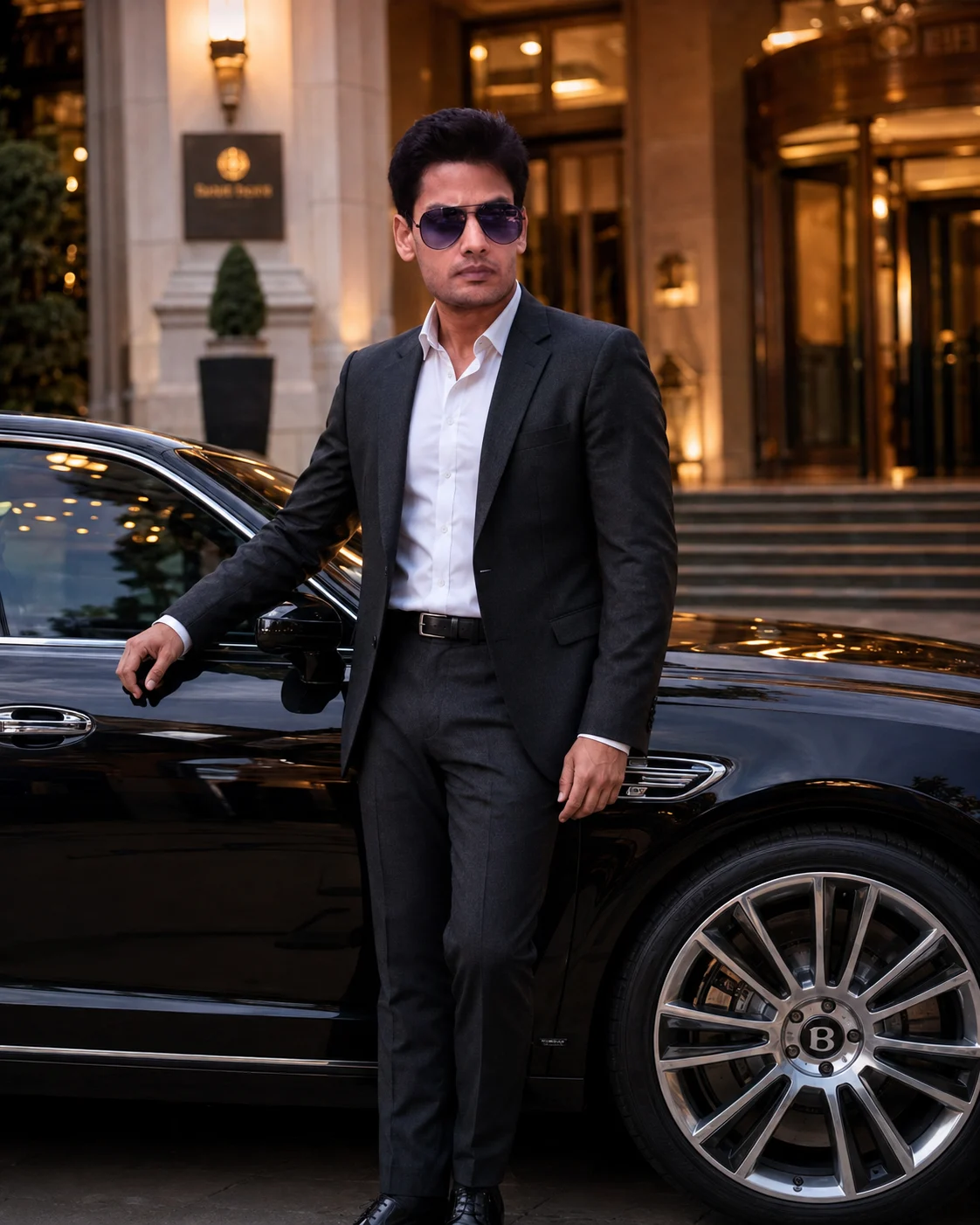
Luxury Hotel Entrance Bentley Portrait
Create a cinematic luxury portrait beside a black Bentley at a five-star hotel entrance, with warm lights, tailored style, and accurate facial identity.
Using the uploaded photo, create a photorealistic cinematic luxury editorial portrait of the same person standing beside a glossy black Bentley at the entrance of a five-star hotel during early evening. KEEP — Keep the uploaded face structure exactly, including the natural jawline, cheek structure, nose shape, lip shape, eye shape, and eye colour. Keep the original skin tone and natural skin texture, including visible pores and small realistic details. Keep the original hairline, hairstyle characteristics, and facial hair exactly as shown. Keep the person's natural body proportions, shoulder width, torso shape, height relationship, hands, and overall recognizable physical appearance. Do not redesign the person's identity while changing the setting. CHANGE — Dress the person in a perfectly tailored charcoal-black wool suit with a crisp white cotton dress shirt, subtle black leather belt, and polished black leather dress shoes. Do not add a tie unless requested: [tie style]. Place them beside a glossy black Bentley with realistic reflective bodywork. Pose the person with one hand resting naturally on the car door and the other relaxed beside the body, shoulders squared toward the camera. Use a confident expression with direct eye contact and a relaxed jaw. Replace the original background with a five-star hotel entrance featuring polished marble stairs, stone columns, glass doors, and warm architectural lighting. SCENE — Set the photograph during early evening, just after sunset, with the hotel entrance clearly visible behind the subject. Keep the Bentley close beside the person and slightly behind the face plane. Background architecture should remain recognizable but softly blurred, with enough detail to establish an upscale hotel arrival setting. LIGHT — Use warm architectural lights positioned mainly from the front-left and slightly above eye level, creating natural illumination across the face while preserving facial texture. Add gentle ambient blue evening light from the opposite side for realistic colour separation. CAMERA — Shoot at 85mm, f/1.8, camera positioned at chest height. Use natural perspective compression, sharp facial focus, shallow depth of field, and realistic reflections across the Bentley. GRADE — Apply a cinematic luxury editorial grade with warm highlights, controlled blacks, moderate contrast, neutral skin tones, and subtle cool-blue evening shadows. OUTPUT — Create a vertical 4:5 composition at 2048 × 2560 resolution, keeping the full upper body, one hand, Bentley details, and hotel entrance comfortably inside the frame. DO-NOT — no face slimming, no skin whitening, no changed eye colour, no plastic smoothing, no invented jewellery or tattoos, and no altered facial proportions.
Photo Guide
- Use a sharp photo with enough resolution to see your eyes, hairline, and skin texture.
- A front-facing or slight three-quarter photo gives the suit pose better identity matching.
- Use even daylight on your face; harsh colored indoor light can distort skin tone.
- Keep your full face, hairline, shoulders, and both hands visible if possible.
- A photo with natural skin texture works best for the warm hotel lighting.
- Avoid sunglasses or heavy shadows across the face; they cause identity drift.
How to Build
- 1Open Gemini and upload your clearest reference photo first.
- 2Choose image generation and paste the full prompt without removing KEEP.
- 3Set the canvas to a vertical 4:5 aspect ratio if available.
- 4Generate the first image and check the jawline, eyes, hairline, and hands.
- 5If the Bentley overwhelms the subject, regenerate with the subject kept dominant.
- 6If the face drifts, reuse the same photo and regenerate with KEEP unchanged.
Pro Tips
- Use a straight-on face photo so the 85mm perspective preserves facial proportions.
- Choose natural skin lighting so warm hotel lights do not make skin look orange.
- Keep the hairline visible because it anchors identity after the hairstyle change.
- Use a full-body reference when possible so suit proportions stay believable.
- Keep the Bentley slightly behind the face plane so reflections do not distract from identity.
Share This Prompt
About the Author
Naziya
Creative AI writer at MFDA, sharing trendy photo-editing prompts and fresh ideas for beautiful, stylish AI images.