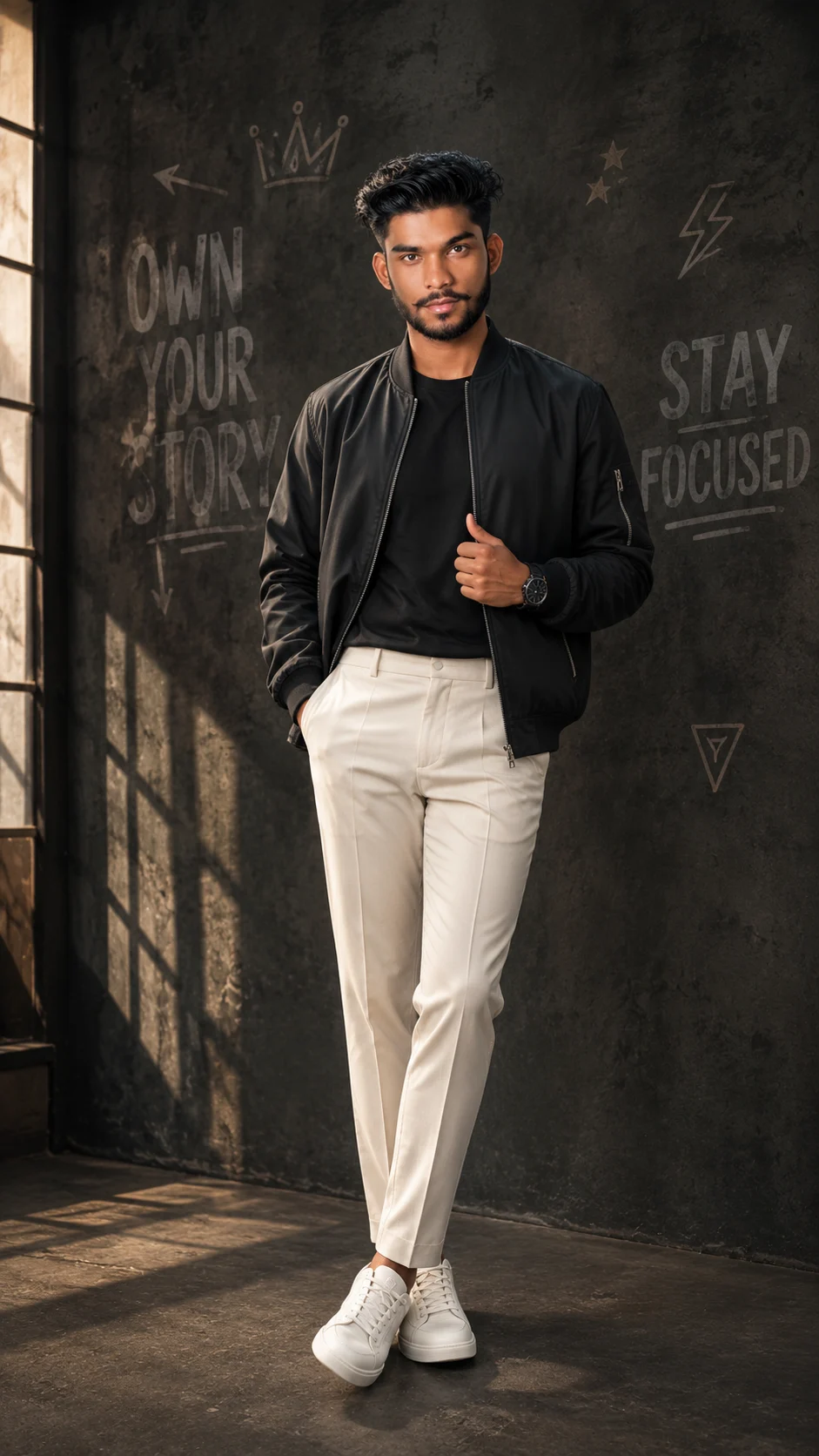
Luxury Black Studio Fashion Portrait
Create a cinematic full-body fashion portrait with a charcoal studio, black luxury styling, warm window light, and your original face and body proportions.
Using the uploaded photo, create a photorealistic full-body luxury fashion portrait of the same person in a dark industrial studio. KEEP — Keep the uploaded face structure, jawline, cheek shape, eye shape and eye colour exactly as shown. Keep the original skin tone, natural skin texture, hairline, hairstyle characteristics, facial hair if present, and all recognizable facial details. Keep the person's natural body proportions, shoulder width, height relationship, hands, legs, and overall physique. The person must remain clearly identifiable as the uploaded subject rather than becoming a different model. CHANGE — Change the wardrobe to a premium oversized charcoal-black bomber jacket in matte technical fabric, worn over a fitted black cotton T-shirt. Add tailored off-white trousers with clean wool-like texture, a simple black wristwatch, and clean white leather sneakers. Change the pose to a relaxed standing editorial pose: one hand inside a trouser pocket, the other lightly adjusting the bomber jacket, shoulders relaxed, with one foot slightly ahead. Change the setting to a matte charcoal concrete studio wall with subtle hand-painted typography and sketches. Use warm directional window light and a refined cinematic colour grade. SCENE — Place the subject in a sophisticated industrial studio during late afternoon. Behind him is a dark charcoal concrete wall with restrained hand-drawn words such as “OWN YOUR STORY” and “STAY FOCUSED,” plus small arrows, stars, a crown and geometric marks. Keep these markings secondary and slightly softened by shallow depth of field.
Photo Guide
- Use a sharp, high-resolution photo where the face is clearly visible.
- A front or slight three-quarter angle works best for the 85mm portrait setup.
- Use even daylight so the original skin texture and eye colour remain readable.
- Keep the hairline, facial hair, shoulders and full body visible.
- Avoid very dark source photos; they can weaken the warm window-light match.
- The charcoal studio look works best when your source face is not heavily filtered.
How to Build
- 1Gemini: upload your photo and paste the prompt as one complete instruction.
- 2Choose a vertical 4:5 output if the tool offers aspect-ratio controls.
- 3Use the highest available image quality or resolution setting.
- 4Check the first result against your original face, hairline, eyes and body proportions.
- 5If the result is wrong, regenerate using the same photo and stress the KEEP list first.
Pro Tips
- Use a photo with visible skin texture so the studio grade does not over-smooth it.
- Keep both eyes unobstructed so their original shape and colour stay accurate.
- Choose a photo showing your natural hairline so the hairstyle does not drift.
- Avoid sunglasses in the source photo so the identity reference stays stronger.
- Use a full-body source when possible so the requested proportions remain consistent.
Share This Prompt
About the Author
Naziya
Creative AI writer at MFDA, sharing trendy photo-editing prompts and fresh ideas for beautiful, stylish AI images.