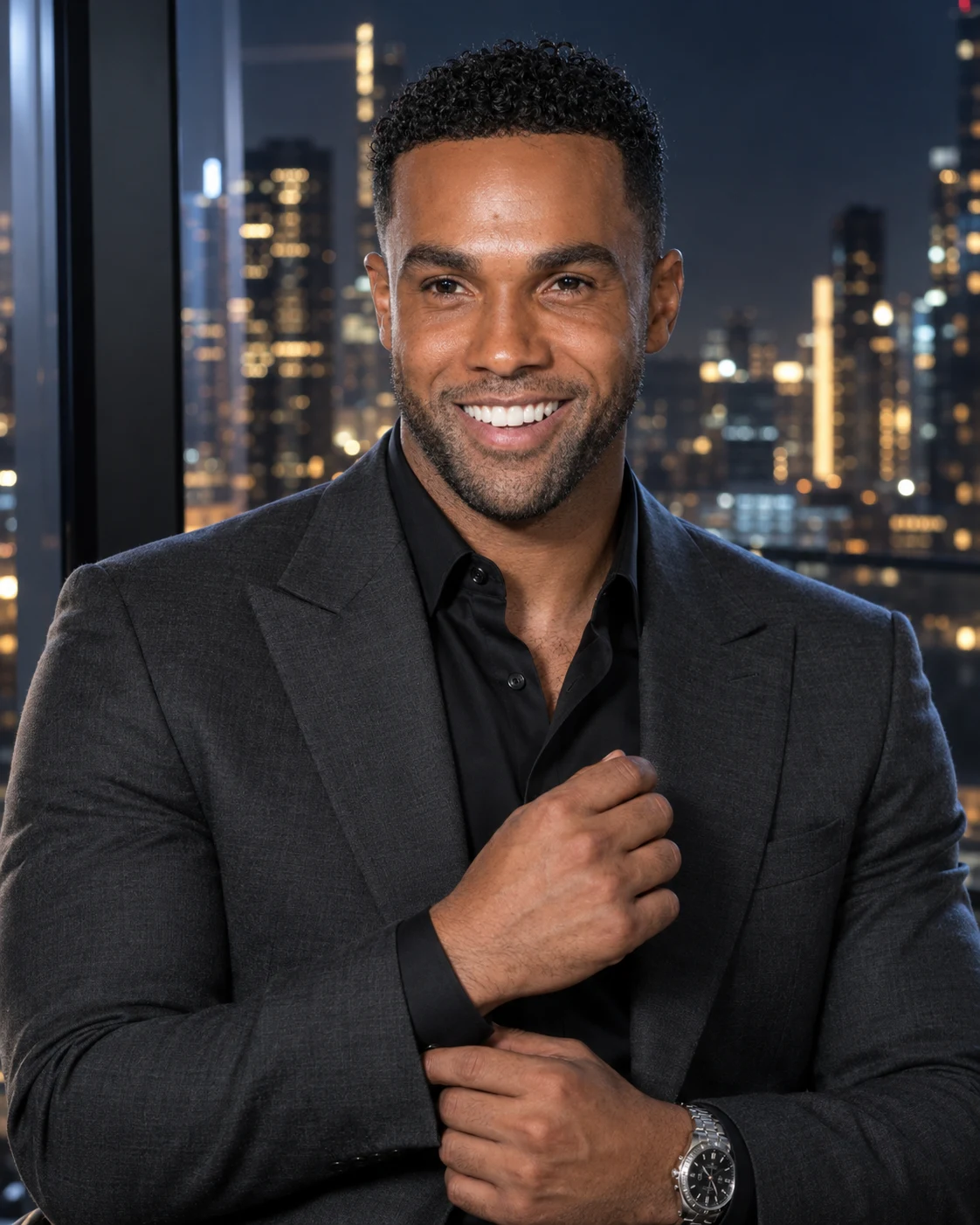
Luxury Billionaire Portrait in a Night Penthouse
Create a realistic billionaire-style portrait in a charcoal suit beside a night-time penthouse window, with city lights and refined cinematic lighting.
Using the uploaded photo, create a photorealistic 4:5 luxury billionaire-style portrait of the same man in a modern penthouse at night. KEEP — Preserve the person's recognizable facial identity from the uploaded photo. Keep the original face shape, forehead width, cheekbone placement, jawline, chin, nose bridge and tip, lip shape, eyebrow position, eye shape and natural eye colour unchanged. Retain the original skin tone, visible pores, fine lines, natural skin texture and facial asymmetry. Keep the original hairline, hairstyle, facial hair and hair colour. Preserve the person's real body proportions, neck width and shoulder structure. Do not reshape the face to fit the luxury styling. CHANGE — Dress him in a tailored charcoal-grey suit jacket with a fine wool texture, structured shoulders and clean lapels. Add a black silk shirt with a subtle natural sheen and an understated silver metal wristwatch. Position him beside a floor-to-ceiling penthouse window, framed from the chest up. His right hand gently adjusts the opposite shirt cuff near his waist, remaining anatomically natural and proportionate. His shoulders stay relaxed, chin slightly raised and eyes directed towards the camera. SCENE — Set the portrait inside a contemporary high-rise penthouse at approximately 10 PM. A distant city skyline with scattered golden and cool-white lights sits behind the glass. Keep the buildings softly blurred while retaining a few recognizable window-light patterns. Use dark architectural surfaces and restrained reflections without adding distracting furniture or decorative objects. LIGHT — Use a soft, neutral-white key light from the front-left, illuminating both eyes and preserving natural skin colour. Add warm reflections from the distant city lights and a subtle steel-blue rim light along the opposite shoulder. Window reflections must remain faint and physically believable. CAMERA — Use an 85mm portrait lens at f/1.8, with the camera at chest height and focused precisely on the eyes. Maintain natural facial perspective, realistic hand proportions and shallow depth of field. GRADE — Apply a refined cinematic grade with charcoal blacks, cool steel-blue shadows, restrained golden highlights and realistic skin tones. Keep contrast controlled so suit details remain visible in the shadows. OUTPUT — Vertical 4:5 aspect ratio, 2048 × 2560 pixels or the closest available high-resolution setting. DO NOT slim the face, whiten the skin, change eye colour, smooth the skin into plastic, alter body proportions, invent jewellery or tattoos, distort the hands, add text or watermarks, or replace the person's identity.
Photo Guide
- Use a sharp, high-resolution photo where both eyes are clearly visible.
- Choose a front-facing or slightly angled photo with the full hairline visible.
- Use even lighting so the original skin tone and facial details remain accurate.
- Include the shoulders and upper torso to help preserve natural body proportions.
- A dark suit is optional; the charcoal suit and night skyline are generated by the prompt.
- Avoid heavy beauty filters, coloured face lighting or motion blur in the source photo.
How to Build
- 1Open Gemini and select image generation with photo upload enabled.
- 2Upload one clear reference photo of the person you want to preserve.
- 3Paste the complete prompt into the image-generation instruction box.
- 4Choose a 4:5 portrait aspect ratio if the tool offers that setting.
- 5Select the highest available image resolution and generate the portrait.
- 6If the first result looks wrong, regenerate with the same photo and specify the exact error.
Pro Tips
- Use a photo with visible eyes so the generated gaze remains close to the original.
- Choose a reference with natural skin texture to reduce artificial-looking facial detail.
- Keep the source image free of strong coloured lighting so skin tones stay consistent.
- Use a photo showing both shoulders to avoid changing the person's apparent build.
- If the watch distorts the wrist, remove the watch detail to prioritise natural anatomy.
Share This Prompt
About the Author
Naziya
Creative AI writer at MFDA, sharing trendy photo-editing prompts and fresh ideas for beautiful, stylish AI images.