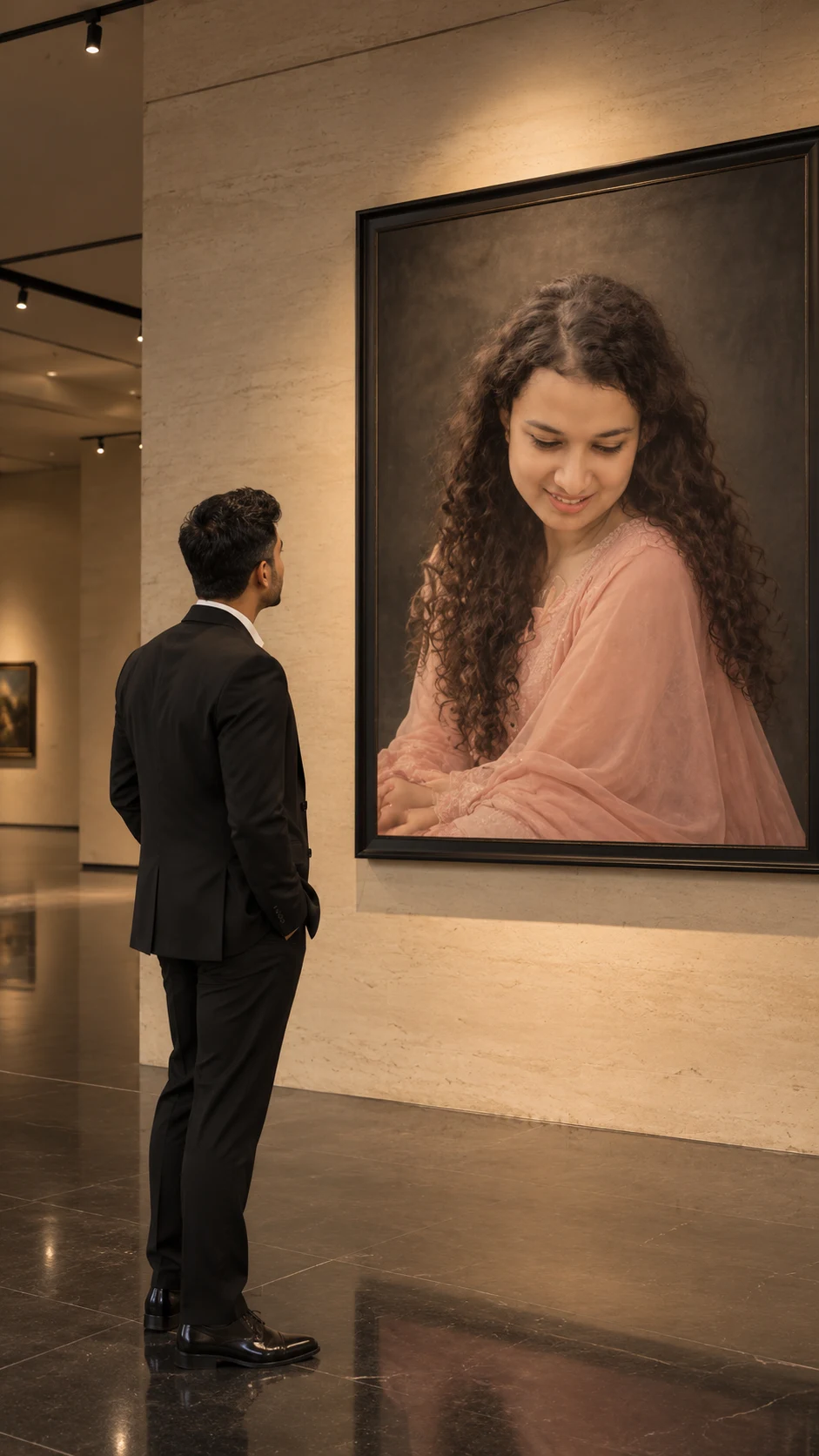
Luxury Art Gallery Portrait Photography Prompt
Create a refined art gallery portrait scene with your original facial features preserved, a tailored black suit, monumental framed artwork and dramatic gallery lighting.
Using the uploaded photo, create a photorealistic luxury art gallery scene featuring the same person from the uploaded image standing before a monumental framed portrait. KEEP — Preserve the uploaded person's original face shape, jawline, cheekbones, nose, lips, eye shape, natural eye colour, skin tone, and visible skin texture. Keep the original hairline, hairstyle, facial hair, and distinguishing features unchanged. Maintain the person's natural height, shoulder width, body proportions, and recognizable silhouette. If the person is photographed from behind or at a three-quarter angle, retain their original build and visible hair characteristics rather than inventing facial details. The uploaded person must remain the sole foreground subject. CHANGE — Replace the original clothing with a tailored black formal suit made from matte wool, a crisp white shirt, and polished black dress shoes. Change the setting to a private contemporary art gallery. Position the person at a three-quarter rear angle, with their head naturally turned toward the artwork. Do not force a frontal face view if the reference does not support it. SCENE — Place a monumental, dark-framed portrait on a tall cream limestone wall. The artwork depicts [PORTRAIT SUBJECT] wearing a refined blush-pink outfit, with long, softly flowing dark hair and a muted charcoal background. Use a separate reference image for the portrait subject when their exact identity matters. Keep the artwork large, clearly visible, and proportionate to the gallery architecture. Add polished dark stone flooring, discreet track lights, and minimal architectural details. The gallery should feel quiet and spacious, with the distant wall softly softened but the main portrait still legible. Avoid extra visitors and unnecessary furniture. LIGHT — Illuminate the gallery with warm-white spotlights around 3500K, directed from above and slightly to the side of the portrait. Add soft frontal ambient bounce so the person's visible skin receives believable illumination. Keep natural shadow transitions and consistent light direction across the person, frame, and floor. CAMERA — Use a full-frame camera with a 35mm lens at f/4, positioned at chest height approximately 4 metres from the subject. Keep the person and artwork within the same frame, with realistic perspective and moderate depth of field. GRADE — Use restrained editorial colour grading: warm cream stone, neutral blacks, muted blush pink, natural skin tones, controlled highlights, and rich but detailed shadows. Avoid excessive orange tones and artificial HDR effects. OUTPUT — Generate a vertical 9:16 image at the highest available resolution, preferably 2160 × 3840 pixels. Prioritize realistic anatomy, fine suit fabric, limestone texture, and a clearly defined portrait frame. DO NOT — Do not slim the face, whiten the skin, change eye colour, reshape facial features, smooth skin into plastic, invent jewellery or tattoos, alter body proportions, duplicate the person, or blend the foreground person's identity with [PORTRAIT SUBJECT]
Photo Guide
- Upload a sharp photo with visible hairline and natural facial detail.
- A three-quarter or rear-angle reference works best for this gallery pose.
- Use even lighting so skin tone and facial structure remain easy to preserve.
- Choose a full-body photo if you want the complete suit and shoes visible.
- A separate portrait reference helps prevent the artwork's face from drifting.
- Avoid heavily filtered selfies; they can distort natural facial proportions.
How to Build
- 1Open Gemini or ChatGPT and select its image-generation feature.
- 2Upload your clearest identity photo as the main reference image.
- 3If needed, upload a second image for [PORTRAIT SUBJECT].
- 4Paste the complete prompt and keep the output ratio at 9:16.
- 5Choose the highest available image quality or resolution setting.
- 6If the first result changes your face, retry with stronger KEEP instructions.
Pro Tips
- Choose a photo with visible hair detail so the rear-view silhouette stays consistent.
- Use a matte black suit reference to reduce unwanted glossy fabric.
- Keep the gallery wall cream so the blush-pink portrait remains distinct.
- Upload a separate portrait reference to maintain [PORTRAIT SUBJECT]'s identity.
- Request moderate depth of field so both the person and artwork remain recognizable.
- Avoid a wide-angle selfie because perspective distortion can change body proportions.
Share This Prompt
About the Author
Naziya
Creative AI writer at MFDA, sharing trendy photo-editing prompts and fresh ideas for beautiful, stylish AI images.