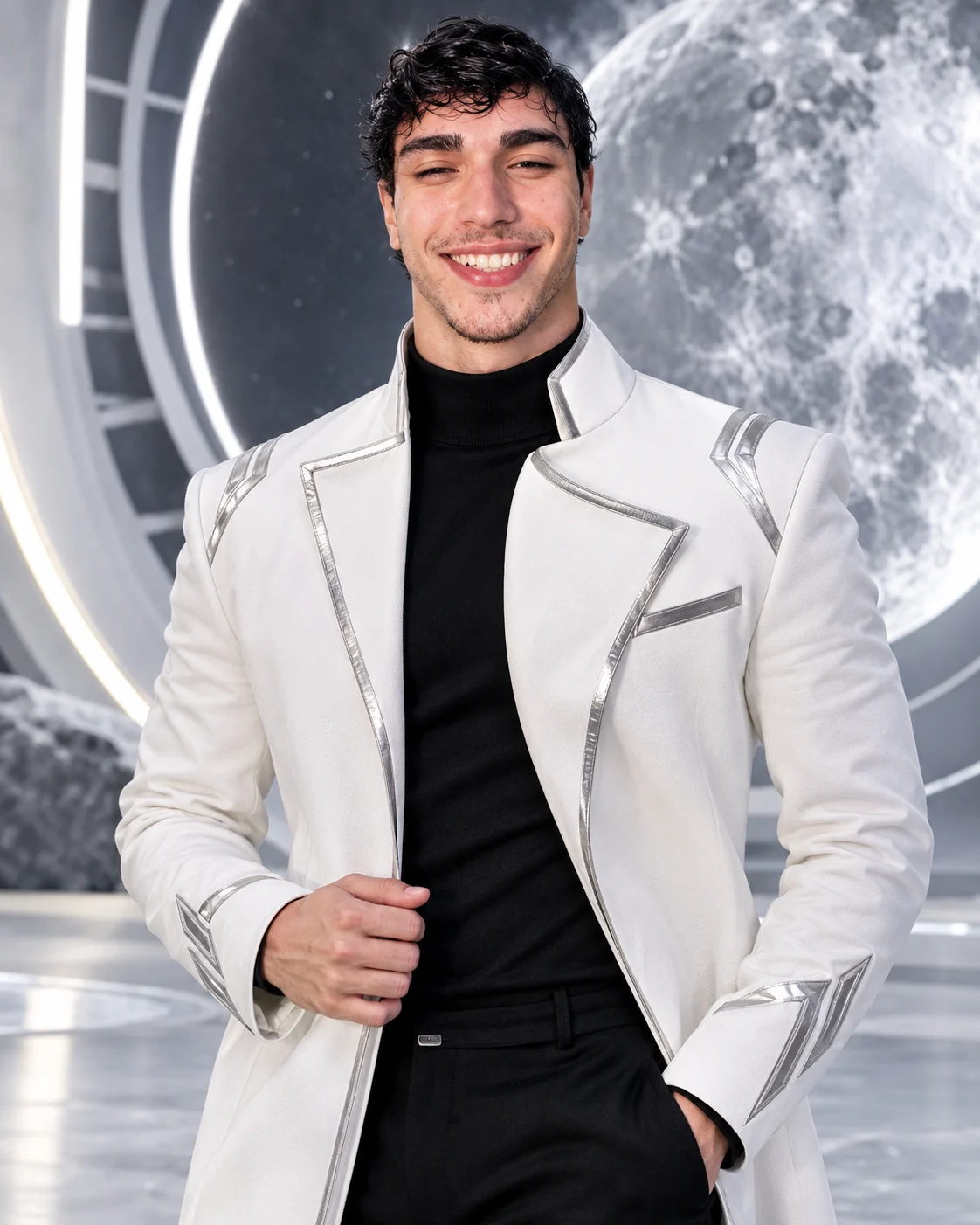
Lunar Emperor – Futuristic White Couture Portrait
Create a futuristic lunar fashion portrait featuring a structured white couture coat, silver detailing and cinematic moonlit studio lighting.
Using the uploaded photo, create an ultra-realistic futuristic luxury fashion editorial portrait of the same recognizable person, styled as the Lunar Emperor, inside a sophisticated lunar-inspired architectural studio. Use a vertical 4:5 composition with the subject occupying the central foreground. KEEP — Preserve the person's exact facial identity and original facial geometry from the uploaded photograph. Retain the natural forehead height, facial width, eyebrow shape and placement, original eye shape and natural eye colour, nose bridge and tip, lip contours, cheek volume, cheekbones, jawline, chin, ears and natural facial asymmetry. Maintain the original skin tone, visible pores, natural texture, age details and distinctive facial marks. Preserve the original hairline, hairstyle, hair density, texture and colour. Keep existing facial hair, including its natural shape, density and length, if present. Maintain the person's original neck, shoulder width, height and body proportions. The face must remain independently recognizable and must not be reconstructed or replaced. CHANGE — Replace the original clothing with a structured futuristic white couture coat featuring sharp architectural shoulders, an asymmetrical front closure, sculpted lapels and subtle brushed-silver metallic piping. Add precision-cut silver detailing along the cuffs and coat edges. Underneath, use a fitted matte-black high-neck innerwear layer. Pair with tailored black trousers and minimal silver hardware. Do not add a helmet or cover the face. SCENE — Position the subject inside a futuristic lunar observatory with curved white architectural walls, pale-grey metallic surfaces and a large circular moon-inspired structure behind him. Include subtle crater-like surface textures and a softly illuminated silver-white floor. Create the atmosphere of a controlled artificial lunar environment rather than an actual outdoor landscape. Keep background architecture softly blurred while preserving recognizable geometric shapes. POSE — Stand upright with relaxed shoulders, one hand resting naturally near the coat opening and the other inside a trouser pocket. Maintain a composed, authoritative expression. LIGHT — Use a large diffused cool-white key light from the upper front-left, gentle frontal fill and a restrained silver rim light from behind. Maintain natural facial shadows and realistic skin colour. CAMERA — Shoot at eye level using an 85mm portrait lens, f/2.8, with sharp facial focus and natural perspective compression. GRADE — Apply a cool silver-grey colour grade, clean whites, controlled blacks, subtle metallic highlights and balanced cinematic contrast. OUTPUT — Vertical 4:5 aspect ratio, 8K-quality detail, realistic skin texture, precise fabric construction and professional luxury fashion photography. DO NOT alter facial identity, slim the face, whiten the skin, change eye colour, smooth skin into plastic, modify body proportions, invent jewellery or tattoos, or introduce helmets, face coverings or artificial facial features.
Photo Guide
- Use a sharp, high-resolution photo with clearly visible facial features.
- Choose an eye-level photo with the face looking towards the camera.
- Use even frontal lighting so the original facial structure remains readable.
- Keep the forehead, hairline, ears and full face unobstructed.
- A clearly visible face works best against the cool silver lunar setting.
- Avoid sunglasses, harsh shadows and heavily filtered reference photos.
How to Build
- 1Open Gemini or ChatGPT and select the image-generation feature.
- 2Upload your original photograph as the identity reference.
- 3Copy the complete Lunar Emperor prompt into the instruction box.
- 4Choose 4:5 portrait orientation for the final image.
- 5Select the highest available image-quality setting.
- 6Generate the portrait and inspect the face against your original photo.
- 7If the face changes, regenerate using a stronger identity-preservation instruction.
Pro Tips
- Choose a front-facing reference so the lunar lighting matches both cheeks.
- Keep the original hairstyle visible so the futuristic coat remains the main change.
- Use a matte-black inner layer to separate the white coat from the background.
- Avoid excessive silver reflections near the face so skin tones stay natural.
- Keep the circular lunar structure behind the head, not across the face.
- Use a mid-thigh composition to show the coat's architectural tailoring.
Share This Prompt
About the Author
Naziya
Creative AI writer at MFDA, sharing trendy photo-editing prompts and fresh ideas for beautiful, stylish AI images.