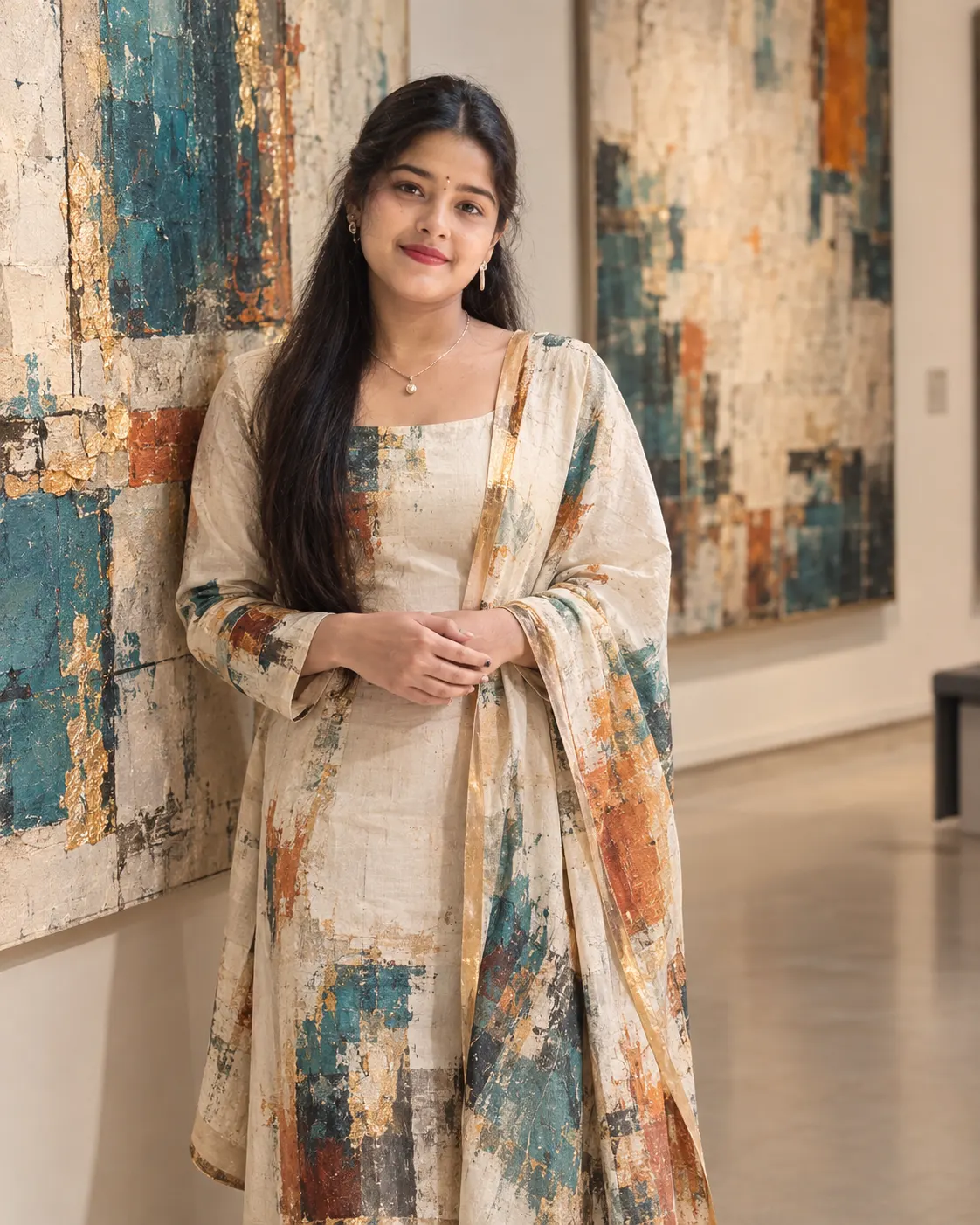
Living Painting Gallery Portrait Prompts 2026
Turn your photo into a realistic gallery portrait where your outfit carries fragments of teal, rust, beige and gold artwork.
Using the uploaded photo, create a highly realistic contemporary fashion portrait of the same woman standing inside a modern art gallery, with her clothing naturally incorporating fragments of surrounding abstract artwork. KEEP — Preserve the uploaded woman’s exact facial identity: forehead shape, eyebrow structure, eye shape and natural eye colour, nose shape, lip proportions, cheek structure, jawline, chin, facial proportions, and natural asymmetry. Keep her original skin tone, visible pores, fine texture, freckles, marks, and natural complexion. Preserve the exact hairline, hair density, hairstyle pattern, natural hair texture, and facial hair if present. Keep her natural height impression, shoulder width, torso proportions, arm length, hand structure, and overall body build unchanged. Her face and exposed skin must remain fully photographic and must not become painted, textured, metallic, or blended into the artwork. CHANGE — Dress her in a minimalist [cream outfit] made from realistic matte cotton or soft linen. Integrate restrained fragments of teal-blue, rust-orange, beige, charcoal, and brushed-gold abstract painting into the jacket or skirt, following the garment’s real folds, seams, and edges. The artwork must look physically printed, painted, or lightly transferred onto the fabric rather than floating over it. Use a relaxed three-quarter standing pose with both hands naturally visible and a subtle confident expression. SCENE — Place her in a quiet contemporary art gallery with large textured canvases behind her. Show rough brush marks, layered beige surfaces, teal blocks, rust accents, and thin gold-painted details. Keep the gallery architecture clean and understated, with the artwork behind her moderately blurred while retaining enough texture to read as paintings. LIGHT — Use soft directional gallery lighting from the upper-left, around 4000K, creating gentle highlights across her forehead, cheeks, nose, hair, and fabric while keeping the opposite side softly shadowed. CAMERA — Shoot at 85mm, f/2, from chest height, keeping her face sharply resolved and allowing the distant canvases to fall into controlled optical blur. GRADE — Use muted beige, cream, teal, rust, charcoal, and restrained gold with moderate contrast, natural skin colour, softened highlights, and fine analog film grain. OUTPUT — Vertical 4:5 composition at 1200 × 1500 pixels with realistic photographic detail. DO-NOT — No face slimming, no skin whitening, no changed eye colour, no plastic smoothing, no invented jewellery or tattoos, no painted skin, no distorted hands, no extra fingers, no generic face, and no text overlay.
Photo Guide
- Use a clear photo at least 1200px wide so facial texture survives the edit.
- Choose a front or three-quarter angle with both eyes and the jawline visible.
- Soft window or studio light works best for matching the gallery lighting.
- Keep hairline, shoulders, hands, and clothing edges visible in the source.
- Avoid heavy filters because they can make the face look painted too early.
How to Build
- 1Open Gemini and choose image generation with your uploaded photo.
- 2Paste the full prompt without removing the KEEP or CHANGE sections.
- 3Choose a 4:5 portrait output if the tool offers aspect-ratio controls.
- 4Use 1200 × 1500 output when a custom resolution option is available.
- 5Check that artwork stays on fabric while the face remains photographic.
- 6If wrong, regenerate and stress that only clothing carries painted textures.
Pro Tips
- Keep the face uncovered so photographic skin contrasts with painted fabric.
- Use a cream source outfit so teal and rust artwork remains clearly separated.
- Choose soft front-left lighting so the face does not look pasted into the gallery.
- Keep hands visible because abstract clothing textures can hide finger structure.
- Avoid busy source backgrounds so the new gallery composition stays believable.
Share This Prompt
About the Author
Naziya
Creative AI writer at MFDA, sharing trendy photo-editing prompts and fresh ideas for beautiful, stylish AI images.