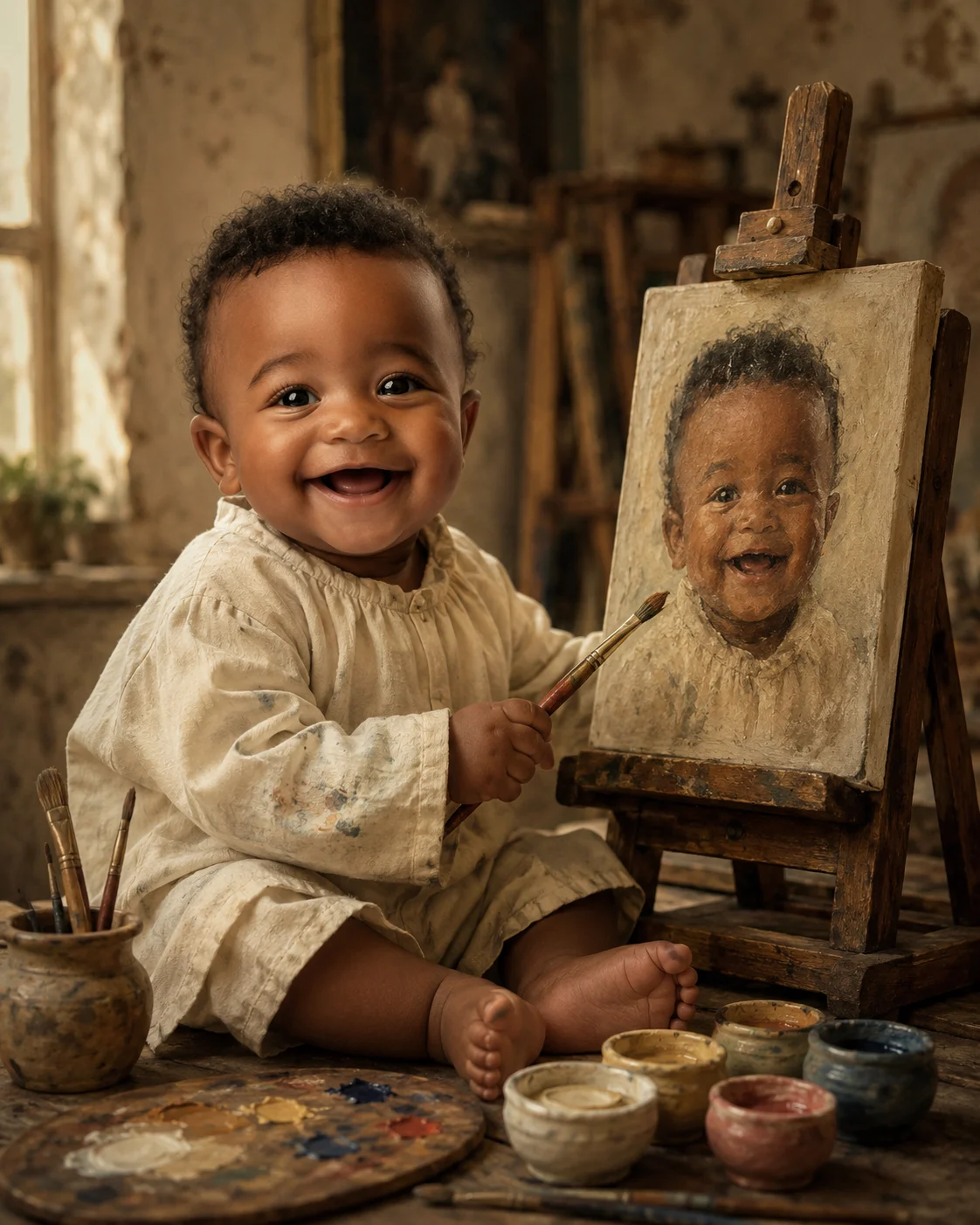
Little Artist Self-Portrait Baby Boy
Turn a baby photo into a vintage painted artist scene where he paints a miniature self-portrait on a wooden easel.
Using the uploaded photo, create a fine-art painted portrait of the same baby boy as a tiny classical artist creating his own self-portrait. KEEP - Keep the exact face structure, eye shape and natural eye colour, skin tone and visible skin texture, hairline, existing hair pattern, facial hair if present, and natural body proportions from the uploaded photo. Preserve the original jawline, cheeks, nose, lips, forehead, ears, and recognizable facial details. Keep the baby's natural age and innocent facial character. Do not replace the identity with a generic baby model. CHANGE - Change the wardrobe to a soft ivory linen artist smock with visible woven fabric texture, slightly oversized sleeves, and a few small muted paint marks near the cuffs. Change the pose so the baby sits beside a small dark walnut wooden easel, gently holding a child-sized paintbrush. Place a miniature canvas on the easel showing a painted portrait that clearly resembles the same baby's preserved face. Add a wooden palette, two or three fine brushes, and small ceramic paint pots containing muted ochre, ivory, dusty blue, and muted rose pigments. Change the background into an old European-style artist studio with aged plaster walls and a worn wooden worktable. SCENE - Set the scene during late afternoon inside the studio. Behind the baby, keep the easel and self-portrait clearly visible while the distant shelves and walls fall into a soft shallow blur. The miniature painting should remain sharp enough to recognize the repeated face. LIGHT - Use warm window light coming from camera-left, spreading softly across the baby's face and smock. Keep the opposite cheek gently shadowed. Use approximately 4300K warm-neutral light so the face and painted surroundings share the same illumination. CAMERA - Capture at 85mm, f/2.0, camera height at the baby's chest level, with natural portrait compression and focused facial detail. GRADE - Use restrained warm film tones, creamy highlights, moderate contrast, muted saturation, visible canvas grain, and authentic oil-paint brush texture. OUTPUT - Create a vertical 4:5 portrait at 2048 × 2560 pixels. DO-NOT - No face slimming, no skin whitening, no changed eye colour, no plastic smoothing, no invented jewellery or tattoos, no adult features, no distorted hands, and no replacement face.
Photo Guide
- Use a sharp photo of at least 1200px on the baby's longest side.
- Front or slight 3/4 angle works best; keep both eyes clearly visible.
- Use even daylight so the original skin tone and eye colour are easy to preserve.
- Keep the full face, hairline, ears, and enough body visible for the smock.
- A dark or heavily filtered source photo can weaken the warm studio painting effect.
How to Build
- 1Open Gemini and upload the clearest baby photo you have.
- 2Paste the full prompt without removing the KEEP or CHANGE sections.
- 3Choose image generation with a 4:5 portrait output setting.
- 4Generate once, then check the face against the uploaded photo.
- 5If the face changes, regenerate while emphasizing the KEEP section.
Pro Tips
- Use a photo with visible hairline so the painted identity stays consistent.
- Choose natural skin lighting so the warm studio light blends into the face.
- Keep both eyes unobstructed so the miniature portrait copies them accurately.
- Avoid busy clothing because the ivory linen smock needs clear visual separation.
- Use a clear facial photo so the easel painting repeats the same identity.
Share This Prompt
About the Author
Naziya
Creative AI writer at MFDA, sharing trendy photo-editing prompts and fresh ideas for beautiful, stylish AI images.