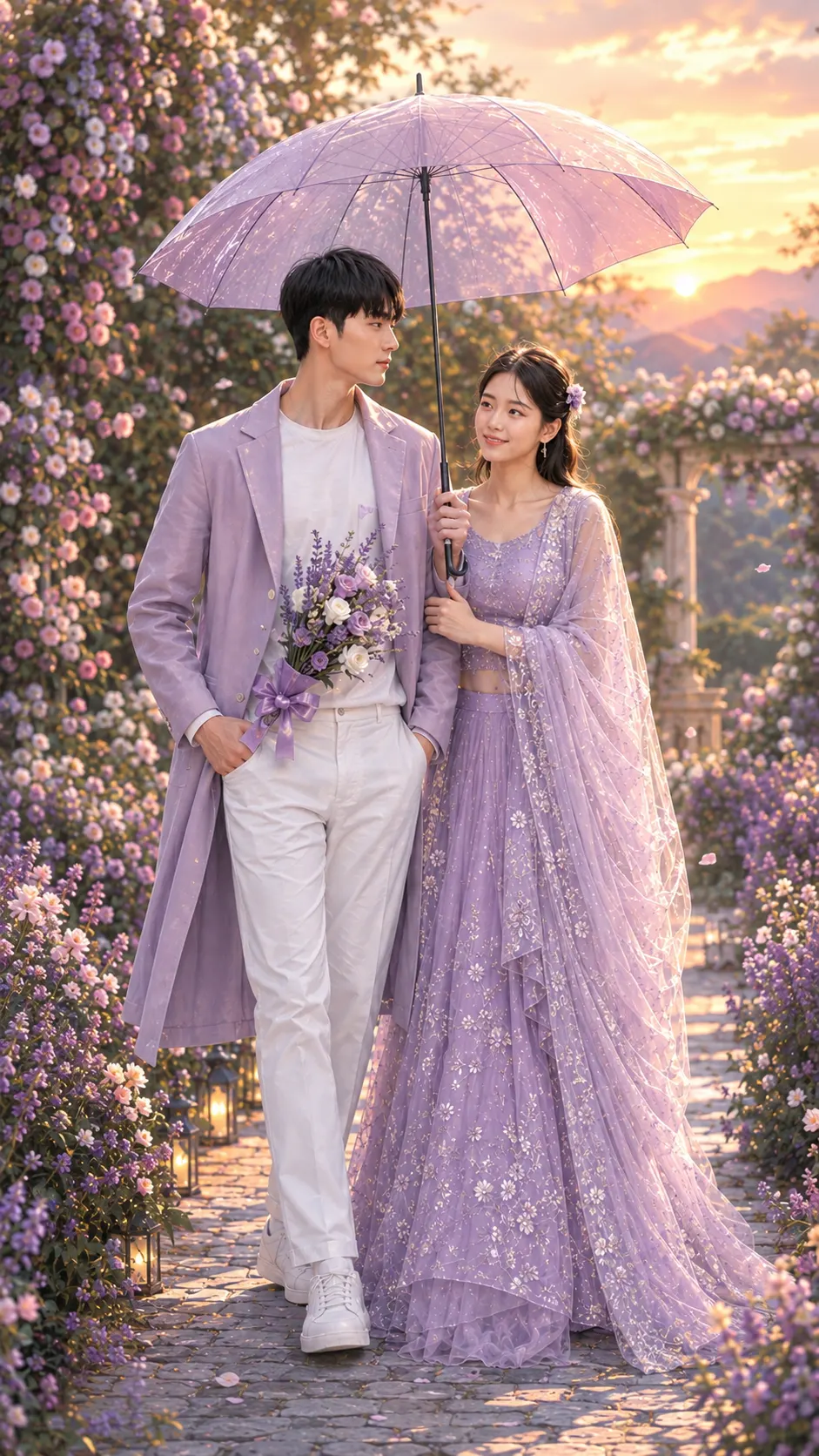
Lavender Garden Couple Digital Art Portrait
Turn an uploaded couple photo into a romantic lavender garden digital artwork while preserving facial identity, natural proportions, and realistic skin texture.
Using the uploaded photo, create a romantic semi-realistic digital art portrait of the same couple walking together through a flower-filled garden beneath a large translucent lavender umbrella. KEEP - Preserve each uploaded person's exact facial identity and visible face structure from the source photo. Keep forehead shape, eyebrow placement and shape, eye shape and natural eye colour, nose bridge and proportions, lips, cheeks, cheekbones, jawline, chin, ears, facial width, and natural facial asymmetry. Preserve original skin tone, visible pores, fine skin texture, natural marks, authentic age, hairline, hair density, hairstyle characteristics, and facial hair where present. Keep each person's natural body proportions, shoulder width, limb length, hand size, relative height relationship, and overall build. Do not replace either face with a generic model or alter recognizable features. CHANGE - Change the wardrobe into coordinated romantic lavender styling: the man wears a light lavender tailored long coat over a plain white shirt, white trousers, and white shoes, while the woman wears a flowing lavender-purple lehenga with a sheer embroidered dupatta. Add delicate silver-white floral embroidery and soft layered fabric to her outfit. Place a small lavender, white, and pale-purple bouquet in the man's hand, tied with a lavender ribbon. Add a large transparent lavender umbrella with thin dark ribs above both subjects. Change the pose so they walk closely together, with the man's free hand in his trouser pocket and the woman gently holding the umbrella handle while leaning naturally toward him. Change the setting, lighting, colour grade, and rendering into a polished romantic digital artwork. SCENE - Place them on a narrow garden pathway surrounded by dense lavender, lilac, purple, and white flowers. Show flowering bushes and soft greenery immediately behind them, with distant garden structures and hazy hills farther back. Set the scene during golden hour just before sunset. Keep the couple sharply defined while the flowers and distant background fall into a smooth, painterly blur. LIGHT - Use warm sunlight coming from behind and slightly to one side of the couple, creating a soft rim along their hair and shoulders. Keep gentle frontal fill from the bright garden surroundings so both faces remain naturally illuminated rather than appearing silhouetted. Use warm 5000-5600K highlights with soft shadows and subtle lavender reflected light from the umbrella. CAMERA - Frame the full bodies vertically from camera height around chest level. Use an 85mm lens at f/1.8 for flattering facial perspective, controlled compression, and shallow depth of field. Keep both faces within the sharp focus zone while allowing the nearest flowers and distant hills to dissolve into painterly bokeh. GRADE - Apply a soft pastel lavender and warm-gold colour treatment with restrained contrast, creamy highlights, natural skin tones, subtle bloom, and fine digital brush texture. The result should resemble detailed semi-realistic editorial digital painting rather than a cartoon or plastic 3D render. OUTPUT - Create a aspect ratio 9:16 composition at 1080 x 1920 pixels, with both people fully visible from head to shoes and the umbrella extending naturally across the upper frame. DO-NOT - No face slimming, no skin whitening, no changed eye colour, no plastic smoothing, no altered facial proportions, no generic replacement faces, no invented jewellery or tattoos, no exaggerated anatomy, no cartoon facial features, and no unnecessary accessories not supported by the target look.
Photo Guide
- Use a sharp, high-resolution couple photo with both faces clearly visible.
- Choose a front-facing or three-quarter angle showing natural facial proportions.
- Outdoor daylight works best for matching the garden's warm golden-hour light.
- Keep both full bodies visible if possible, including hands and natural posture.
- A simple grassy background is fine; the lavender garden replaces it.
- Avoid heavily filtered photos, as they can cause painterly face drift.
How to Build
- 1Open Gemini and upload your clearest couple photo.
- 2Paste the full prompt and select image generation or editing mode.
- 3Keep the output ratio at 9:16 for the tall garden composition.
- 4Generate once, then compare both faces against the uploaded photo.
- 5Check that hairline, eye colour, jaw shape, and body proportions remain.
- 6If the first result drifts, regenerate with stronger KEEP instructions.
Pro Tips
- Use a photo with even daylight so facial texture stays natural.
- Keep both faces unobstructed so the umbrella does not alter identity.
- Choose a photo showing hands and shoulders to preserve body proportions.
- Avoid sunglasses because they hide eye shape and natural eye colour.
- Use a clean background so the lavender garden remains the main change.
- If faces drift, reduce pose changes and regenerate from the same photo.
Share This Prompt
About the Author
Naziya
Creative AI writer at MFDA, sharing trendy photo-editing prompts and fresh ideas for beautiful, stylish AI images.