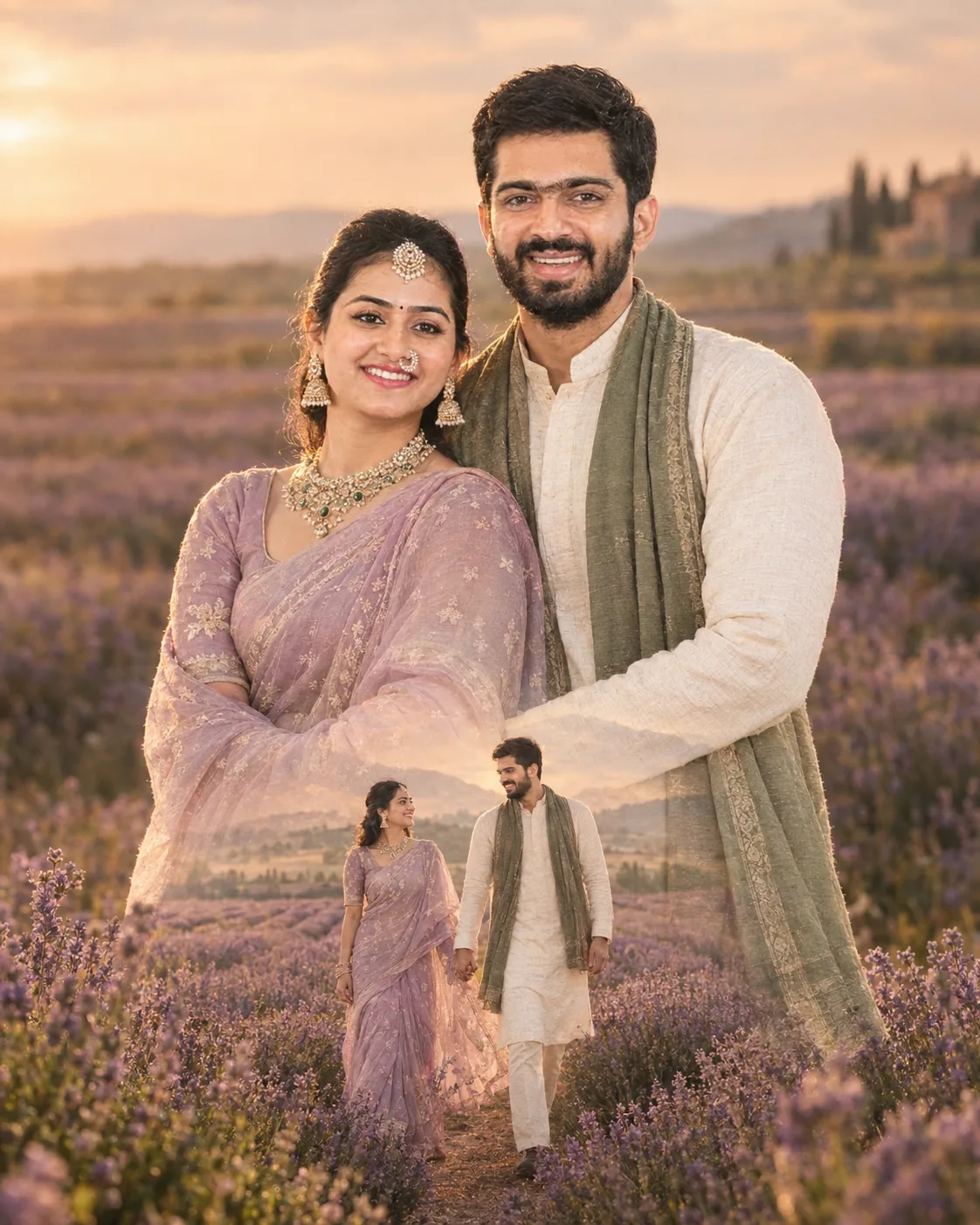
Lavender Field Dreamscape Couple Portrait
Create a warm lavender-field couple portrait with a soft double-exposure walking scene, while preserving both people’s real facial identity and proportions.
Using the uploaded photo, create a photorealistic romantic lavender-field portrait with a subtle double-exposure memory scene. KEEP - Keep the exact face structure, forehead, eyebrows, eye shape and natural eye colour, nose, lips, cheeks, jawline, chin, facial proportions and natural asymmetry from the uploaded photo. Keep the real skin tone, pores, fine texture, freckles and visible marks. Keep the original hairline, hair density, texture and hairstyle, plus facial hair exactly as shown. Keep the person's natural body proportions, shoulder width, height impression, limb proportions and recognizable identity. CHANGE - Change the wardrobe to [wardrobe], using visible fabric texture and realistic drape. Set the main pose as an intimate embrace with the couple standing close together in a lavender field. Add [secondary outfit] to the partner. Use muted lavender, dusty green and warm cream tones rather than saturated purple. Change the background into a broad lavender field with a distant low horizon and a softly atmospheric landscape. SCENE - Place the couple outdoors in a lavender field during late golden hour, with rows of lavender extending behind them. Keep the nearest flowers detailed while the distant rows dissolve into gentle optical blur. Build a second exposure into the lower torso and foreground: the same couple walks hand-in-hand between lavender rows, smaller in scale, naturally transparent and aligned with the field instead of appearing as a pasted cutout. LIGHT - Light the faces from the front-left at low evening sun, with soft warm directional light around 3800-4500K. Keep gentle shadow under the jaw and nose so facial depth matches the body and flowers. Add restrained rim light along hair without creating a glowing outline. CAMERA - Shoot at 85mm, f/1.8, camera at chest height, with shallow depth of field and natural perspective compression. Keep the main couple sharp enough for facial detail while the distant field remains creamy. GRADE - Use a warm analog-film grade with muted lavender, olive-green shadows, soft highlights, moderate contrast and fine grain. Avoid heavy HDR or crushed blacks. OUTPUT - Create a vertical 4:5 composition at 2048 × 2560 pixels, with the couple centered and enough foreground for the walking exposure. DO-NOT - No face slimming, skin whitening, changed eye colour, plastic smoothing, invented jewellery or tattoos; no identity blending, extra fingers, warped hands, duplicated people, or artificial cutout edges.
Photo Guide
- Use a sharp photo with enough resolution to retain facial texture.
- A chest-up or full-body angle works best for matching the embrace.
- Use a daylight photo; warm outdoor light blends better with lavender tones.
- Keep both faces, hairlines, shoulders and hands clearly visible.
- Avoid photos with heavy filters, blur or strong coloured lighting.
- The main risk is a cropped face, which can cause identity drift.
How to Build
- 1Open Gemini and choose Image generation with the uploaded photo.
- 2Upload a clear reference showing both people without face-obscuring filters.
- 3Paste the full prompt and set the aspect ratio to 4:5.
- 4Choose the highest available image resolution for finer skin and flower detail.
- 5Keep the identity reference strength or image fidelity at its highest setting.
- 6If the first result is wrong, regenerate and reinforce the KEEP section.
Pro Tips
- Use a photo with natural skin texture so facial details survive the exposure blend.
- Keep the couple's height relationship visible so the embrace stays believable.
- Choose muted clothing so lavender remains the main visual colour.
- Avoid sunglasses because they hide eye shape and natural eye colour.
- Keep hands visible in the source so the walking exposure avoids hand errors.
Share This Prompt
About the Author
Naziya
Creative AI writer at MFDA, sharing trendy photo-editing prompts and fresh ideas for beautiful, stylish AI images.