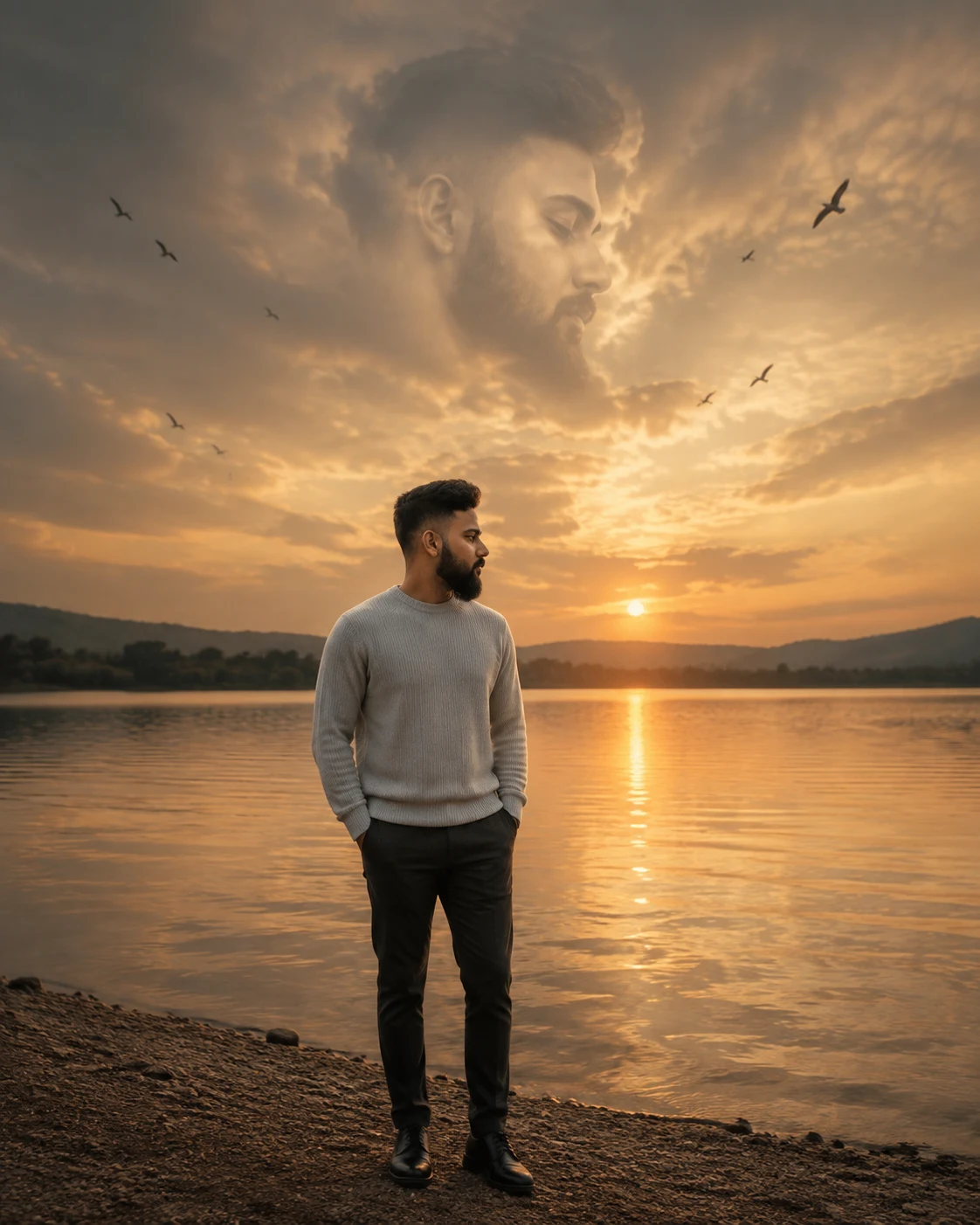
Lake Sunset Cloud Face Portrait
Create a cinematic lakeside portrait with your face preserved, sunset reflections, flying birds, and a giant cloud-shaped face in the sky.
Using the uploaded photo, create a photorealistic surreal lakeside portrait of the same person standing beside a calm lake at sunset, with a huge soft version of their face formed naturally within the clouds above the horizon. KEEP - Keep the exact face structure from the uploaded photo, including forehead shape, eyebrow placement, eye shape and natural eye colour, nose structure, lips, cheeks, cheekbones, jawline, chin, ears, and natural facial asymmetry. Keep the original skin tone, visible pores, fine skin texture, natural marks, hairline, hairstyle characteristics, facial hair pattern, and body proportions. Keep the person recognisably identical to the uploaded photo rather than creating a look-alike. CHANGE - Change the wardrobe to a simple [sweater colour] knitted wool or cashmere-blend sweater with [trouser colour] tailored trousers. Change the pose to a relaxed full-body stance beside the water, shoulders natural, arms resting comfortably, and gaze directed slightly toward the horizon. Change the setting to an open lakeside landscape at sunset. Change the lighting to warm low-angle sunlight from behind and slightly to one side. Change the colour grade to muted gold, soft amber, and natural blue-gray shadows. SCENE - Place the person on a quiet lakeshore during the final 20 minutes before sunset. Keep the lake calm enough to show a broken golden reflection. Place distant trees and low hills behind the person, softly blurred rather than sharply detailed. Fill the upper sky with layered clouds that subtly form an enormous, recognisable version of the person's face. Keep the cloud face integrated into the real cloud structure, not as a pasted photograph. Let several birds cross the sky at different distances. LIGHT - Use low-angle backlight from the setting sun behind the subject's right shoulder, with soft warm rim light along the hair and shoulders. Add gentle reflected light from the lake onto the front of the face and clothing so the subject does not look cut out. Use approximately 4200K to 4800K overall warmth with controlled highlights. CAMERA - Shoot at 50mm, f/2.8, camera height around chest level, with the person sharp and the distant shoreline softened by depth of field. GRADE - Use restrained cinematic contrast, warm highlights, slightly cool shadows, natural skin colour, subtle film grain, and gentle highlight roll-off. OUTPUT - Create a vertical 4:5 composition at 2048 × 2560 pixels, keeping the full body visible with enough sky for the cloud face. DO-NOT - No face slimming, no skin whitening, no changed eye colour, no plastic smoothing, no invented jewellery or tattoos, no altered facial hair, no distorted hands, no extra limbs, no duplicate person, and no artificial pasted face in the clouds.
Photo Guide
- Use a clear photo at least 1500px wide with the whole face unobstructed.
- Choose a front or slight three-quarter angle so the jawline remains readable.
- Even daylight on the face works best; avoid strong coloured indoor lighting.
- Keep the hairline, ears, facial hair, and shoulders visible in the source photo.
- A heavily blurred or filtered source photo can make the cloud face drift.
How to Build
- 1ChatGPT: upload the photo and choose Image Generation at 4:5 portrait.
- 2Paste the full prompt without removing the KEEP or CHANGE sections.
- 3Set the wardrobe colours in brackets before generating.
- 4Generate once, then inspect the face before making stylistic changes.
- 5If the result drifts, regenerate using the same photo and unchanged KEEP section.
- 6If the first result is wrong, strengthen the KEEP list rather than changing the scene.
Pro Tips
- Use a sunset-free daylight source photo so skin colour stays neutral during matching.
- Keep both eyes visible in the source so the cloud face follows their proportions.
- Choose a photo with visible shoulders so the generated full-body pose feels grounded.
- Avoid sunglasses because they remove eye-shape information needed for identity.
- Keep facial hair visible because it helps distinguish the cloud portrait from a generic face.
Share This Prompt
About the Author
Naziya
Creative AI writer at MFDA, sharing trendy photo-editing prompts and fresh ideas for beautiful, stylish AI images.