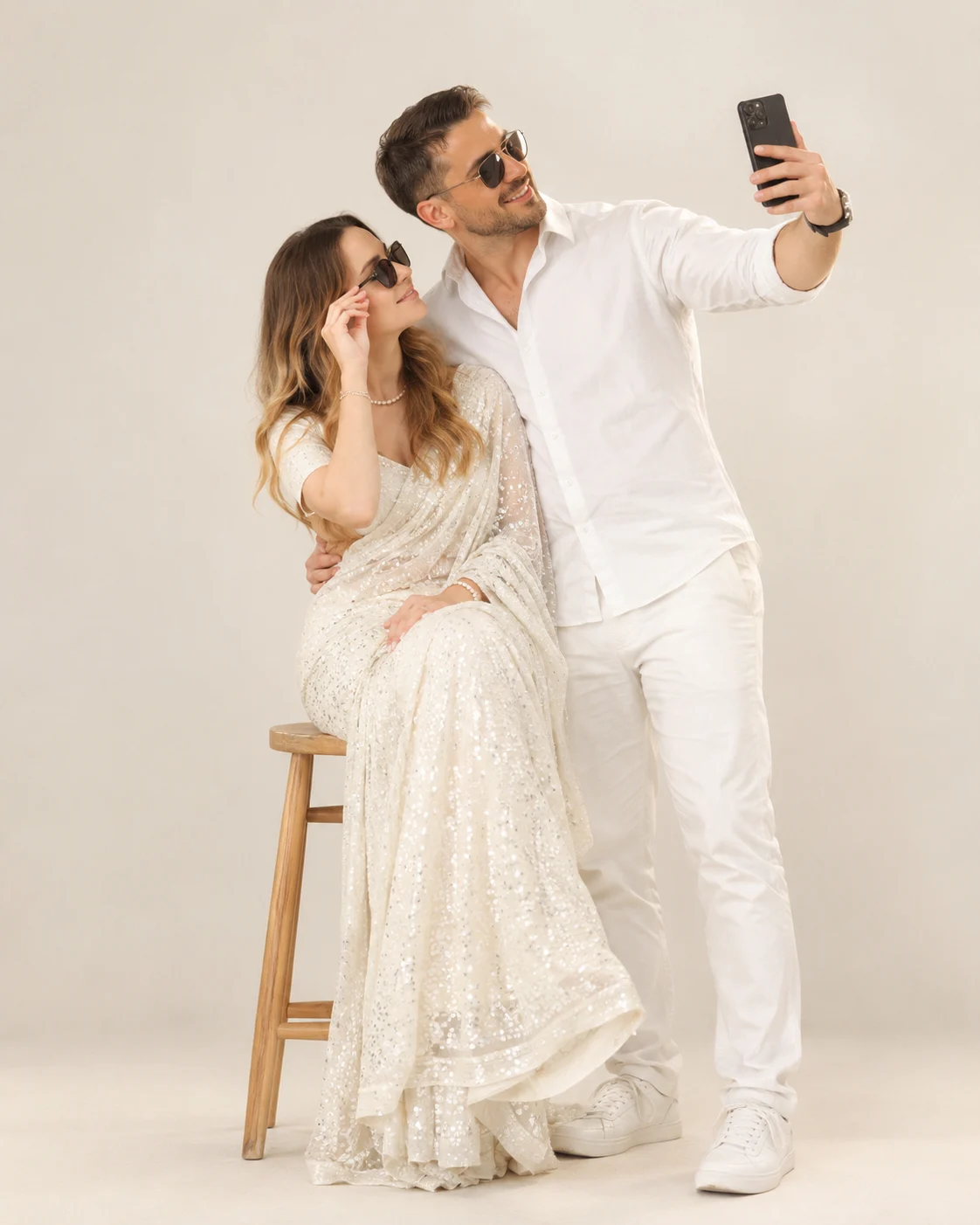
Ivory White Indian Couple Luxury Studio Portrait
Turn your uploaded photo into an ivory-white Indian couple portrait with pearl-sequined saree styling, coordinated outfits, soft studio lighting and preserved facial identity.
Using the uploaded photo, create a professional ivory-white Indian couple studio portrait while preserving the real identities of the people in the uploaded image. KEEP — Preserve each person's original face structure, jawline, cheekbones, nose shape, lip shape, eye shape and natural eye colour. Keep the original skin tone, visible skin texture, hairline, hairstyle characteristics and facial hair exactly as shown. Maintain each person's natural body proportions, shoulder width, height relationship and distinguishing facial features. Do not replace their faces with generic model faces or blend their identities together. If the uploaded photo contains only one person, preserve that person's identity and do not invent a second person's face without a supplied reference. CHANGE — Dress the woman in a pearl-white saree covered with fine silver sequins, a matching short-sleeved blouse and delicate pearl jewellery. Give her long black hair only if consistent with her existing hair, and add dark sunglasses without altering the eyes beneath them. Dress the man in a crisp white cotton shirt, tailored white trousers, white sneakers, black sunglasses and a simple luxury wristwatch. Arrange the woman seated on a light-toned wooden stool, gently adjusting her sunglasses, while the man stands beside her holding a smartphone at arm's length for a couple selfie. Adapt the pose to each person's real proportions. SCENE — Place them in a minimalist ivory-white photography studio with a matte warm-white backdrop and pale floor. Keep the background clean, with no furniture except the stool and no visible decorations. Create a softly blurred backdrop while keeping both people and their clothing sharply defined. LIGHT — Use a large diffused key light from the front-left at approximately 45 degrees, gentle fill from the right and subtle floor shadows. Use neutral daylight-balanced lighting around 5200K so white fabric retains detail without blowing out highlights. CAMERA — Simulate a full-frame camera with a 70mm lens at f/4, positioned at chest height. Keep both subjects in focus with natural perspective and realistic hand anatomy. GRADE — Apply a neutral ivory-and-silver colour grade, restrained contrast, natural skin tones and fine fabric detail. Avoid excessive retouching or artificial glow. OUTPUT — Generate a vertical 4:5 portrait at 2048 × 2560 pixels or the closest supported high-resolution setting. DO NOT slim faces, whiten skin, change eye colour, smooth skin into plastic, invent jewellery or tattoos, alter defining facial features, or substitute different identities.
Photo Guide
- Upload a sharp, high-resolution photo with both faces clearly visible.
- Choose a front-facing or slight three-quarter angle to preserve facial structure.
- Use even lighting that reveals natural skin texture and eye shape.
- Keep the hairline, jawline and facial hair unobstructed in the source.
- A white or light-coloured source background helps match the ivory studio.
- Avoid strong beauty filters; they can distort identity and skin texture.
How to Build
- 1Open Gemini or ChatGPT and upload your original photo.
- 2Choose image editing or reference-image generation, not text-only generation.
- 3Paste the complete Prompt Content without removing the KEEP section.
- 4Set the aspect ratio to 4:5 portrait and select the highest available resolution.
- 5Use the original photo as the identity reference throughout the generation.
- 6Generate the image and inspect both faces, hands, sunglasses and white fabric.
- 7If the result is wrong, regenerate with a specific correction while reinforcing KEEP.
Pro Tips
- Use a sharp source image so the original jawline and eye spacing remain clear.
- Choose a photo with visible hairlines so sunglasses do not cause face drift.
- Keep the white saree's silver sequins distinct so the fabric does not look flat.
- Request neutral 5200K lighting to prevent the ivory clothes turning yellow.
- Check the smartphone hand carefully because extended-arm poses often distort fingers.
- If identity changes, simplify the pose before changing facial details.
Share This Prompt
About the Author
Naziya
Creative AI writer at MFDA, sharing trendy photo-editing prompts and fresh ideas for beautiful, stylish AI images.