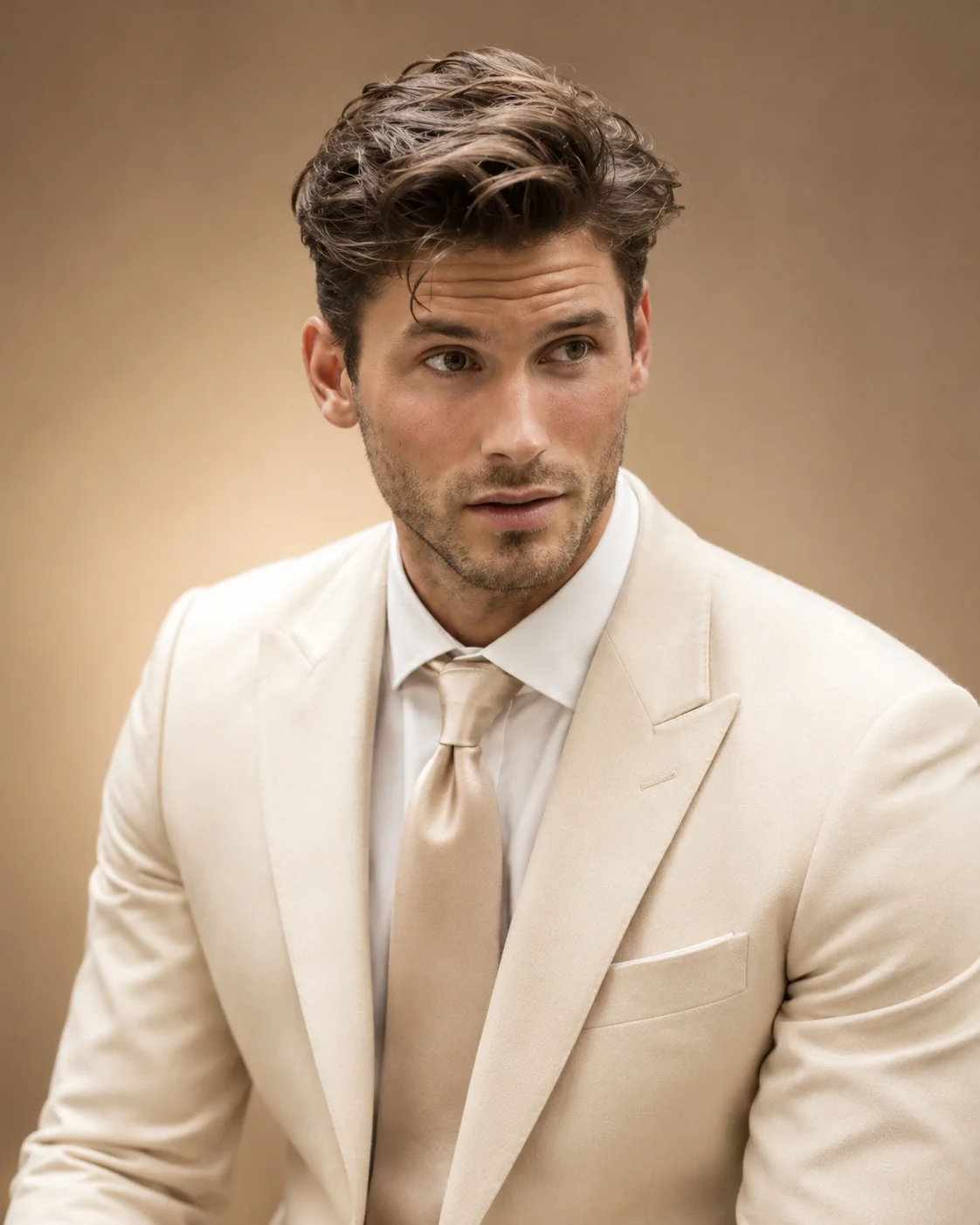
Ivory Suit Golden Hour Luxury Executive Portrait
Create a refined executive portrait in an ivory tailored suit, with champagne-beige studio styling and warm golden light while preserving your real facial identity.
Using the uploaded photo, create a photorealistic luxury executive portrait of the same recognizable person, dressed in an impeccably tailored ivory business suit against a champagne-beige studio background. Create a refined editorial appearance suitable for a senior executive, entrepreneur, consultant, or professional business profile. Use a vertical 4:5 composition. KEEP — Preserve the exact facial identity and natural anatomy visible in the uploaded photograph. Retain the original forehead proportions, eyebrow thickness and placement, eye shape and natural eye colour, nose bridge and tip, lip shape, cheek volume, cheekbones, jawline, chin, ears, facial width, and natural asymmetry. Maintain the original skin tone, pores, fine lines, natural marks, authentic age, and facial expression. Keep the original hairline, hairstyle, hair colour, texture, density, and facial hair pattern. Preserve natural neck width, shoulder proportions, body build, and recognizable physical characteristics. Do not replace the face with a generic business model. CHANGE — Replace the existing clothing with a premium ivory wool-blend business suit featuring structured shoulders, clean notch lapels, precise stitching, and a subtle natural fabric texture. Add a crisp white cotton dress shirt and a muted champagne or warm beige silk tie. Keep accessories minimal and introduce no jewellery unless already visible in the source. SCENE — Position the subject in a sophisticated champagne-beige photography studio. Use a smooth matte backdrop with a gentle warm gradient, slightly brighter behind the head and darker toward the outer edges. Create a chest-up portrait with the body turned slightly three-quarter toward the camera and the eyes looking directly into the lens. Keep the shoulders relaxed and the expression confident but approachable. LIGHT — Use a large diffused softbox above and slightly camera-left, with gentle warm fill from camera-right. Set the colour temperature around 4800K to produce natural skin tones and restrained golden highlights. Add subtle separation light along the suit shoulders without creating artificial glowing edges. CAMERA — Photograph at eye level using a full-frame camera, an 85mm portrait lens at f/2.8, ISO 100, and a shutter speed of 1/160s. Keep both eyes sharply focused, with realistic facial depth and softly blurred background detail. GRADE — Apply a warm champagne colour grade, restrained golden highlights, neutral ivory whites, natural skin colour, soft midtone contrast, and controlled shadow detail. Avoid orange skin, yellow clothing, or excessive HDR. OUTPUT — Vertical 4:5 aspect ratio, 2048 × 2560 resolution, photorealistic professional studio finish, with sufficient space around the hairstyle and shoulders for profile-picture cropping. DO NOT slim the face, whiten the skin, change eye colour, reshape facial features, de-age the person, smooth skin into plastic, invent jewellery or tattoos, alter body proportions, crop the hairstyle, or introduce text, logos, or watermarks.
Photo Guide
- Use a sharp, high-resolution photo with clearly visible facial details.
- Choose a front-facing or slight three-quarter angle for accurate identity.
- Avoid strong coloured lighting that changes the original skin tone.
- Keep the complete hairstyle, ears, jawline, and shoulders visible.
- A neutral daylight photo blends better with the warm champagne lighting.
- Avoid sunglasses or heavy face shadows that hide the eyes.
How to Build
- 1Open Gemini or ChatGPT and select image generation.
- 2Upload one clear photograph as the primary identity reference.
- 3Copy the complete prompt into the image-generation instruction box.
- 4Choose portrait orientation with a 4:5 aspect ratio.
- 5Select the highest available image resolution and realistic style.
- 6If the first result changes the face, regenerate with stronger KEEP instructions.
Pro Tips
- Choose a photo with visible shoulders so the ivory suit fits naturally.
- Use neutral daylight to prevent unwanted yellow or orange skin tones.
- Keep the original hairstyle unobstructed to reduce hairline changes.
- Avoid bright white source clothing that can confuse ivory suit rendering.
- Use a straight-on reference when a circular profile crop is planned.
Share This Prompt
About the Author
Naziya
Creative AI writer at MFDA, sharing trendy photo-editing prompts and fresh ideas for beautiful, stylish AI images.