Ivory Saree Festive Portrait Styling Guide
Create a realistic ivory saree portrait with soft window light, delicate floral embroidery, natural skin texture, and a refined festive setting.
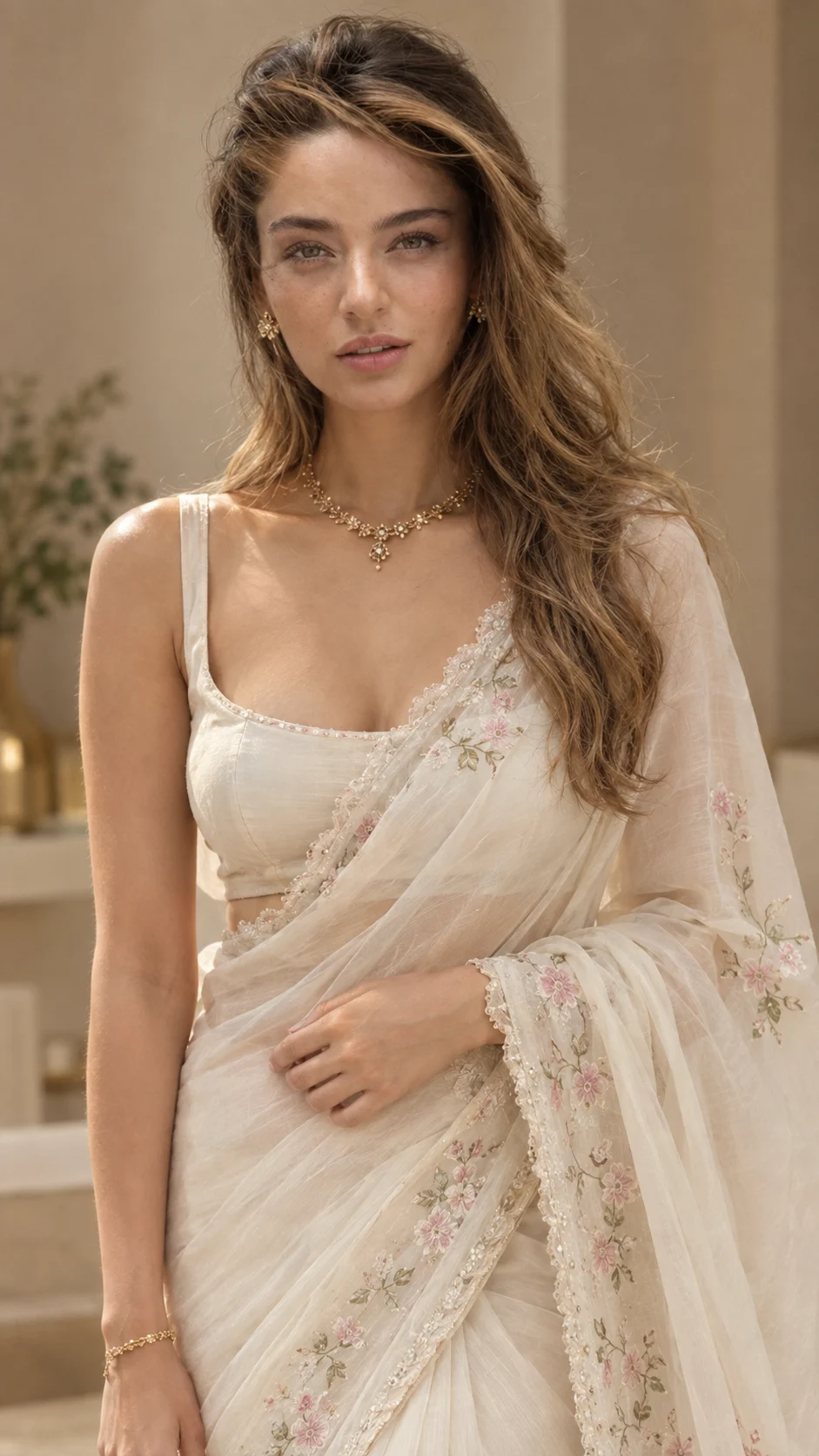
Using the uploaded photo, create a photorealistic vertical festive portrait of the same person wearing an elegant ivory saree in a refined indoor Indian setting. KEEP - Keep the exact facial structure from the uploaded photo, including forehead shape, eyebrow placement and shape, eye shape and natural eye colour, nose proportions, lips, cheeks, cheekbones, jawline, chin, ears, and natural facial asymmetry. Keep the original skin tone, visible pores, fine skin texture, natural marks, and under-eye detail. Preserve the original hairline, hair density, natural hair texture, facial hair pattern if present, and exact body proportions including shoulder width, neck length, arms, hands, and overall height impression. Keep the person's recognizable identity and natural expression without replacing the face with a model. CHANGE - Dress the person in a lightweight translucent ivory saree with a soft satin-chiffon appearance, a matching fitted ivory blouse, scalloped edging along the saree border and pallu, and delicate floral embroidery in muted pink and soft green. Add the refined gold necklace, small gold earrings, and slim gold bracelet visible in the reference look. Use a graceful standing pose with one hand resting naturally across the saree near the waist and the other lowered beside the body. Change the setting to warm beige interior tones with a subtle blurred green plant. Use a soft warm editorial colour grade. SCENE - Place the subject indoors during a softly lit daytime period, standing close to a neutral beige wall. Keep the background minimal, with pale furniture and understated greenery visible behind the subject. Use moderate background compression so the person remains sharply defined while the room falls into a smooth, unobtrusive blur. LIGHT - Use warm diffused window light coming from the front-left side of the subject, with soft illumination across both eyes and cheeks and gentle shadow falloff toward the opposite side. Keep the colour temperature warm-neutral so the ivory saree remains creamy rather than yellow. CAMERA - Shoot as if with an 85mm portrait lens at f/1.8, camera positioned at chest height, with natural perspective, shallow depth of field, crisp facial detail, and realistic fabric texture. GRADE - Apply a warm neutral editorial grade with restrained contrast, creamy highlights, natural skin colour, slightly muted background tones, and realistic gold reflections. OUTPUT - Create a vertical 9:16 portrait at 2160 x 3840 resolution, framed from approximately mid-thigh upward with enough space around the saree border and shoulders. DO-NOT - Do not slim the face, whiten the skin, change eye colour, smooth skin into plastic texture, alter body proportions, invent jewellery or tattoos, reshape facial features, add facial hair, or remove natural facial asymmetry.
Photo Guide
- Use a sharp photo at least 1080px wide so facial texture stays readable.
- Use a front or slight three-quarter angle where both eyes and the hairline stay visible.
- Choose even daylight or soft window light so the ivory fabric stays neutral.
- Keep the face, shoulders, hands, and natural hairline unobstructed.
- A heavily filtered selfie can cause skin tone and facial structure to drift.
How to Build
- 1In Gemini, choose Create images and upload the clear reference photo.
- 2Set the canvas or aspect ratio to 9:16 before generating the portrait.
- 3Paste the full prompt after attaching the reference image.
- 4Check the saree border, floral embroidery, face, hands, and background separately.
- 5Generate another variation if fabric details or hand placement look unnatural.
- 6If the first result is wrong, change only the failed detail and regenerate.
Pro Tips
- Keep the reference naturally lit so the ivory saree does not turn yellow.
- Use a visible hairline so the updo does not change the person's face shape.
- Keep both hands visible where possible so the pose remains anatomically natural.
- Avoid strong beauty filters so pores and facial asymmetry stay consistent.
- Check the scalloped border after generation because fine embroidery can disappear.
Share This Prompt
About the Author
Naziya
Creative AI writer at MFDA, sharing trendy photo-editing prompts and fresh ideas for beautiful, stylish AI images.