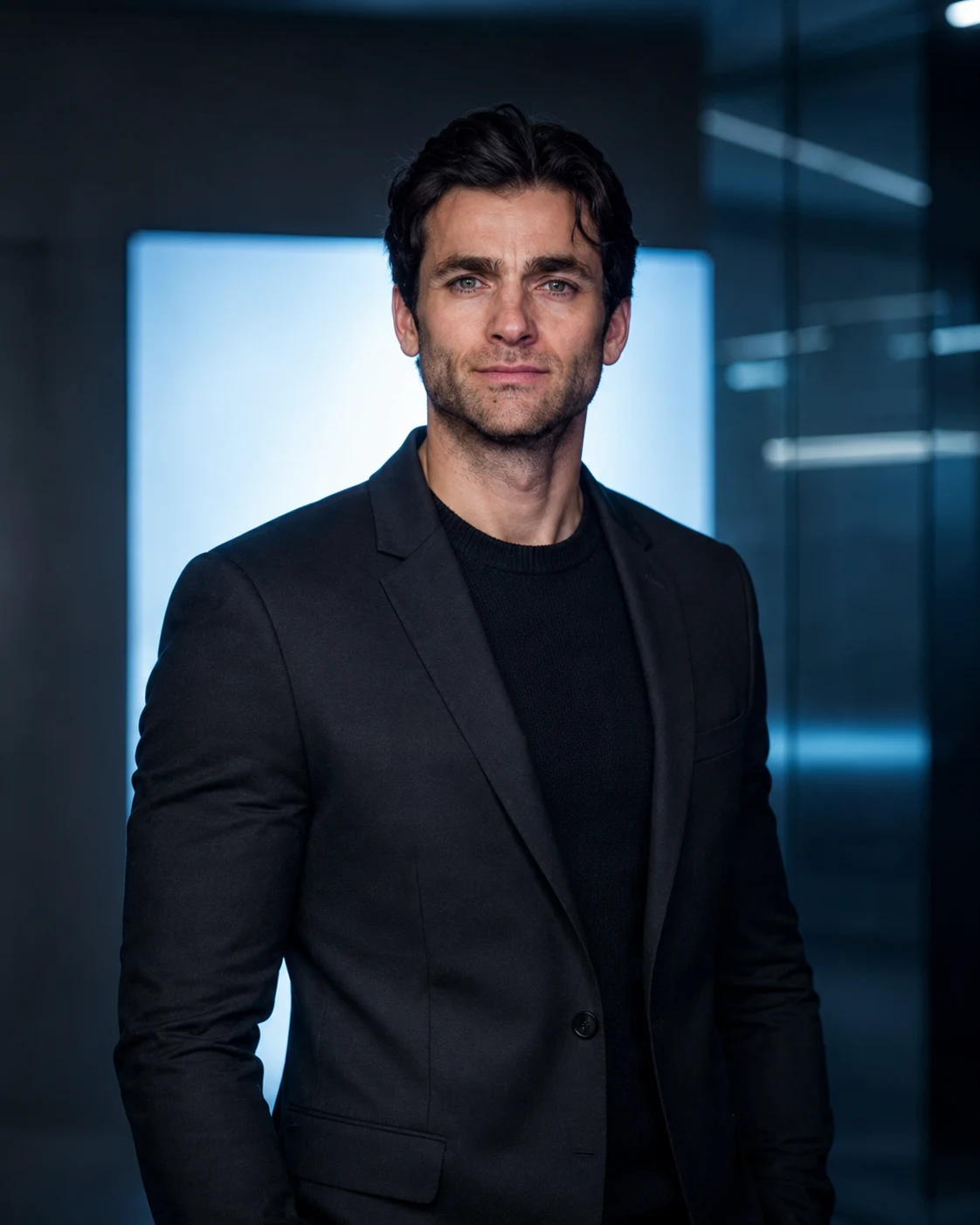
Ice Blue Technology Founder Portrait with Cinematic Lighting
Create a photorealistic technology founder portrait with a charcoal blazer, cool blue studio lighting, crisp facial details, and a modern executive background.
Using the uploaded photo, create a photorealistic technology-founder portrait with a charcoal-black blazer, cool ice-blue studio lighting, and a refined futuristic corporate atmosphere in a vertical 4:5 composition. KEEP — Preserve the person's exact recognizable facial identity, including forehead proportions, eyebrow shape and placement, original eye shape and colour, nose bridge and tip, lip shape, cheek volume, cheekbones, jawline, chin, ears, facial width, and natural asymmetry. Retain the original skin tone, visible pores, fine skin texture, authentic age, hairline, hairstyle, and facial hair pattern if present. Maintain the original gender, neck structure, shoulder width, and natural body proportions. Keep the person's face recognizable rather than generating a generic technology executive. CHANGE — Replace the original clothing with a tailored charcoal-black blazer featuring clean notch lapels, subtle shoulder structure, and a realistic fine wool texture. Add a fitted black fine-gauge knit shirt with visible ribbing around the neckline. Do not add a tie. Position the subject in a mid-torso portrait, slightly right of centre, with the body turned approximately 10–15 degrees and the face directed toward the camera. Keep the shoulders relaxed, chin level, and expression calm, intelligent, and quietly confident. SCENE — Place the subject in a dark contemporary technology studio during a controlled indoor studio shoot. Position a large rectangular ice-blue light panel behind the subject, slightly offset from the head. Add translucent glass partitions and faint horizontal reflections in the distant background, softly blurred to preserve facial prominence. Keep the background dark charcoal with muted blue highlights and no readable screens. LIGHT — Use a neutral soft key light from camera-left, slightly above eye level, with gentle frontal fill to preserve detail around the eyes and jaw. Add a cool blue rim light from behind to separate the blazer from the background. Keep blue spill off the central facial features. CAMERA — Shoot with an 85mm portrait lens at f/2.0, at eye level, using a mid-torso crop. Focus precisely on the eyes, with natural perspective and shallow depth of field. GRADE — Apply cool blue-grey colour grading, neutral skin tones, controlled highlights, deep charcoal blacks, and restrained cinematic contrast. OUTPUT — Vertical 4:5 aspect ratio, 2048 × 2560 pixels, high-detail photorealistic finish. DO NOT slim the face, whiten the skin, change eye colour, smooth skin into plastic, invent jewellery or tattoos, alter facial hair, distort anatomy, or add text, logos, or watermarks.
Photo Guide
- Upload a sharp, high-resolution photo with both eyes clearly visible.
- Choose a front-facing or slight three-quarter angle for accurate facial geometry.
- Use even lighting so the original skin tone and facial details remain readable.
- Keep the hairstyle, hairline, ears, and jawline unobstructed.
- A neutral daylight photo blends better with the cool blue studio lighting.
- Avoid heavy beauty filters because they can distort natural facial texture.
How to Build
- 1Open ChatGPT or Gemini and select an image-generation feature.
- 2Upload your original photo as the facial identity reference.
- 3Paste the complete prompt, including KEEP and CHANGE instructions.
- 4Choose a vertical 4:5 aspect ratio and 2048 × 2560 resolution if available.
- 5Generate the portrait with image reference or identity preservation enabled.
- 6If the face drifts, regenerate using the original photo and strengthen KEEP instructions.
Pro Tips
- Use a photo with visible skin texture so the final face stays authentic.
- Keep both eyes unobstructed so the blue rim light does not distort them.
- Choose a charcoal outfit in the source only if identity accuracy needs extra help.
- Keep the blue panel behind the shoulders so the silhouette remains clearly separated.
- Use neutral facial lighting to prevent the ice-blue grade from colouring the skin.
- If the blazer merges into the background, brighten the rear rim light slightly.
Share This Prompt
About the Author
Naziya
Creative AI writer at MFDA, sharing trendy photo-editing prompts and fresh ideas for beautiful, stylish AI images.