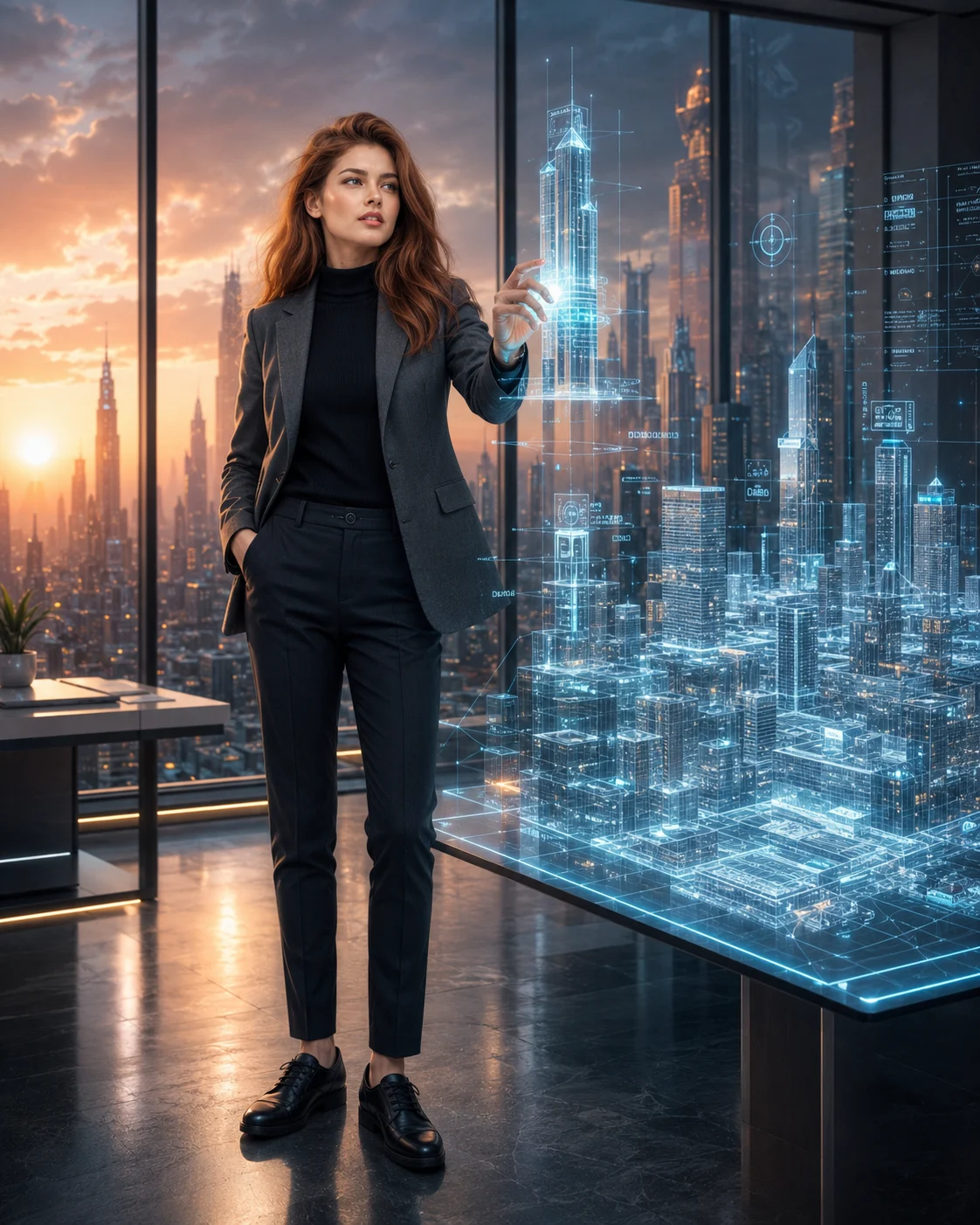
Holographic Smart City Architect Portrait Prompt
Create a photorealistic architect portrait with a floating 3D city model, charcoal tailoring, holographic blueprints, and a futuristic skyline at sunset.
Using the uploaded photo, create a photorealistic vertical 4:5 full-body portrait of the same person working as a futuristic smart city architect, interacting with a floating three-dimensional holographic city model inside a premium architectural innovation studio. KEEP — Preserve the exact facial identity and recognizable structure from the uploaded photo, including forehead proportions, eyebrow placement, eye shape and original eye colour, nose bridge and tip, lip shape, cheek volume, cheekbones, jawline, chin, ears, facial width, and natural asymmetry. Retain the original skin tone, authentic age, visible pores, fine skin texture, and natural identifying marks. Keep the original hairline, hair density, texture, colour, and hairstyle. Preserve visible facial hair with its original density and outline. Maintain the person's original body proportions, shoulder width, neck, limbs, and natural hand structure. Do not replace the face with a generic architectural professional or alter the person's recognizable appearance. CHANGE — Dress the subject in a charcoal-grey tailored blazer made from matte wool-blend fabric, a fitted black fine-knit turtleneck, slim dark tailored trousers, and clean black leather shoes. Introduce a confident standing pose with the body turned slightly three-quarters toward the holographic city. Raise one hand to rotate a miniature floating skyscraper while keeping the other arm relaxed beside the body. Position the subject slightly left of centre, leaving room for the digital model on the right. SCENE — Set the portrait inside a sophisticated architectural design studio at sunset. Tall floor-to-ceiling glass windows reveal a distant futuristic metropolis with clustered skyscrapers and warm horizon light. Suspend a detailed three-dimensional city model in front of the subject, featuring translucent building volumes, fine cyan architectural grid lines, illuminated road networks, and thin blueprint annotations. Keep the skyline softly blurred while the holographic structures near the subject remain legible and spatially coherent. LIGHT — Use warm sunset daylight entering from the windows behind and to the subject's left, with soft neutral fill illuminating the face from the front. Add restrained cyan reflections along the blazer sleeve and fingertips nearest the hologram. Maintain natural skin colour, realistic contact shadows, and believable reflections on the glass surfaces. CAMERA — Capture the entire body from head to toe using a 50mm lens at f/2.8, with the camera at chest height and a level horizon. Keep the face, clothing, and nearest holographic buildings sharp while allowing the distant skyline to fall into smooth optical blur. GRADE — Apply a refined cinematic grade with charcoal neutrals, muted steel blue, controlled cyan highlights, and warm amber sunset tones. Preserve natural skin colour, moderate contrast, subtle film grain, and realistic fabric detail. OUTPUT — Generate a vertical 4:5 composition at 4096 × 5120 pixels or the highest available resolution. Keep the complete subject, shoes, raised hand, and primary holographic model inside the frame. DO NOT slim the face, whiten the skin, change eye colour, apply plastic smoothing, invent jewellery or tattoos, distort fingers, add extra limbs, obscure facial features with holograms, or crop the head or feet.
Photo Guide
- Use a sharp, high-resolution photo with the full face clearly visible.
- Choose a front-facing or slight three-quarter angle with both eyes unobstructed.
- Use even daylight so the original skin tone remains easy to reproduce.
- Keep the hairline, shoulders, hands, and natural body proportions visible.
- A photo with clear facial detail helps preserve identity under cyan hologram light.
- Avoid heavy beauty filters; they can distort facial texture and jawline details.
How to Build
- 1Open Gemini or ChatGPT and select an image-generation feature.
- 2Upload a clear photo of yourself as the identity reference.
- 3Paste the complete prompt into the image-generation input.
- 4Choose a 4:5 portrait aspect ratio if the tool offers that setting.
- 5Set image quality to High or the highest available resolution.
- 6Generate the portrait and inspect the face, hands, and full-body framing.
- 7If the result is wrong, regenerate with a specific correction for the failed detail.
Pro Tips
- Choose a photo with visible facial features so the hologram does not replace them.
- Keep the original hairstyle visible so the sunset rim light follows its real outline.
- Use a charcoal outfit to separate the subject from bright cyan interface graphics.
- Keep the hologram beside the face rather than across it to preserve recognition.
- Request softer background blur if the skyline loses its recognizable building shapes.
- Correct hand anatomy separately if the skyscraper interaction looks physically unnatural.
Share This Prompt
About the Author
Naziya
Creative AI writer at MFDA, sharing trendy photo-editing prompts and fresh ideas for beautiful, stylish AI images.