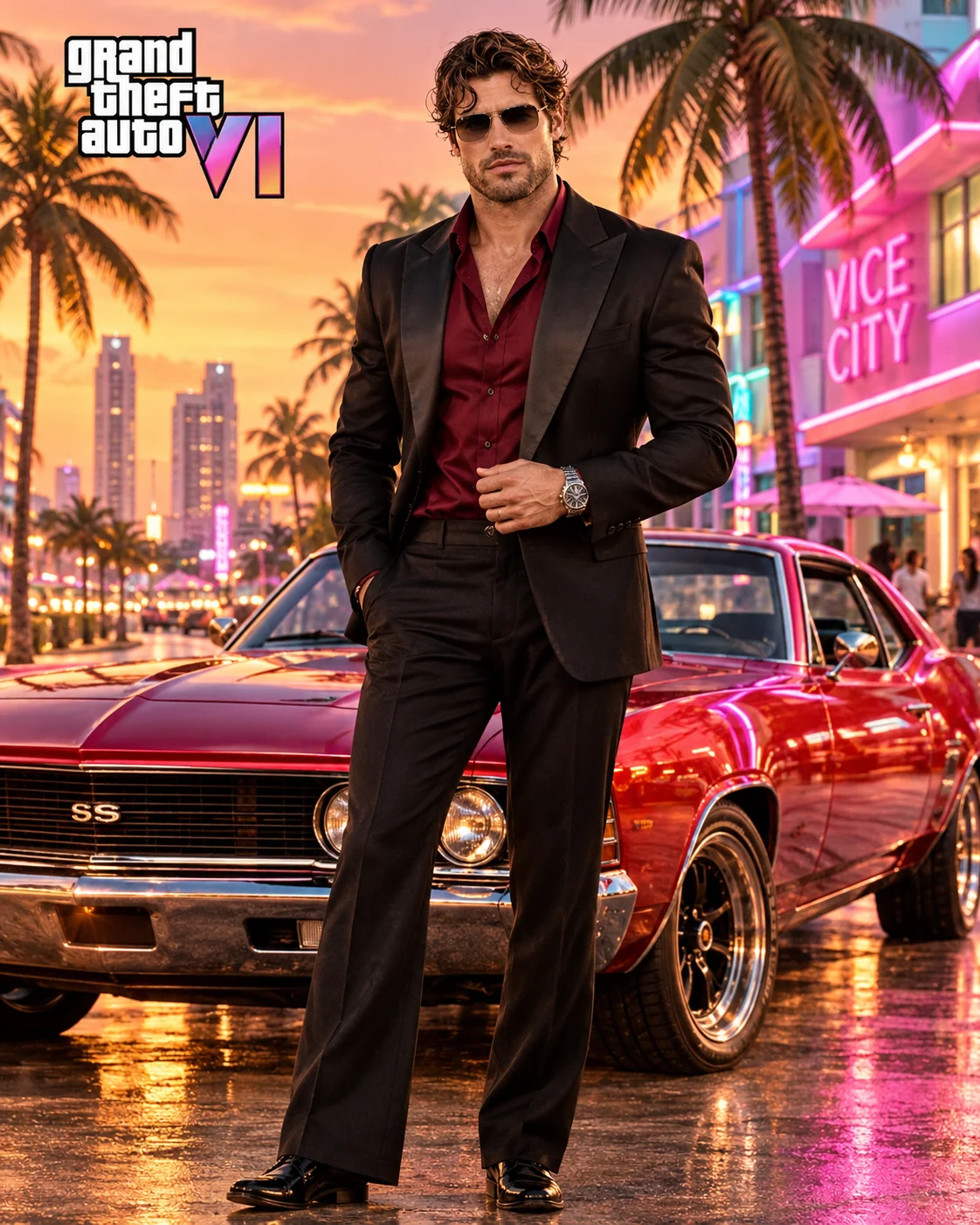
GTA VI Vice City Luxury Gangster Poster Portrait
Create a GTA VI-inspired Vice City luxury gangster poster featuring your original face, a classic supercar, neon skyscrapers and a tropical sunset.
Using the uploaded photo, create an ultra-realistic GTA VI-inspired cinematic luxury gangster poster featuring the same recognizable person in a spectacular modern Vice City environment. The result should resemble a professionally photographed open-world crime game promotional poster, not a cartoon or video game screenshot. KEEP — Preserve the exact facial identity and natural anatomy of the person in the uploaded photograph. Retain the original forehead width, eyebrow thickness and placement, eye shape and natural eye colour, nose bridge and tip, lip shape, cheek volume, cheekbone position, jawline, chin, ears and natural facial asymmetry. Maintain the original skin tone, pores, fine lines, marks and realistic skin texture. Preserve the original hairline, hairstyle, hair density, texture and facial hair. Keep the original neck, shoulder width, body proportions, height relationship and natural physical build. The face must remain immediately recognizable without beautification or reinterpretation. CHANGE — Dress the subject in a fitted midnight-black satin-lapel blazer, deep burgundy open-collar shirt, tailored black flared trousers and polished black leather shoes. Add a sophisticated silver wristwatch and dark aviator sunglasses. Position him standing confidently with one hand adjusting his blazer and the other resting naturally beside his waist. SCENE — Place the subject in the foreground of a luxurious Vice City boulevard at sunset, approximately 7:00 PM. Position a metallic cherry-red 1970s American muscle car behind him at a front three-quarter angle. Include palm-lined streets, pastel Art Deco hotels, illuminated pink neon signs, distant luxury towers and a glowing coastal skyline. Keep the car detailed and recognizable while distant buildings have gentle atmospheric blur. LIGHT — Use warm orange sunset illumination from the front-left, with pink neon reflections along the car and subtle cool-blue shadows from the surrounding buildings. Preserve natural facial exposure and realistic ground shadows. CAMERA — Use a 50mm cinematic lens at f/2.8, positioned at chest height, capturing the complete body and most of the vehicle. GRADE — Apply a nostalgic 1980s Miami colour treatment with turquoise shadows, magenta highlights, warm amber skin tones and rich cinematic contrast. OUTPUT — Vertical 4:5 composition, full-body framing, professional poster quality, realistic textures and ultra-detailed 8K resolution. DO NOT change facial identity, slim the face, whiten the skin, alter eye colour, modify the hairline, apply plastic skin smoothing, invent tattoos or jewellery, distort anatomy or replace the subject's face.
Photo Guide
- Use a sharp, high-resolution photograph with the entire face visible.
- Choose a front-facing photo or a slight three-quarter angle.
- Use soft daylight so the original skin tone remains accurate.
- Keep the forehead, eyes, hairstyle and facial hair unobstructed.
- A photo with natural shadows blends well with the sunset lighting.
- Avoid blurry selfies and extreme close-up face crops.
How to Build
- 1Open Gemini or ChatGPT and select the image generation feature.
- 2Upload one clear photograph of the person.
- 3Copy and paste the complete prompt content.
- 4Choose a vertical 4:5 aspect ratio if available.
- 5Select the highest available image quality.
- 6Generate the image and inspect the face and vehicle details.
- 7If the face changes, strengthen the KEEP instructions and regenerate.
Pro Tips
- Use a photo with visible facial details to reduce identity drift.
- Keep sunglasses as a styling addition, not a replacement for visible eyes.
- Choose a dark outfit photo for better black fabric consistency.
- Keep the red muscle car behind the subject to maintain visual hierarchy.
- Use sunset lighting to blend the person naturally into Vice City.
- Keep neon signs in the background so they do not compete with the face.
Share This Prompt
About the Author
Naziya
Creative AI writer at MFDA, sharing trendy photo-editing prompts and fresh ideas for beautiful, stylish AI images.