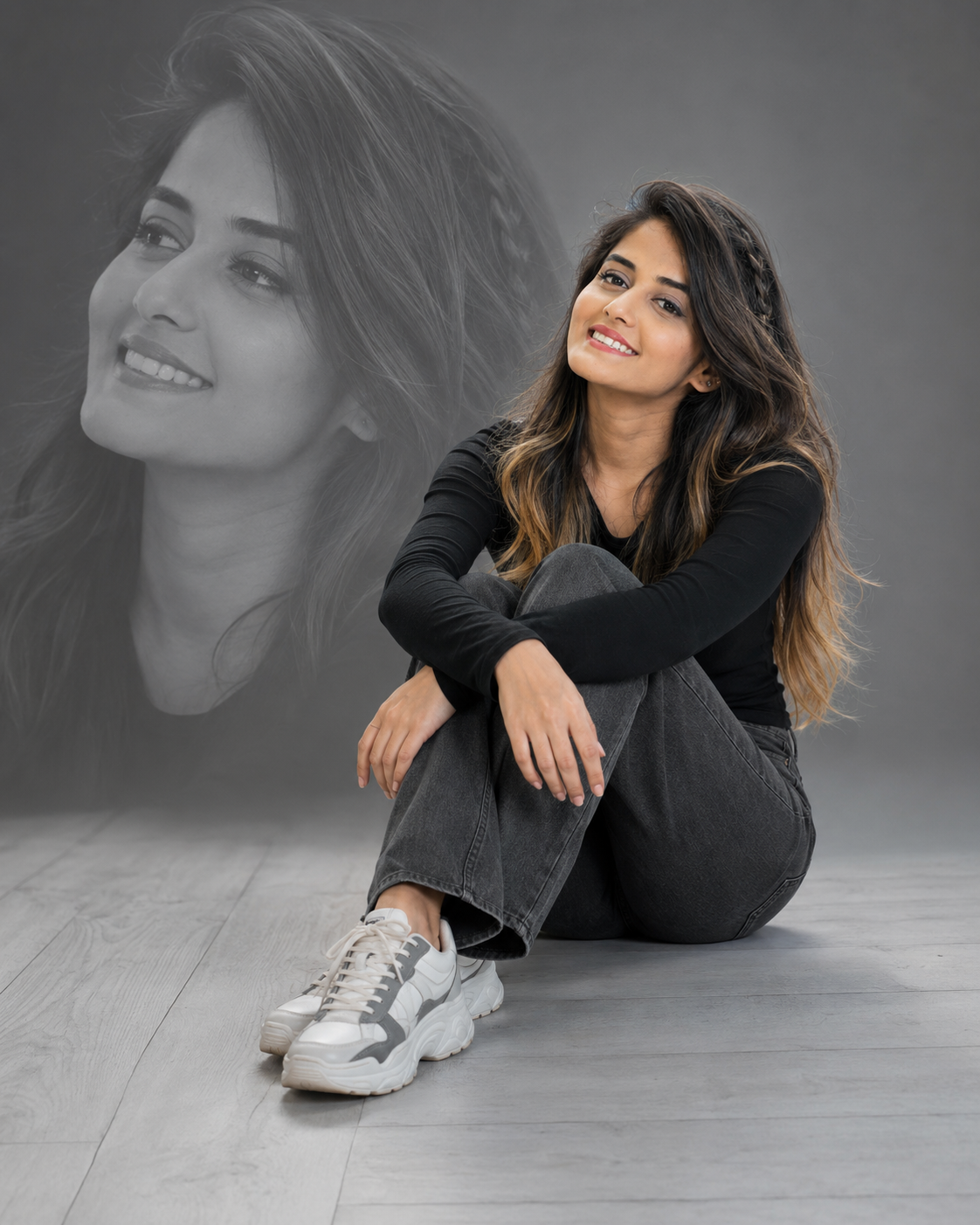
Gray Studio Double-Exposure Fashion Portrai
Create a polished gray studio portrait with a seated fashion pose, monochrome face overlay, realistic identity, soft lighting, and crisp outfit detail.
Using the uploaded photo, create a photorealistic full-body studio portrait of the same woman seated casually on a light-gray wooden studio floor. KEEP: Keep the exact face structure, natural facial proportions, eye shape and eye colour, skin tone and visible skin texture, hairline, natural hair density, facial hair if present, and body proportions from the uploaded photo. Preserve the original jawline, cheek structure, nose, lips, ears, natural facial asymmetry, and recognizable identity. Do not redesign her face to resemble a different model. Keep realistic skin pores and natural facial detail visible. CHANGE: Change the wardrobe to a fitted [black full-sleeve top], [charcoal-gray straight-fit jeans], and [chunky white-and-gray sneakers]. Style the existing hair loose with soft waves and natural volume, adding a subtle side-braid detail without changing the hairline. Change the pose so she sits with both knees drawn upward and her arms resting loosely across them. Change the expression to a joyful open smile while she looks slightly upward. Add a large translucent monochrome close-up of the same face behind her, blended into the gray background as a controlled double-exposure element. SCENE: Place her in a clean studio during a neutral daytime-style setup, seated directly on pale gray wooden flooring with visible plank seams and subtle natural wood grain. Use a seamless medium-gray background. Keep the oversized monochrome face behind her softly blended, larger than the seated figure, with its edges fading naturally into the backdrop rather than appearing as a separate photograph. LIGHT: Use broad, soft studio light from the upper front-left, with gentle fill from the opposite side. Keep facial illumination even enough to show skin texture while preserving subtle cheek and jaw shadows. Use a neutral colour temperature around 4800K so the gray floor and background remain clean and natural. CAMERA: Use a 50mm lens at f/4, with the camera positioned at waist-to-chest height and slightly off-axis for a soft side-angle view. Keep the woman, face, hair, clothing, and sneakers sharply detailed while allowing the background overlay to remain softer. GRADE: Use restrained editorial colour grading with neutral grays, controlled contrast, natural skin tones, clean whites, and slightly softened highlights. Keep the monochrome overlay distinctly black-and-white without crushing facial detail. OUTPUT: Create a vertical 4:5 composition at 8K resolution with realistic anatomy, natural hands, detailed denim, visible wood grain, and accurate double-exposure blending. DO-NOT: No face slimming, no skin whitening, no changed eye colour, no plastic smoothing, no invented jewellery or tattoos, no altered body proportions, no duplicate facial features, no distorted hands, and no warped overlay.
Photo Guide
- Use a sharp high-resolution photo showing the complete face clearly.
- A front-facing or slight three-quarter angle gives the best identity reference.
- Soft neutral light works better than strong coloured lighting for this gray set.
- Keep the hairline, eyes, cheeks, jaw and skin texture unobstructed.
- A visible full face is important because it also becomes the background overlay.
- Heavy beauty filters can make the monochrome face drift from the real identity.
How to Build
- 1Open Gemini and upload one clear, high-resolution face photo.
- 2Paste the complete prompt into Gemini's image generation mode.
- 3Set the output aspect ratio to 4:5 before generating.
- 4Keep the uploaded image as the only identity reference.
- 5Check the seated face and monochrome face against the original photo.
- 6If the first result is wrong, re-upload the photo and regenerate unchanged.
Pro Tips
- Use a photo with visible cheek contours so the overlay keeps the same face shape.
- Keep both eyes clear so the monochrome portrait preserves their exact colour and shape.
- Avoid strong facial filters so skin texture remains believable under studio light.
- Choose a photo with visible hairline so the loose hairstyle does not alter the forehead.
- A neutral background photo helps the gray studio tones stay visually consistent.
Share This Prompt
About the Author
Jitesh Mali
Author