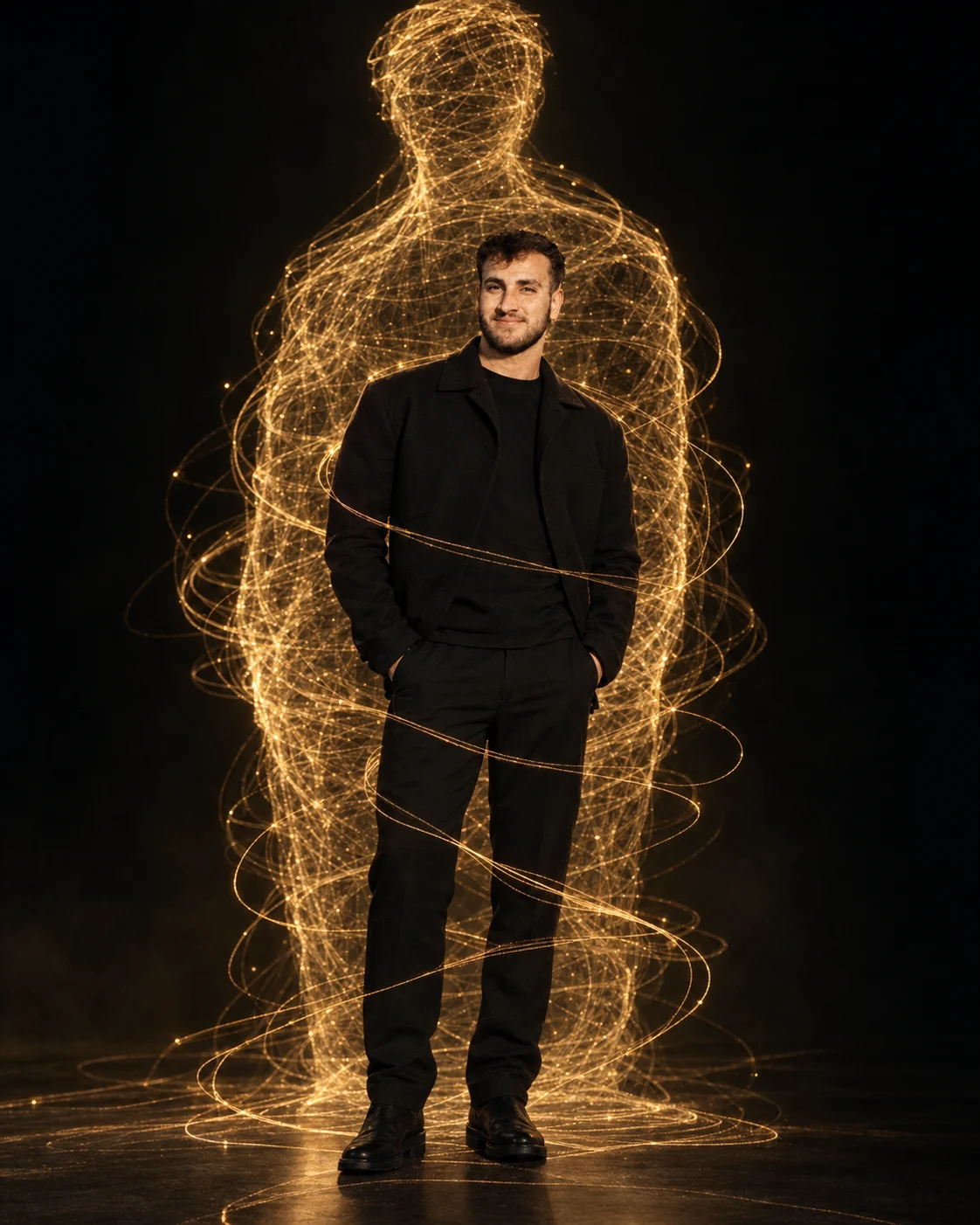
Golden Thread Dimension Portrait
Create a cinematic portrait where glowing golden threads spiral around you and form a giant abstract human silhouette in a dark studio.
Using the uploaded photo, create a photorealistic cinematic editorial portrait of the same person inside a dark artistic studio, with hundreds of glowing golden threads forming a giant abstract human silhouette behind and around them. KEEP: Keep the exact face structure from the uploaded photo, including forehead shape, jawline, cheekbones, nose, lips, chin, eye shape and natural eye colour. Keep the original skin tone, natural skin texture, hairline, hairstyle, facial hair pattern, facial proportions, body proportions, shoulder width and overall recognizable identity unchanged. Do not reinterpret the person as a different model. CHANGE: Change the wardrobe to a refined matte-black outfit made from lightweight wool or smooth structured cotton, with a clean minimal silhouette and no visible logos. Change the pose to a confident standing position with the body facing mostly forward, shoulders relaxed, and hands positioned naturally. Change the setting to a nearly black studio environment. Add hundreds of thin luminous golden threads made of glowing fiber-like strands, spiraling around the body and extending upward to form a large abstract human silhouette behind the subject. Keep the threads visually separate from the face and body. SCENE: Place the subject on a dark matte studio floor at night-like ambient conditions. The background should remain deep black with only subtle atmospheric haze. The giant thread silhouette should sit several feet behind the subject and become slightly softer toward its outer edges, while the subject remains sharply defined. LIGHT: Use a large soft key light positioned 45 degrees to the front-left of the face, with gentle warm-white illumination around 4300K. Add a very subtle golden rim light from behind so the skin, hair and shoulders naturally respond to the glowing threads. CAMERA: Shoot at 85mm, f/1.8, camera height at chest level, with shallow depth of field and natural facial perspective. GRADE: Use deep blacks, restrained contrast, warm gold highlights and neutral skin tones. Keep skin colour realistic while giving the background a cinematic black-and-gold editorial finish. OUTPUT: Create a vertical 4:5 composition at 8K resolution, keeping the complete body and major thread silhouette visible. DO-NOT: no face slimming, no skin whitening, no changed eye colour, no plastic smoothing, no invented jewellery or tattoos.
Photo Guide
- Use a sharp high-resolution photo where the full face is clearly visible.
- A front-facing or slight three-quarter angle works best for this portrait.
- Use even daylight so the facial texture remains easy to preserve.
- Keep the hairline, facial hair and shoulders fully visible.
- A black or plain background helps the golden thread silhouette blend cleanly.
- Avoid heavily filtered selfies; they can cause facial identity drift.
How to Build
- 1Open Gemini and upload one clear identity photo.
- 2Paste the full prompt without changing the KEEP section.
- 3Choose a 4:5 portrait aspect ratio if available.
- 4Generate the first image at the highest available quality.
- 5Check the face, hairline, beard and body proportions against the photo.
- 6If the result is wrong, regenerate using the same photo and prompt.
Pro Tips
- Use a photo with visible shoulders so the black outfit fits naturally.
- Keep the face well exposed so golden light does not alter skin tone.
- Choose a simple hairstyle so the hairline remains consistent.
- Use a sharp original photo so the 85mm portrait stays detailed.
- Keep the threads behind the face so they do not merge with facial features.
Share This Prompt
About the Author
Naziya
Creative AI writer at MFDA, sharing trendy photo-editing prompts and fresh ideas for beautiful, stylish AI images.