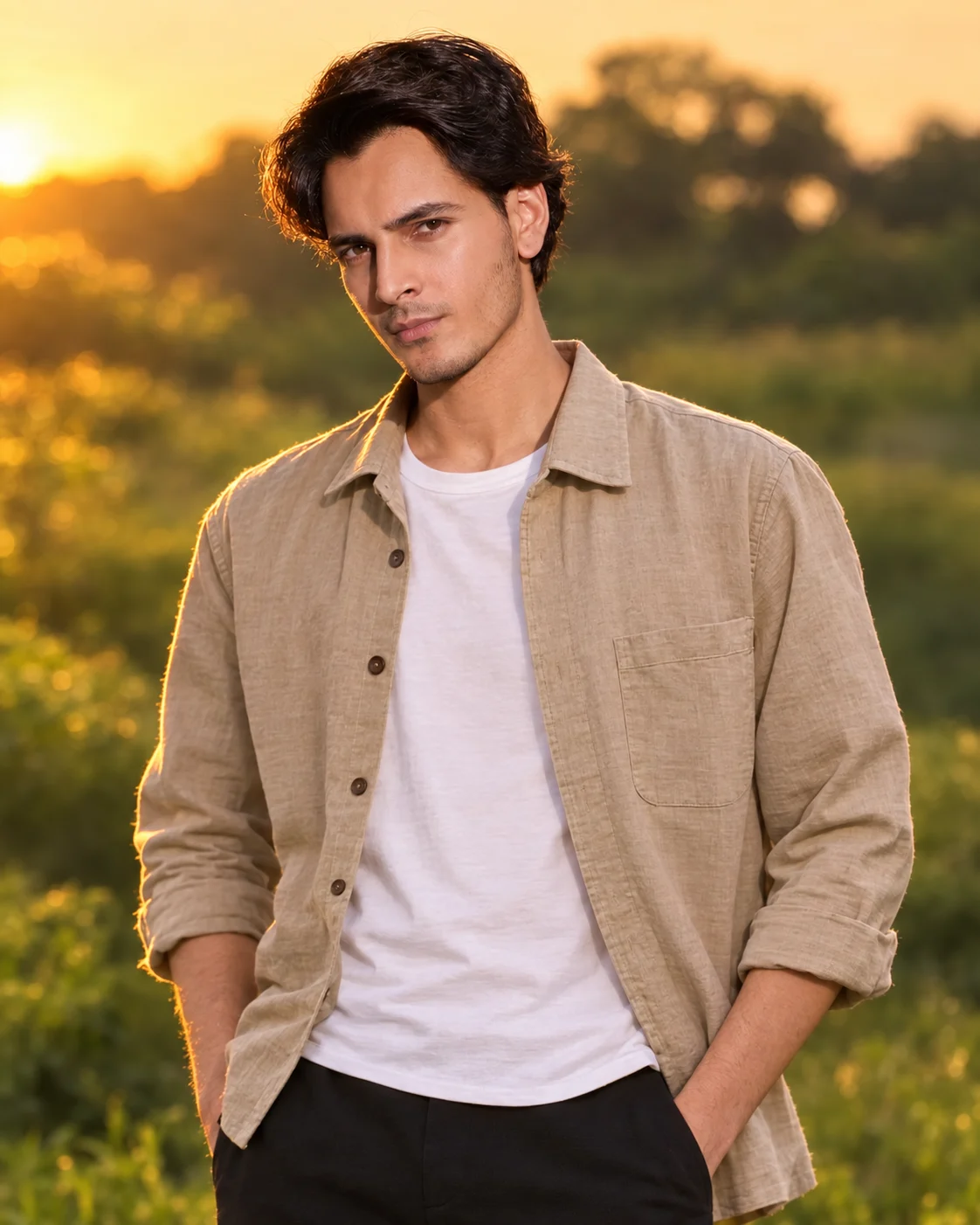
Golden Hour Outdoor Cinematic Portrait
Create a warm golden-hour outdoor portrait with your real facial features, natural skin texture, casual styling, and a softly blurred landscape.
Using the uploaded photo, create a natural cinematic outdoor portrait of the same person during golden hour, while preserving their real identity and facial appearance. KEEP: Keep the exact face structure, natural jawline, cheek shape, nose, lips, eye shape and eye colour from the uploaded photo. Keep the original skin tone, natural pores, fine skin texture, facial marks, hairline, hair density, and facial hair pattern if present. Keep the original body proportions, shoulder width, neck length, and overall build. Do not make the person taller, slimmer, broader, younger, or more muscular. CHANGE: Replace the original clothing with [a clean beige cotton overshirt over a plain white T-shirt and dark trousers]. Use realistic cotton texture with natural folds and no visible logos. Change the pose to a relaxed standing position, with the shoulders slightly angled and the face turned naturally toward the camera. Change the background to [an open green landscape with distant trees]. Change the lighting to warm late-evening sunlight coming from the side and slightly behind the subject. Apply a warm cinematic colour grade while keeping the person's actual skin tone believable. SCENE: Place the person outdoors during the final 30–45 minutes before sunset. Behind them, show soft green vegetation, distant trees, and subtle warm highlights. Keep the landscape strongly out of focus so it creates smooth depth without distracting shapes or recognizable objects. LIGHT: Use low-angle golden-hour sunlight from the camera-left side, slightly behind the subject. Add gentle natural fill from the open sky on the opposite side. Use approximately 4500K warm daylight, with soft shadows across the face rather than harsh highlights. CAMERA: Use an 85mm lens at f/1.8, positioned at chest height and approximately eye level. Keep both eyes and facial texture sharply focused while the background falls into shallow optical blur. GRADE: Use warm amber highlights, natural greens, controlled contrast, soft black levels, and subtle cinematic toning. Do not over-orange the skin or create an artificial HDR effect. OUTPUT: Create a vertical 4:5 portrait at 2048 × 2560 pixels with the subject framed from approximately mid-torso upward. DO-NOT: no face slimming, no skin whitening, no changed eye colour, no plastic smoothing, no invented jewellery or tattoos.
Photo Guide
- Use a sharp 2MP+ image where pores and facial hair are still visible.
- A front-facing or slight 3/4 photo works best for the 85mm framing.
- Use a daylight source so the golden-hour light blends naturally.
- Keep the full hairline, eyes, jawline, and facial hair unobstructed.
- A dark indoor photo can make the warm outdoor lighting look pasted on.
How to Build
- 1Open ChatGPT and choose the image generation option.
- 2Upload one clear photo with your face and hairline fully visible.
- 3Paste the complete prompt without changing the KEEP section.
- 4Set the output to a vertical 4:5 composition if available.
- 5Generate at the highest available image quality.
- 6If the first result drifts, re-upload the same photo and regenerate.
Pro Tips
- Use a daylight source photo so warm sunset shadows stay believable.
- Choose a photo without sunglasses so eye shape remains anchored.
- Keep the original hairline visible so the hairstyle does not drift.
- Use a simple original outfit so the beige cotton styling replaces it cleanly.
- Avoid strong coloured backgrounds so the green landscape grade stays natural.
Share This Prompt
About the Author
Naziya
Creative AI writer at MFDA, sharing trendy photo-editing prompts and fresh ideas for beautiful, stylish AI images.