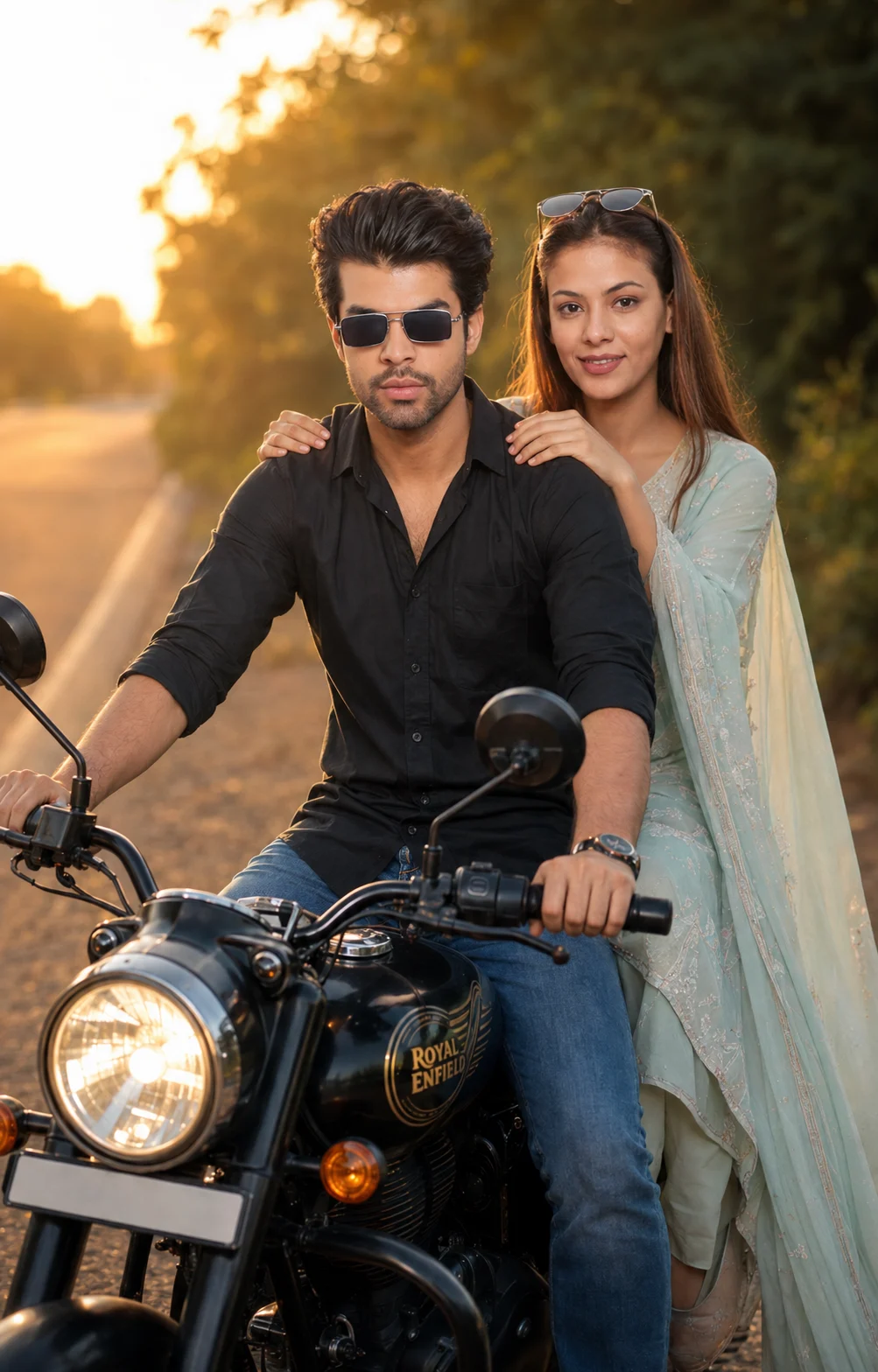
Golden Hour Motorcycle Couple Portrait
Create a realistic golden-hour motorcycle portrait of a couple while preserving their real faces, skin texture, body proportions, and natural identity.
@Create image Using the uploaded photo, create a realistic cinematic photograph of the same couple together on a stylish motorcycle beside a quiet road during golden hour. KEEP — Preserve each person’s exact face structure, eye shape and natural eye colour, skin tone and real skin texture, hairline, facial hair where visible, and natural body proportions from the uploaded photo. Keep their recognizable facial features, face width, nose shape, lips, jawline, cheeks, and natural asymmetry unchanged. Keep the couple’s relative height and body build consistent with the source photos. Do not redesign either person’s identity. CHANGE — Dress the man in a clean black cotton shirt with blue denim jeans. Dress the woman in an elegant pastel traditional outfit made from lightweight flowing fabric, using soft pastel tones without changing her body shape. Place both on a modern, well-detailed motorcycle. Seat the man in front with both hands naturally positioned for riding, while the woman sits directly behind him, gently holding his shoulders and leaning slightly toward him. Give both relaxed, naturally happy expressions. SCENE — Set the motorcycle beside a quiet paved road during late golden hour. Place soft roadside greenery and distant scenery behind them, rendered with shallow depth of field so the couple and motorcycle remain sharp while the background becomes smoothly blurred. LIGHT — Use warm natural sunlight coming from the front-left side, slightly above face level. Keep gentle illumination across both faces with soft shadow falloff, warm highlights, and no harsh artificial light. CAMERA — Photograph at 85mm, f/2.0, camera positioned around chest height, with realistic portrait compression and enough framing to show both people and most of the motorcycle. GRADE — Apply a warm cinematic colour grade with natural skin tones, moderate contrast, restrained saturation, soft highlight roll-off, and realistic shadow detail. OUTPUT — Create a vertical 4:5 composition at 2048 × 2560 pixels with sharp facial detail and natural photographic texture. DO NOT — No face slimming, no skin whitening, no changed eye colour, no plastic smoothing, no invented jewellery or tattoos, no altered facial proportions, no duplicated limbs, no distorted hands, and no artificial-looking expressions.
Photo Guide
- Use a clear high-resolution photo where both faces are fully visible.
- Front-facing or slight three-quarter angles preserve facial structure best.
- Use even daylight so skin texture and eye colour remain easy to match.
- Keep hairline, facial hair, jawline, and shoulders unobstructed.
- A daylight source photo blends better with the warm sunset lighting.
- The biggest failure is a blurry face or heavily filtered source photo.
How to Build
- 1Gemini: upload the clearest couple photo and paste the full prompt.
- 2Choose image generation with a 4:5 portrait aspect ratio.
- 3Keep image quality at the highest available setting.
- 4Generate once, then compare both faces against the source photo.
- 5If faces drift, re-upload the clearest source and regenerate with the same prompt.
- 6If pose or clothing is wrong, keep the faces and regenerate only those changes.
Pro Tips
- Use a photo with visible eyes so their natural colour does not drift.
- Choose a source with natural skin texture so sunset light stays believable.
- Keep both faces similarly exposed so one person does not look pasted in.
- Avoid sunglasses because they hide the eye shape the model must preserve.
- Use a clear hairline so hairstyle changes do not alter facial proportions.
Share This Prompt
About the Author
Naziya
Creative AI writer at MFDA, sharing trendy photo-editing prompts and fresh ideas for beautiful, stylish AI images.