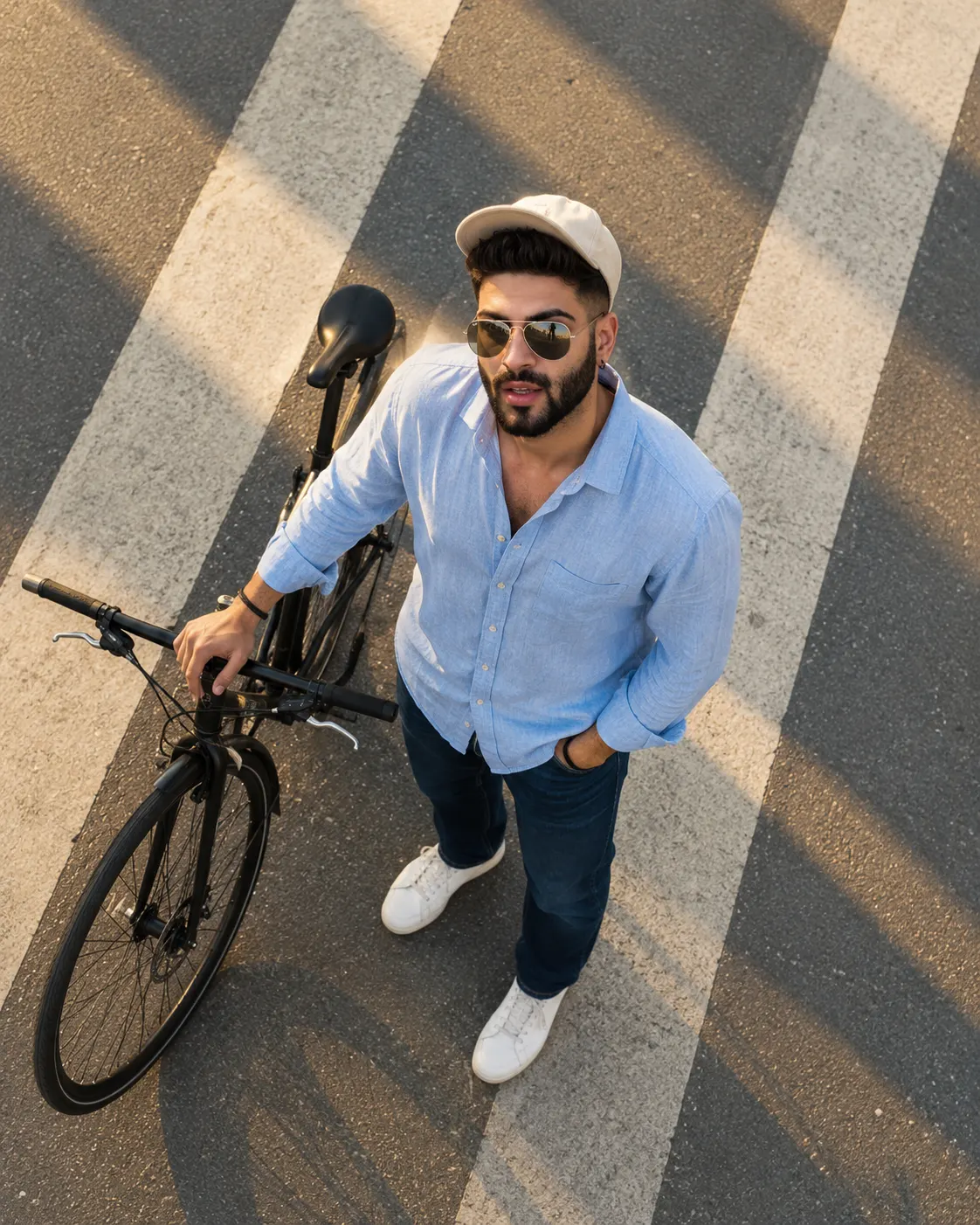
Golden Hour Aerial Streetwear Portrait With Bicycle
Create a golden-hour aerial fashion portrait with a pale-blue linen shirt, cream cap, black bicycle, white road markings, and warm cinematic shadows.
Using the uploaded photo, create a photorealistic top-down aerial street-fashion portrait of the same person standing on an urban road in warm golden-hour sunlight, in a vertical 4:5 composition. KEEP — Preserve the person's exact recognizable facial identity, natural facial structure, forehead shape, eyebrow placement, eye shape and natural eye colour, nose bridge and tip, lip shape, cheeks, cheekbones, jawline, chin, ears, facial width, and natural asymmetry. Retain the original skin tone, visible pores, fine skin texture, marks, and natural complexion. Preserve the original hairline, hair density, hairstyle, and any visible facial hair. Maintain the person's natural body proportions, shoulder width, neck, arms, hands, and height relationships. Keep the same person recognizable even when looking upward, without replacing the face with a generic fashion model. CHANGE — Dress the person in an oversized pale-blue linen shirt with visible weave and relaxed creases, dark-blue straight-leg jeans with realistic denim seams, clean white minimalist sneakers, a cream cotton baseball cap, and reflective aviator sunglasses with thin metal frames. Position a matte-black city bicycle beside the person, with one hand resting naturally on its handlebar and the other inside a jeans pocket. Turn the face upward toward the camera with a calm, confident expression. SCENE — Place the person on an open urban road during late-afternoon golden hour. Include broad white pedestrian-crossing markings, warm-grey asphalt, subtle pavement grain, and long diagonal shadows extending across the road. Keep the surrounding street uncluttered, with distant background details minimal and softly rendered so the subject and bicycle remain dominant. LIGHT — Use warm sunlight from the upper-left side of the scene, producing soft golden highlights on the shirt and cap. Maintain natural facial illumination, gentle shadows beneath the cap brim, and realistic reflections on the aviator lenses. Match the shadows beneath the shoes and bicycle to the same light direction. CAMERA — Use a true 90-degree overhead viewpoint with a 35mm full-frame-equivalent lens at f/5.6. Fit the full body, bicycle handlebar, and sneakers inside the frame with natural proportions and clear road geometry. GRADE — Apply warm amber highlights, muted blue tones, balanced contrast, neutral skin colour, and a subtle film-inspired editorial finish. Retain realistic fabric texture and crisp pavement details. OUTPUT — Vertical 4:5 aspect ratio, 4K resolution, photorealistic fashion photography. DO NOT slim the face, whiten the skin, change eye colour, apply plastic smoothing, invent jewellery or tattoos, or alter the person's identity.
Photo Guide
- Use a sharp, high-resolution photo with clear facial details.
- Choose a front-facing or slightly raised-angle portrait for identity accuracy.
- Use daylight so the warm outdoor lighting blends naturally with the face.
- Keep the forehead and hairline visible because the cream cap changes the silhouette.
- Avoid harsh indoor lighting that conflicts with the golden-hour shadows.
How to Build
- 1Open Gemini and choose image generation with photo upload enabled.
- 2Upload a clear portrait with visible facial features and natural skin texture.
- 3Paste the complete prompt into the image-generation instruction field.
- 4Select a 4:5 portrait aspect ratio and the highest available resolution.
- 5Generate the image and inspect the face, bicycle, hands, and road shadows.
- 6If the result looks wrong, specify the exact error and regenerate with a correction.
Pro Tips
- Choose a photo with a visible hairline so the cream cap does not cause face drift.
- Use a natural expression so the upward-looking pose remains believable.
- Keep the aviator lenses reflective but transparent enough to preserve facial structure.
- Request long diagonal shadows so the road matches the golden-hour lighting.
- Check that the bicycle shadows follow the same light direction as the subject's shadows.
Share This Prompt
About the Author
Naziya
Creative AI writer at MFDA, sharing trendy photo-editing prompts and fresh ideas for beautiful, stylish AI images.