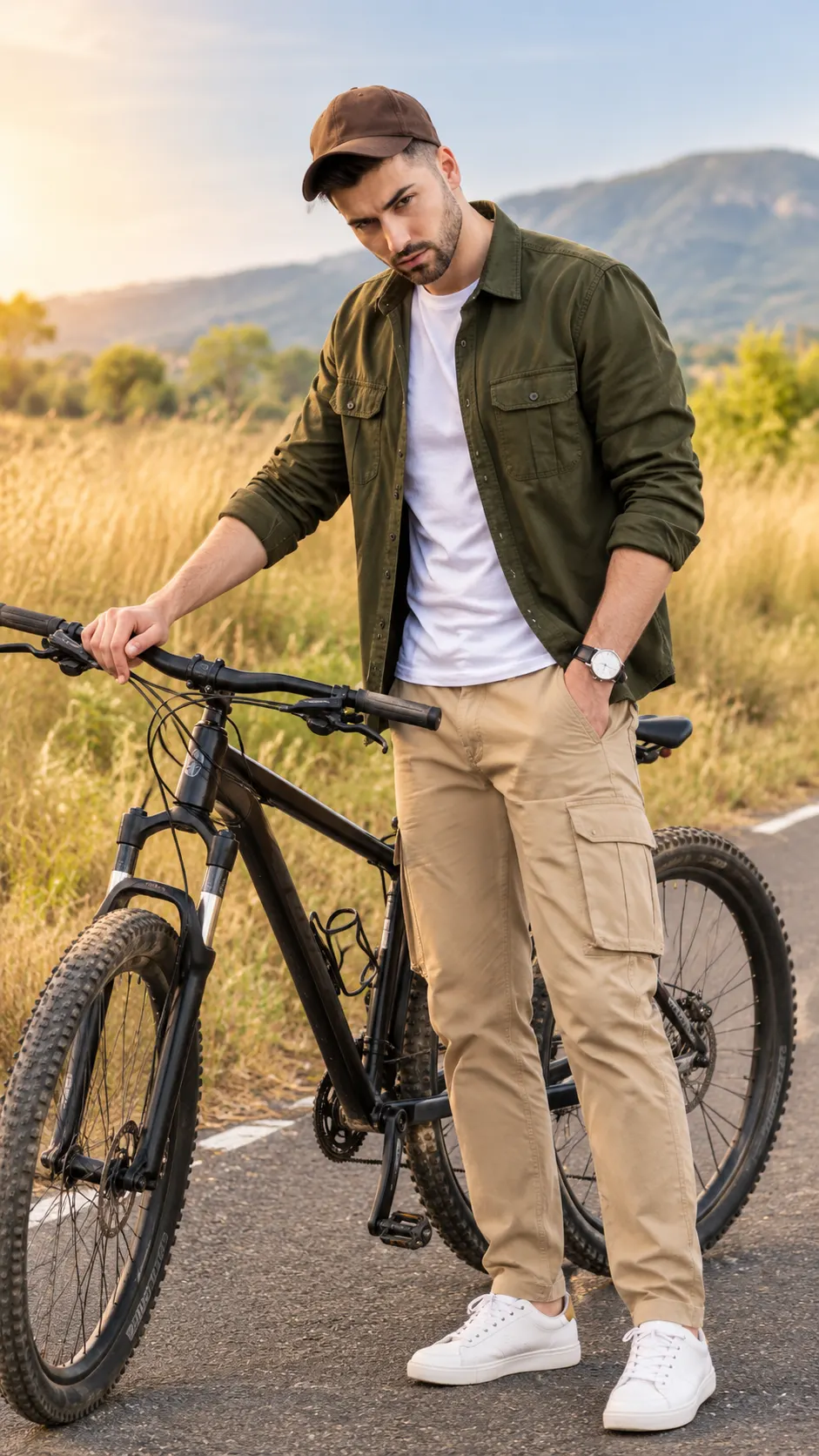
Golden Grassland Mountain Bike Fashion Portrait
Create a cinematic full-body portrait beside a black mountain bike on a golden grassland road with warm sunlight and natural facial identity.
Using the uploaded photo, create a photorealistic full-body outdoor fashion portrait of the same person standing beside a black hardtail mountain bike on a quiet rural road through golden grasslands, in a vertical 9:16 composition. KEEP — Preserve the person's exact facial identity and natural appearance from the uploaded photo. Keep the original forehead, eyebrow shape, eye shape and natural eye colour, nose bridge and tip, lips, cheeks, cheekbones, jawline, chin, ears, facial width and natural asymmetry. Retain the original skin tone, visible pores, fine lines, natural marks and realistic skin texture. Preserve the existing hairline, hair density, hairstyle, hair texture and facial hair where present. Maintain the original neck, shoulder width, body proportions and recognizable physical appearance. Do not blend the face with another identity. CHANGE — Dress the person in a dark olive-green cotton overshirt with visible stitching, a fitted white crew-neck cotton T-shirt, sand-coloured cargo trousers with practical side pockets, clean white low-top sneakers and a muted brown baseball cap. Pose him with one foot slightly forward, one hand naturally holding the bicycle handlebar and the other resting beside his body. Keep the shoulders relaxed and the expression calm and confident. Use a narrow asphalt road, tall golden grasses, scattered shrubs and distant low mountains as the new setting. SCENE — Place the subject slightly right of centre, with the complete bicycle visible beside him. The road should recede naturally into the landscape. Keep the foreground grass detailed and the distant mountains softly blurred. Set the scene in late afternoon, with a pale blue sky and subtle atmospheric haze. LIGHT — Use warm sunlight arriving from the upper left, creating a soft golden rim along the shoulders and clothing. Illuminate the face from the same general direction with gentle, natural fill light. Preserve realistic facial shadows without making the face darker than the surrounding scene. CAMERA — Use an 85mm lens at f/2.8, with the camera at chest height and a natural perspective. Keep the face, clothing and bicycle clearly defined, with moderate background separation and anatomically correct proportions. GRADE — Apply warm amber highlights, earthy olive greens, muted golden grass and balanced natural skin tones. Use restrained cinematic contrast without excessive yellow tint or artificial HDR. OUTPUT — Generate a high-resolution, photorealistic vertical 9:16 image with the complete person and bicycle inside the frame. Preserve realistic fabric weave, road texture, bicycle geometry and natural body proportions. DO NOT slim the face, whiten the skin, change the eye colour, smooth the skin into plastic, invent jewellery or tattoos, alter the person's age, replace the face, distort the hands, add fingers, warp the bicycle frame or create broken spokes and wheels.
Photo Guide
- Upload a sharp, high-resolution photo with the face clearly visible.
- Choose a front-facing or slight three-quarter angle with natural proportions.
- Use an evenly lit photo so facial details remain clear during transformation.
- Keep the forehead and hairline visible if the reference photo includes a cap.
- A daylight reference blends better with the warm golden grassland lighting.
- Avoid heavily filtered selfies because they can distort facial texture and identity.
How to Build
- 1Open Gemini and select its image-generation feature.
- 2Upload your original photo as the identity reference.
- 3Copy the complete PROMPT CONTENT into the prompt field.
- 4Keep the output aspect ratio at 9:16 if the tool offers that setting.
- 5Choose the highest available image resolution.
- 6Generate the portrait and inspect the face, hands and bicycle geometry.
- 7If the result is wrong, regenerate with a specific correction for the failed detail.
Pro Tips
- Use a sharp face reference so the original facial structure stays recognizable.
- Keep the original skin tone explicitly stated to prevent unwanted colour shifts.
- Choose a photo with visible shoulders and torso to guide natural proportions.
- Check that both bicycle wheels are fully visible to prevent cropping errors.
- Retain soft facial fill light so the golden rim light does not darken the face.
- Correct only the inaccurate detail in a follow-up prompt to preserve good results.
Share This Prompt
About the Author
Naziya
Creative AI writer at MFDA, sharing trendy photo-editing prompts and fresh ideas for beautiful, stylish AI images.