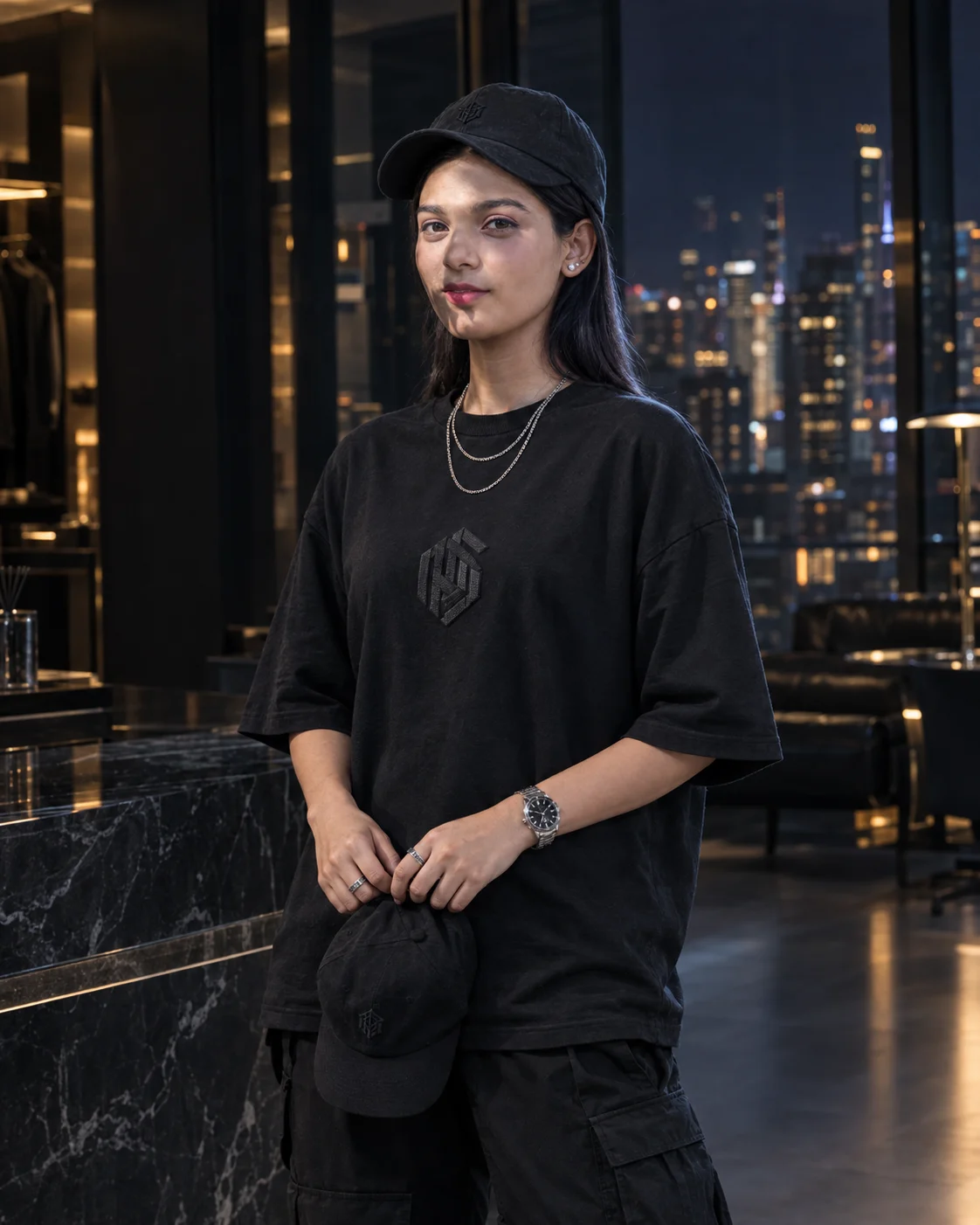
Girl black streetwear portrait
Create a photorealistic black streetwear portrait in a luxury penthouse with cinematic city lights, silver accessories, and preserved facial identity.
Using the uploaded photo, create a photorealistic vertical fashion portrait of the same person in a midnight-black luxury penthouse, styled for a premium streetwear editorial. KEEP — Preserve the exact facial identity and structure from the uploaded photo, including forehead shape, eyebrow placement, eye shape and natural eye colour, nose bridge and tip, lips, cheekbones, jawline, chin, ears, facial width, and natural asymmetry. Keep the original skin tone, visible pores, fine texture, natural marks, authentic age, hairline, hair density, hair texture, and hair colour. Preserve facial hair if visible, along with natural body proportions, shoulder width, neck length, arm length, and hand anatomy. Do not replace the subject with a generic model or alter recognisable features. CHANGE — Dress the subject in an oversized black heavyweight cotton T-shirt with dropped shoulders, a ribbed crew neckline, realistic fabric folds, and a raised charcoal-black geometric monogram-inspired chest graphic. Pair it with relaxed black cargo trousers in matte woven fabric. Add two fine silver chains, understated silver rings, a metallic wristwatch, and a plain black baseball cap with a small dark embroidered emblem, held naturally in both hands at waist height. SCENE — Position the subject centrally inside a contemporary penthouse dressing area at night. Floor-to-ceiling windows reveal a softly blurred metropolitan skyline with scattered amber office lights. Dark smoked glass, graphite walls, a black stone island with grey veining, and a distant black leather lounge chair establish the setting. Keep the face, clothing, and cap sharply detailed while architectural features recede gently into the background. LIGHT — Use a large, soft frontal key light slightly above eye level, with a cool-white rim light behind the subject to separate black clothing from the dark surroundings. Warm architectural strips create restrained amber reflections on the stone and glass. Maintain natural skin colour, consistent shadow direction, and visible facial detail without flattening the face. CAMERA — Use an 85mm portrait lens at f/2.8, with the camera at eye level and focus precisely on the eyes. Use realistic depth of field, accurate perspective, detailed cotton fibres, natural hair strands, and anatomically correct fingers gripping the cap. GRADE — Apply a restrained cinematic grade with neutral skin tones, deep graphite blacks, subtle cool shadows, and warm amber highlights. Preserve texture in dark fabrics instead of crushing shadows. Avoid artificial HDR, excessive clarity, and synthetic-looking skin. OUTPUT — Vertical 4:5 aspect ratio, high-resolution 8K-style detail, professional editorial photography, realistic materials, natural anatomy, and strong identity preservation. DO NOT slim the face, whiten the skin, change eye colour, apply plastic smoothing, invent jewellery or tattoos, distort hands, or replace the original facial identity.
Photo Guide
- Upload a sharp, high-resolution photo with clearly visible facial features.
- Use a front-facing or slightly angled view with both eyes unobstructed.
- Choose soft, even lighting that reveals natural skin texture and facial structure.
- Keep the hairline visible; avoid caps or shadows covering the forehead.
- A clear upper-body reference helps preserve natural shoulder and arm proportions.
- The main failure is lost detail in black clothing against the dark penthouse.
How to Build
- 1Open Gemini and upload the subject's reference photo.
- 2Paste the complete prompt into the image-generation conversation.
- 3Choose portrait orientation with a 4:5 aspect ratio, if available.
- 4Enable reference-image or character-consistency controls when available.
- 5Keep the output at the highest available resolution.
- 6If the face drifts, strengthen identity guidance and regenerate without changing KEEP.
Pro Tips
- Keep the frontal light soft so facial features remain recognisable in dark scenes.
- Use a cool rim light to separate the black shirt from the graphite background.
- Keep the cap below the chest so it does not hide the shirt's graphic.
- Request tonal geometric artwork instead of exact logos for cleaner fabric details.
- Keep the skyline softly blurred so city lights do not compete with the face.
Share This Prompt
About the Author
Naziya
Creative AI writer at MFDA, sharing trendy photo-editing prompts and fresh ideas for beautiful, stylish AI images.