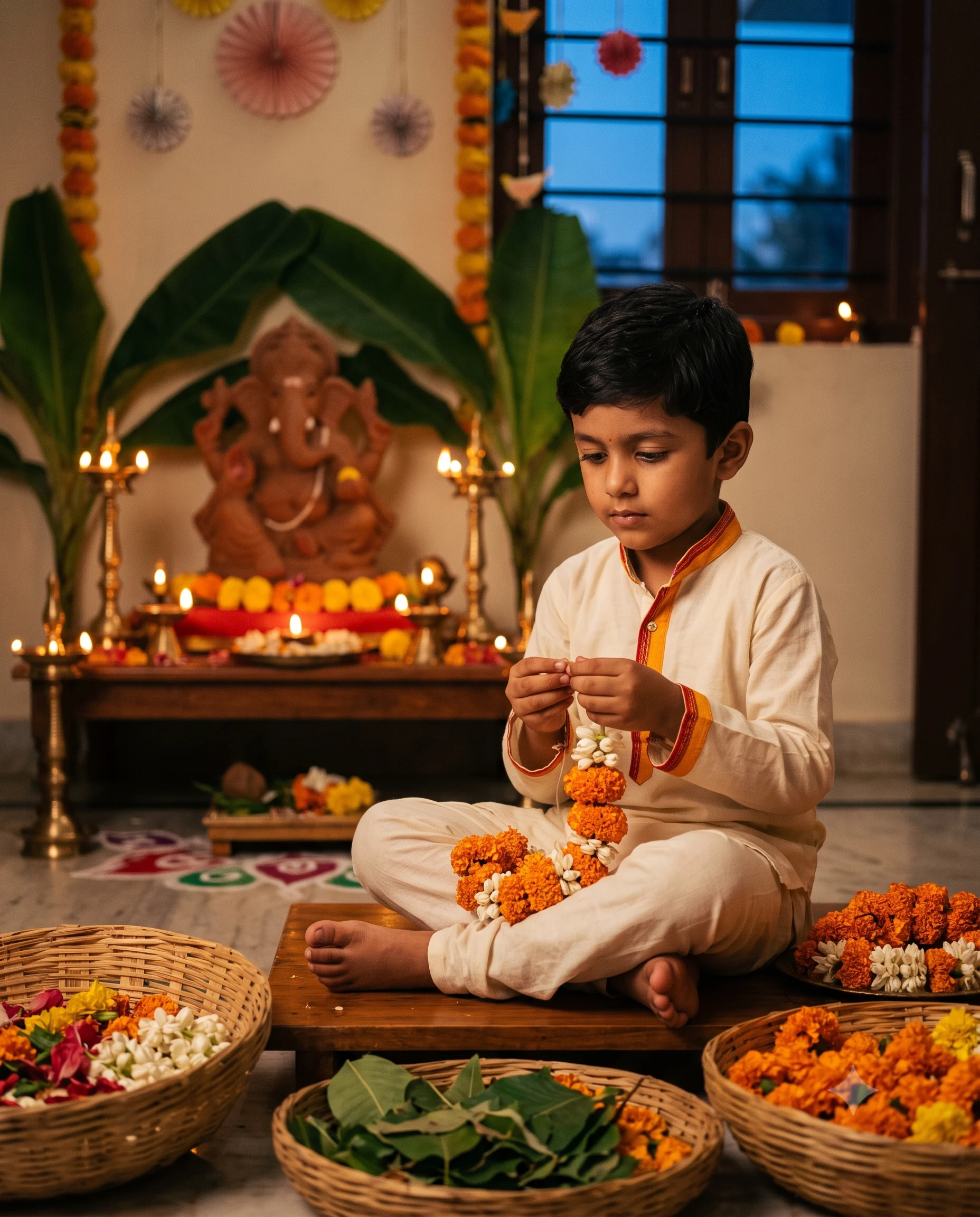
Ganesh Chaturthi Little Flower Artist Portrait
Turn a child’s photo into a cinematic Ganesh Chaturthi flower-making scene with traditional clothing, warm diyas, marigolds, and natural identity.
Using the uploaded photo, create a highly realistic cinematic Ganesh Chaturthi portrait of the same child as a young flower artist preparing a floral decoration for Ganpati Bappa. KEEP — Keep the child’s exact face structure, eye shape and eye colour, nose, lips, cheeks, jawline, natural skin tone and skin texture unchanged. Preserve the original hairline, hairstyle, facial hair if naturally present, age, and body proportions. Keep recognizable facial asymmetry and small identity details visible in the uploaded photo. Preserve the child’s natural expression and realistic appearance rather than replacing the face with a generic child. CHANGE — Change the clothing to an age-appropriate traditional Indian outfit made from soft ivory cotton, with saffron and red fabric accents. Change the pose so the child sits naturally on a low wooden platform and arranges loose orange marigolds, white jasmine flowers, green leaves, and small flower garlands. Change the setting into a traditional Ganesh Chaturthi decoration area. Add brass diyas, banana leaves, subtle rangoli, handmade paper decorations, and a raised eco-friendly clay Ganpati idol behind the child. Change the lighting to a warm diya-lit evening atmosphere and use a cinematic blue-and-amber colour grade. SCENE — Place the child inside a traditional Indian home during early evening, shortly after sunset. Position the decorated Ganpati idol behind and slightly to one side of the child. Keep marigold strings and brass diyas visible in the middle background, while furniture and distant decorations become softly blurred. The child's face, hands, and flowers should remain the visual focus. LIGHT — Use soft warm light from the front-left, primarily motivated by nearby brass diyas. Set the practical candlelight around 2700K and allow a subtle cool blue glow from a nearby window to balance the shadows. Keep gentle highlights on the child's cheeks and eyes without flattening facial texture. CAMERA — Use a 50mm lens at f/2.0, positioned at the child's eye level. Focus precisely on the child's eyes and face while keeping the hands and nearby flowers reasonably sharp. Use shallow depth of field to separate the child from the Ganpati idol and decorations. GRADE — Use saffron, marigold orange, ivory, muted green, and deep blue tones. Apply moderate contrast, natural skin colour, controlled saturation, and very subtle film grain for a cinematic festive photograph. OUTPUT — Create a vertical 4:5 portrait at 2048 × 2560 resolution. DO-NOT — No face slimming, no skin whitening, no changed eye colour, no plastic smoothing, no invented jewellery or tattoos, no adult facial features, no altered age, and no distorted hands or fingers.
Photo Guide
- Use a sharp photo with enough resolution to see the child’s facial details.
- A front-facing or slight 3/4 angle works best for identity preservation.
- Use soft daylight so the warm diya lighting can blend naturally later.
- Keep the child’s eyes, hairline, cheeks, and jawline fully visible.
- A daylight source photo suits this evening diya scene better than a dark selfie.
- Avoid beauty filters because they can remove the natural skin texture.
How to Build
- 1Open Gemini and choose image generation with photo upload.
- 2Upload one clear child photo and paste the complete prompt.
- 3Select a vertical 4:5 aspect ratio before generating.
- 4Choose the highest available image quality or resolution setting.
- 5Check the face, eyes, hands, flowers, and Ganpati placement carefully.
- 6If the first result is wrong, regenerate with stricter KEEP instructions.
Pro Tips
- Use a neutral background photo so the festive home scene replaces it cleanly.
- Keep the child’s forehead visible so the hairline stays consistent.
- Choose a photo with natural skin texture so diya light looks realistic.
- Use a clear eye-level photo so the 50mm perspective feels natural.
- Avoid sunglasses or face coverings so the identity remains stable.
Share This Prompt
About the Author
Naziya
Creative AI writer at MFDA, sharing trendy photo-editing prompts and fresh ideas for beautiful, stylish AI images.