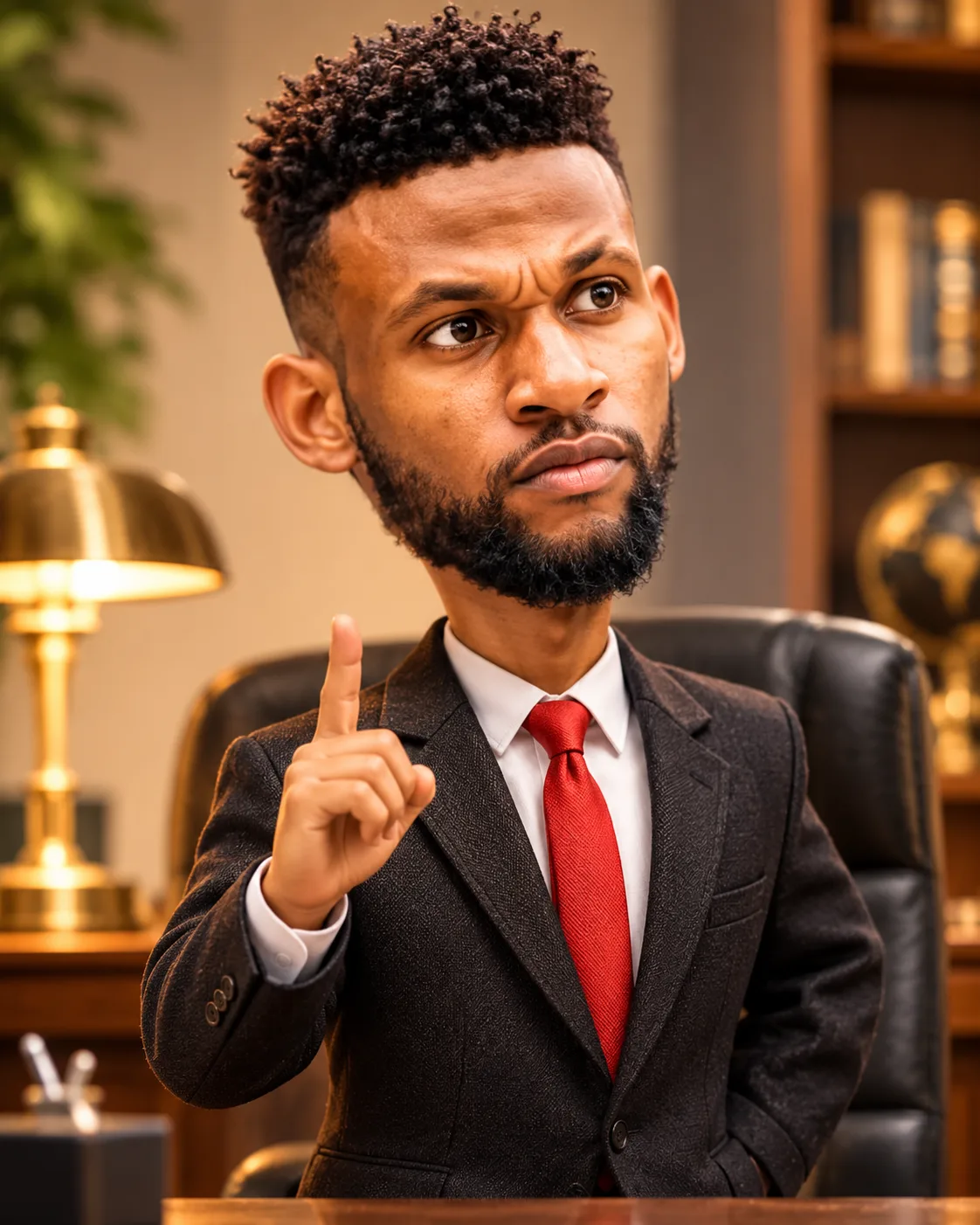
Funny Tiny Angry Boss 3D Character Portrait
Transform your photo into a funny 3D miniature boss with an oversized head, intense cartoon eyes, a tiny red tie and a hilariously serious expression.
Using the uploaded photo, create a funny, professionally rendered 3D animated movie portrait of the same recognizable person transformed into a miniature corporate boss. Dress the character in an oversized charcoal-black business suit made from textured wool fabric, a crisp white cotton shirt and a narrow bright-red silk tie. The suit should look slightly too large for the character's tiny shoulders, creating a humorous miniature executive appearance. KEEP — Preserve the exact facial identity from the uploaded photograph. Retain the original forehead shape, face width, eyebrow thickness and placement, natural eye shape and colour, nose bridge and tip, lip shape, cheek volume, cheekbones, jawline, chin, ears and natural facial asymmetry. Maintain the original skin tone, visible pores, freckles, marks and natural skin texture. Keep the original hairline, hairstyle, hair density, texture and hair colour. Preserve facial hair exactly if present. Do not replace the person's face with a generic cartoon face. The exaggerated proportions must remain recognizably connected to the original person. CHANGE — Give the character a disproportionately large rounded head, very small shoulders, enormous intense circular eyes with tiny pupils, dramatically lowered eyebrows and a tiny tightly frowning mouth. Create an exaggerated angry executive expression, as if delivering a serious business lecture. Position one small hand in front of the chest with the index finger raised authoritatively. Keep the other arm close to the body. SCENE — Place the character in a sophisticated miniature executive office. Behind the character, include a softly blurred dark wooden desk, a small brass desk lamp and a charcoal leather office chair. Set the scene during a warm late-afternoon office session. Keep background objects subtle and secondary. LIGHT — Use a large softbox positioned 45 degrees to the camera's left, with gentle frontal fill and a faint warm rim light. Maintain natural facial shadows and consistent illumination across the enlarged head and tiny shoulders. Use approximately 5000K neutral-warm lighting. CAMERA — Shoot at an 85mm portrait focal length, f/2.0 aperture, chest-height camera position and shallow depth of field. Keep the entire head, raised hand and upper torso sharply focused. GRADE — Apply a warm beige and charcoal colour palette, controlled contrast, soft matte surface rendering and subtle cinematic shadows. Show individual hair strands, realistic skin texture, wool fibres and fine silk-tie details. OUTPUT — Vertical 4:5 composition, 8K resolution, centered chest-up framing, polished 3D animated feature-film appearance. DO NOT — Slim the face, whiten the skin, change eye colour, alter facial hair, reshape the nose or jaw, remove freckles, apply plastic skin smoothing, invent jewellery or tattoos, or replace the original identity.
Photo Guide
- Use a sharp, high-resolution front-facing photograph.
- Keep both eyes, eyebrows, forehead and hairline clearly visible.
- Choose even lighting so the original facial details remain readable.
- Avoid sunglasses or objects covering the face.
- A visible hand helps guide the raised-finger boss pose.
- Avoid heavily filtered selfies that distort facial proportions.
How to Build
- 1Open Gemini or ChatGPT and select image generation.
- 2Upload one clear photograph of the person.
- 3Choose image editing or image generation mode.
- 4Paste the complete prompt into the instruction field.
- 5Select a vertical 4:5 aspect ratio if available.
- 6Generate the portrait at the highest available quality.
- 7If the face drifts, retry with stronger identity preservation.
Pro Tips
- Choose a serious original expression to reinforce the angry boss character.
- Keep the eyebrows visible so their original shape survives exaggeration.
- Use a photo with visible hairline to prevent hairstyle replacement.
- A charcoal suit makes the oversized red tie stand out clearly.
- Keep the original face proportions dominant despite the enlarged cartoon head.
Share This Prompt
About the Author
Naziya
Creative AI writer at MFDA, sharing trendy photo-editing prompts and fresh ideas for beautiful, stylish AI images.