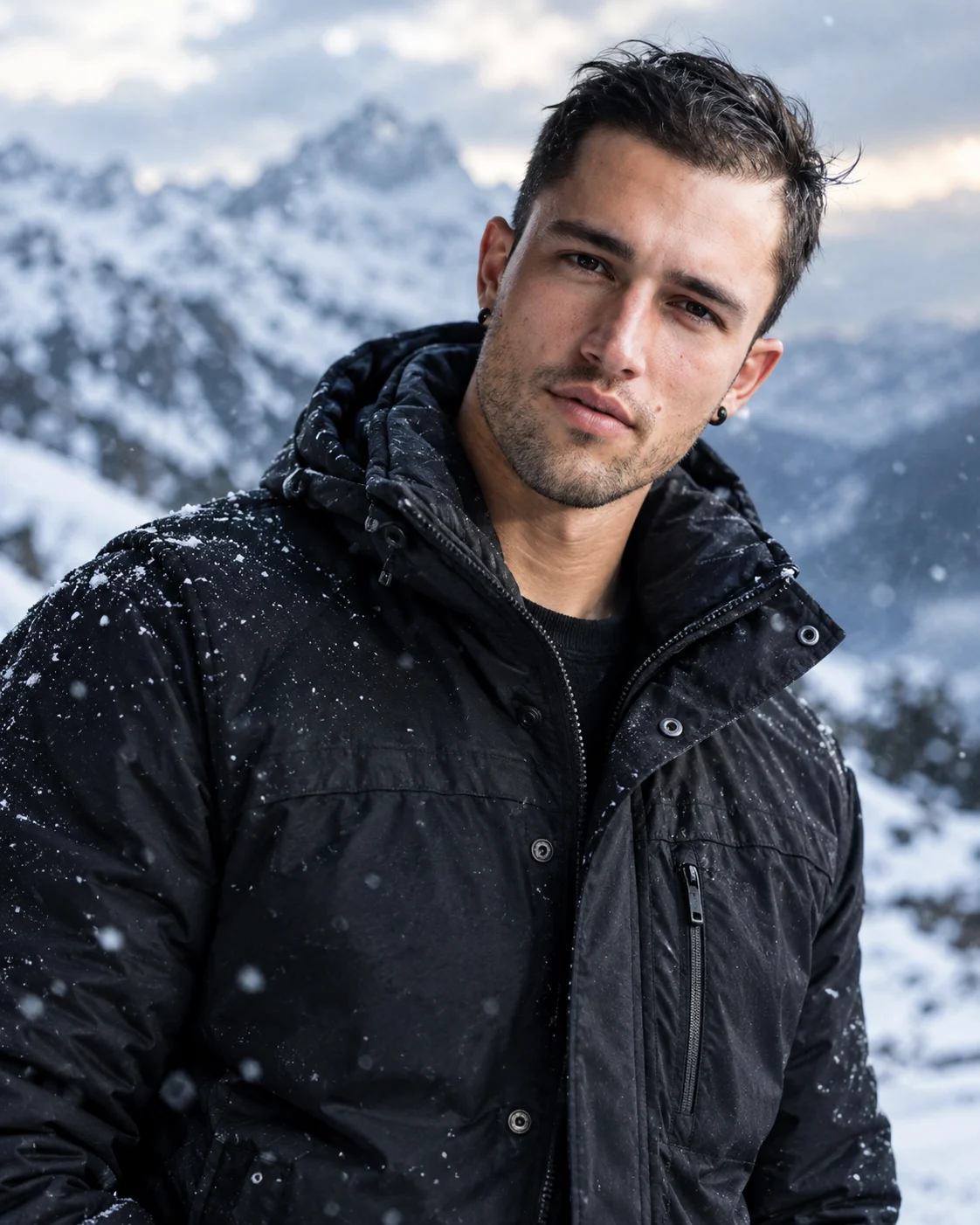
Frozen Legend Arctic Warrior Portrait in Snowy Mountains
Turn your uploaded photo into a rugged Arctic fashion portrait with a black winter jacket, windswept hair, snowy mountains and cold silver-blue lighting.
Using the uploaded photo, create a photorealistic cinematic male fashion portrait set in a freezing mountain landscape, with rugged winter styling and cold silver-blue tones. KEEP — Preserve the exact identity of the person in the uploaded photo. Keep the original face shape, forehead width, cheekbone placement, jawline, chin, nose bridge and tip, lip shape, eyebrow position, eye shape and natural eye colour unchanged. Retain the original skin tone, visible pores, natural skin texture, facial asymmetry, hairline, hairstyle and facial hair wherever present. Keep the person's original body proportions, neck width and shoulder structure. Do not replace the face with a generic model or reshape features to create a more traditionally masculine appearance. CHANGE — Dress the person in a thick black winter jacket made from textured weather-resistant fabric, with a raised insulated collar, realistic stitched seams and subtle fabric creases. Keep accessories minimal and do not add a hat or face covering. Style the existing hair as though a cold mountain breeze has moved a few strands naturally. Position the subject in a confident chest-up pose, with the shoulders slightly angled and the face turned towards the camera. SCENE — Place the subject on a snowy mountain ridge during late afternoon, with rugged snow-covered peaks and pale winter mist in the distance. Keep the background softly blurred but recognisable as a real alpine environment. Add a few fine snowflakes in the foreground without obscuring the eyes or facial features. LIGHT — Use soft, cool daylight from the front-left to illuminate the face evenly. Add a subtle silver-blue rim light from behind to separate the dark jacket and hair from the snowy background. Preserve natural skin colour and believable shadows beneath the nose, chin and collar. CAMERA — Shoot at 85mm, f/2.2, with the camera at eye level. Use tight chest-up framing, sharp focus on both eyes and realistic depth of field. GRADE — Apply a restrained steel-blue and silver colour grade, deep charcoal blacks, controlled highlights and natural skin tones. Keep snow detailed rather than pure white, with no excessive cyan tint or artificial HDR effects. OUTPUT — Vertical 4:5 portrait, 2048 × 2560 pixels or the closest supported high-resolution setting. Maintain realistic anatomy, fine fabric detail and natural facial texture. DO NOT slim the face, whiten the skin, change eye colour, smooth skin into plastic, invent jewellery or tattoos, alter body proportions, obscure facial features or replace the original identity.
Photo Guide
- Use a sharp, high-resolution photo where both eyes and facial details are clear.
- Choose a front-facing or slightly angled photo taken near eye level.
- Use even daylight so the original skin tone remains easy to reproduce.
- Keep the hairline, jawline, neck and shoulders visible in the reference.
- A dark jacket in the reference is helpful but not required.
- Avoid face-obscuring scarves or heavy beauty filters that hide skin texture.
How to Build
- 1Open Gemini and select image generation with reference-photo editing.
- 2Upload one clear photo of the person whose identity must remain unchanged.
- 3Paste the complete prompt into the image-generation instruction box.
- 4Choose a 4:5 portrait ratio and the highest available image resolution.
- 5Keep the original uploaded photo attached during every regeneration.
- 6Check the face, hairline, jacket texture and snowy background against the reference.
- 7If the face changes, regenerate with stronger identity-preservation instructions.
Pro Tips
- Use a reference with visible hair so windblown styling does not invent a hairline.
- Keep the face unobstructed so falling snow does not distort the eyes or nose.
- Ask for subtle blue rim lighting so the face does not look artificially blue.
- Retain realistic snow detail to prevent bright areas from losing texture.
- Keep the jacket collar below the chin so the jawline remains recognisable.
Share This Prompt
About the Author
Naziya
Creative AI writer at MFDA, sharing trendy photo-editing prompts and fresh ideas for beautiful, stylish AI images.