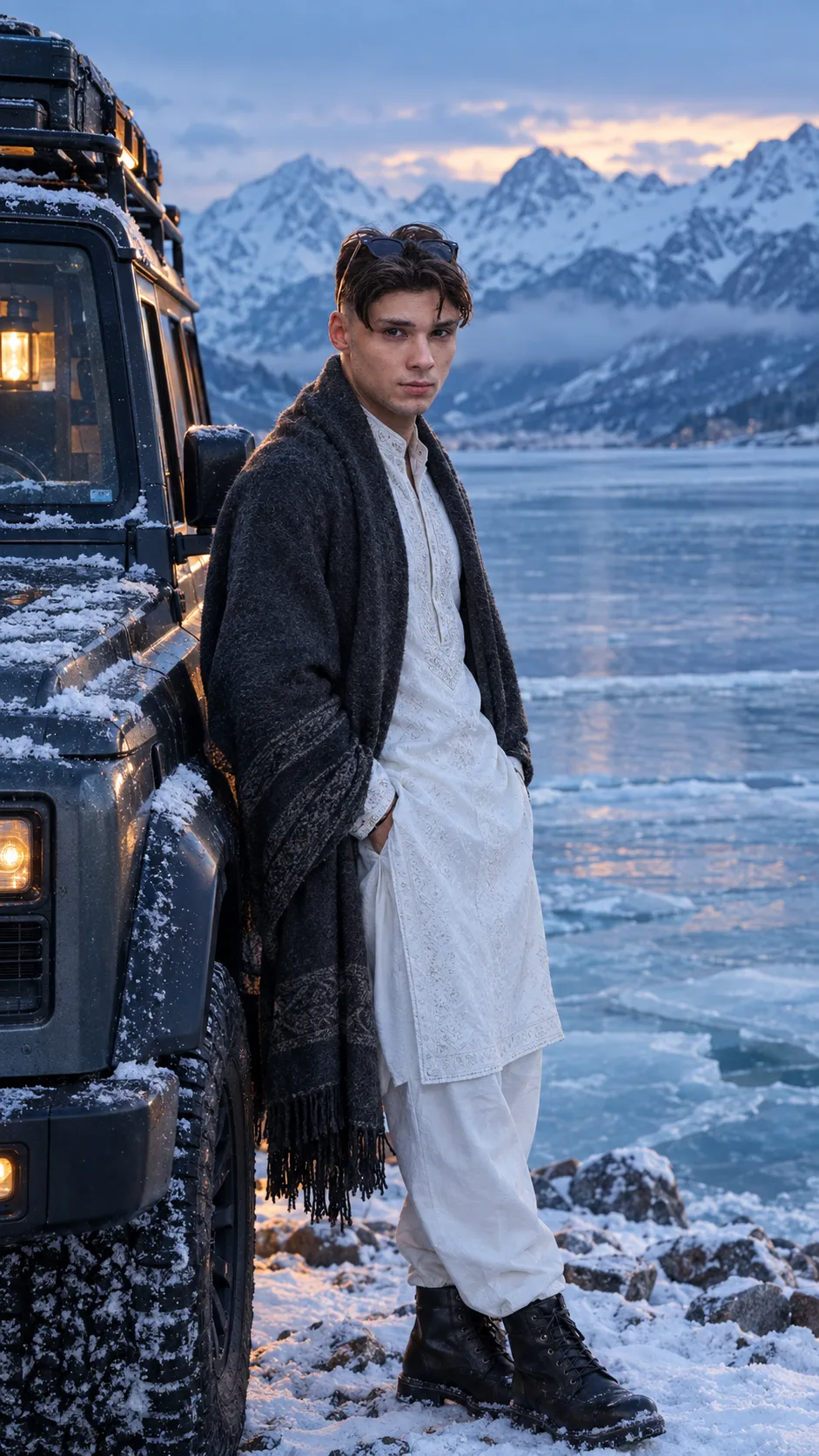
Frozen Lake Expedition Portrait
Create an identity-preserving frozen lake portrait with icy reflections, rugged peaks, an expedition SUV, and blue-hour mountain light.
Using the uploaded photo, create a photorealistic cinematic portrait of the same person during a frozen mountain-lake expedition. KEEP - Preserve the exact facial structure from the uploaded photo, including forehead shape, eyebrow structure, eye shape, natural eye colour, nose proportions, lips, cheeks, jawline, chin, and natural facial asymmetry. Keep the original skin tone and real skin texture, including visible pores, fine lines, freckles, and natural marks. Keep the original hairline, hair density, hair texture, hairstyle pattern, and facial hair exactly as visible. Preserve the person's natural body proportions, shoulder width, neck, torso, arms, hands, fingers, legs, and overall height impression. Keep the existing white embroidered traditional outfit unchanged, including its fabric texture, embroidery pattern, jewellery, and visible accessories. Do not merge, reshape, beautify, or replace any identity details. CHANGE - Place the person naturally beside a frozen alpine lake, wearing the preserved white embroidered outfit with realistic winter layering only where needed, such as a charcoal wool shawl resting naturally over the shoulders. Add practical dark leather winter boots without changing the person's body proportions. Position the person standing beside a premium rugged expedition SUV with realistic matte-metal bodywork and subtle snow accumulation. SCENE - Set the scene just after sunset during blue hour, with a partially frozen lake stretching behind the person. Show layered snow-covered mountain peaks in the distance, translucent ice textures near the shoreline, scattered rocks, and faint atmospheric mist. Keep the background moderately soft while retaining recognizable mountain depth. LIGHT - Use cool blue ambient light from the open sky, falling evenly across the face and upper body from the front-left. Add a restrained warm glow from the SUV's interior or a small expedition lantern behind the subject to create a believable warm rim on the hair and shoulder. CAMERA - Photograph at 50mm, f/2.8, camera at chest height, with sharp facial detail and natural background separation. GRADE - Use a cool blue-grey cinematic grade, restrained contrast, natural whites, subtle warm highlights, and realistic winter exposure without crushed shadows. OUTPUT - Vertical 9:16 composition at 2160 × 3840 resolution, with the person as the clear main subject and balanced negative space around the frozen lake and mountains. DO-NOT - No face slimming, no skin whitening, no changed eye colour, no plastic smoothing, no invented jewellery or tattoos, no altered embroidery, no distorted hands, no extra fingers, no warped boots, no floating objects, no fake ice, no artificial mountains, no CGI appearance, no text, no logo, no watermark.
Photo Guide
- Use a sharp photo at least 1200px tall so facial details remain stable.
- Choose a front or three-quarter angle where both eyes and hairline are visible.
- Even facial lighting works best because blue-hour light is soft and frontal.
- Keep the white embroidered outfit, hands, hair, and jewellery unobstructed.
- A dark indoor photo can fight the cool outdoor exposure and weaken realism.
- Avoid sunglasses or heavy shadows across the face, especially over the eyes.
How to Build
- 1Open Gemini and upload your clearest identity photo.
- 2Choose image generation and keep the output ratio at 9:16.
- 3Paste the full prompt after uploading the photo.
- 4Keep image guidance or reference strength high if Gemini provides it.
- 5Generate several variations and select the one with natural ice reflections.
- 6If the first result drifts, regenerate with the same photo and prompt.
Pro Tips
- Use a photo with visible embroidery so the outfit stays consistent in the scene.
- Keep both eyes unobstructed so the cool lighting does not alter eye colour.
- Choose a natural standing pose so the SUV scale remains physically believable.
- Avoid very bright source photos so the blue-hour exposure blends more naturally.
- Use a photo with visible hands so gloves or distorted fingers are less likely.
Share This Prompt
About the Author
Naziya
Creative AI writer at MFDA, sharing trendy photo-editing prompts and fresh ideas for beautiful, stylish AI images.