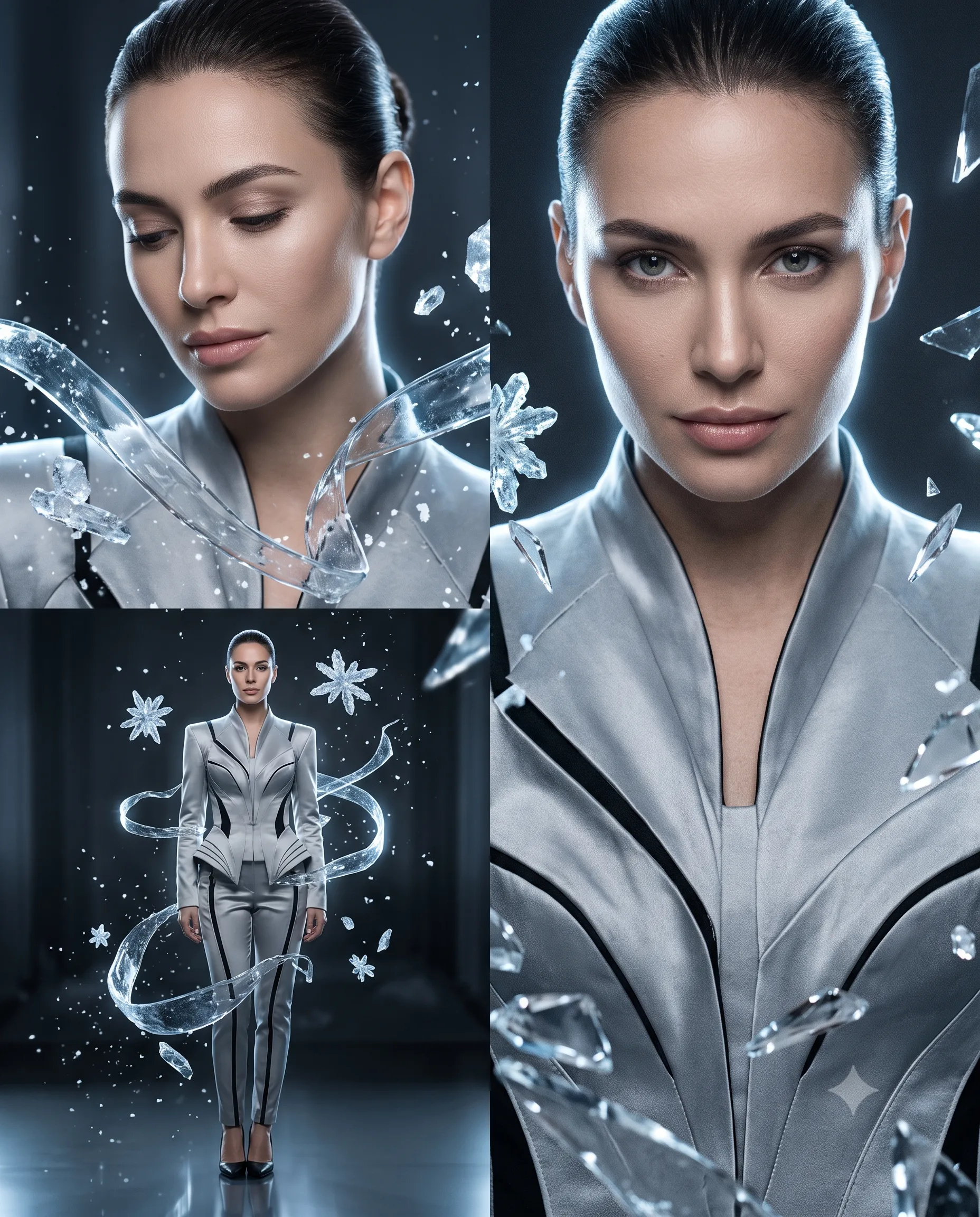
Frozen Crystal Fashion Portrait Campaign
Turn your photo into a frozen crystal fashion campaign with silver-grey styling, icy reflections, cool studio light, and realistic editorial detail.
Using the uploaded photo, create a premium frozen-crystal fashion campaign featuring the same woman in a creative three-portrait composition. KEEP — Keep the subject’s exact facial structure, face shape, eye shape and natural eye colour, nose, lips, jawline, skin tone, skin texture, hairline, hairstyle, facial hair if present, and natural body proportions from the uploaded photo. Keep distinctive facial marks and natural asymmetry. The three portraits must clearly depict the same person, with consistent identity across every version. Do not reinterpret the face or make her look like a different model. CHANGE — Change only the styling, setting, pose, lighting, colour grade, and wardrobe. Dress her in a structured silver-grey fashion outfit made from sculpted satin and lightly metallic fabric, with clean architectural seams and subtle black accessories. Build three versions: one large close-up portrait looking slightly downward, one large close-up with a confident forward gaze, and one smaller standing full-body portrait. Surround the subject with transparent floating ice crystals, thin frozen glass-like ribbons, tiny suspended snow particles, and sharp reflective crystal shards. Do not overcrowd the face. SCENE — Place her inside a dark futuristic studio with a glossy reflective floor. Use a deep charcoal background with faint cool haze behind the subject. Keep the background strongly blurred so the face and crystal materials remain the visual focus. LIGHT — Use a large soft light positioned slightly above and in front of the face, with gentle side fill. Add cool blue-white rim light from behind to separate the hair and shoulders from the dark background. Keep facial shadows soft and physically believable. CAMERA — Photograph the close-ups at 85mm, f/1.8, camera at chest height. Capture the full-body portrait at 50mm, f/2.8, also from chest height. Use realistic perspective and shallow depth of field. GRADE — Apply a cool silver-blue colour treatment, controlled contrast, clean highlights, deep charcoal shadows, and restrained cinematic film grain. Keep skin neutral rather than blue. OUTPUT — Create a vertical 4:5 composition at 2160 × 2700 pixels, with crisp realistic skin, detailed hair, believable crystal reflections, and photorealistic material rendering. DO-NOT — no face slimming, no skin whitening, no changed eye colour, no plastic smoothing, no invented jewellery or tattoos, no altered facial proportions, no duplicate faces, no distorted hands, and no artificial-looking facial lighting.
Photo Guide
- Use a sharp photo with at least 1500px on the longest side.
- A front or slight three-quarter angle gives the model clear facial landmarks.
- Use even daylight so the cool studio lighting can be added cleanly.
- Keep the full hairline, eyes, nose, lips, jawline, and shoulders visible.
- Avoid photos with heavy filters, face blur, or strong coloured lighting.
How to Build
- 1Gemini: upload your photo and paste the prompt as one message.
- 2Choose image generation with the highest available quality setting.
- 3Set the canvas to a vertical 4:5 aspect ratio.
- 4Keep the reference image strength high enough to preserve facial identity.
- 5Generate the three-portrait composition in one image.
- 6If the face drifts, regenerate using a clearer, more front-facing photo.
Pro Tips
- Choose a neutral outfit in the source photo so silver styling replaces it cleanly.
- Keep both eyes visible so the three portraits retain the same gaze structure.
- Use a simple background in the source so crystal reflections stay controlled.
- Avoid sunglasses in the source so the eye colour remains accurate.
- A visible hairline helps preserve identity when the icy rim light is added.
Share This Prompt
About the Author
Naziya
Creative AI writer at MFDA, sharing trendy photo-editing prompts and fresh ideas for beautiful, stylish AI images.