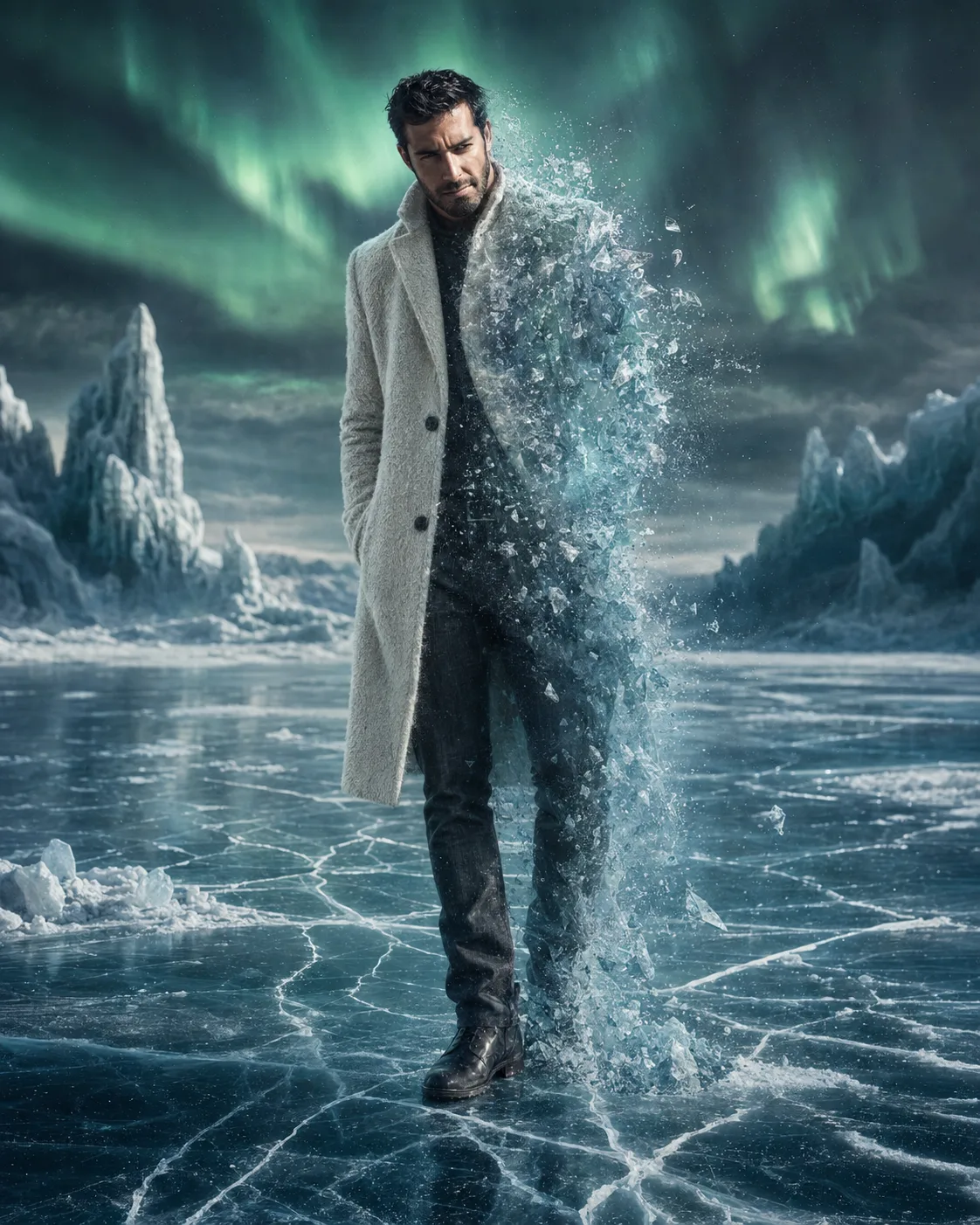
Frozen Cosmic Awakening Portrait
Turn your photo into a frozen cosmic portrait with crystalline transformation, icy reflections, and an emerald aurora overhead.
Using the uploaded photo, create a photorealistic frozen cosmic portrait of the same person standing on an ancient frozen lake beneath a dark polar sky. KEEP - Keep the exact face structure from the uploaded photo, including forehead shape, eyebrow placement, eye shape and natural eye colour, nose structure, lips, cheeks, cheekbones, jawline, chin, ears, and natural facial asymmetry. Keep the original skin tone and visible skin texture, including realistic pores and small natural details. Keep the original hairline, hairstyle characteristics, hair density, curl or wave pattern, and facial hair exactly recognizable. Keep the person's natural body proportions, shoulder width, height relationship, hands, and overall physique. Do not replace the person's identity with a different model. CHANGE - Change the wardrobe to a long textured ivory wool coat with a substantial winter weave, dark charcoal trousers, and matte leather winter boots. Change the pose to a relaxed full-body standing position with the torso slightly turned and the head naturally angled toward the ground. Transform the left side of the body into translucent crystalline ice particles, frozen mist, fine snow fragments, and tiny illuminated shards while keeping the remaining body fully realistic. Change the background into an ancient frozen lake surrounded by translucent ice formations and a dark polar sky. SCENE - Set the scene at blue hour just before night, with thin cracks visible across the frozen lake beneath the subject. Place tall translucent ice formations behind him, softly separated from the subject by atmospheric depth. Add a large emerald-green aurora sweeping across the upper background, with distant clouds remaining slightly blurred. LIGHT - Light the face from the front-left with soft, cool moonlike illumination around 6500K. Add a subtle emerald rim light from behind, matching the aurora, so the face, coat, and ice transformation share the same environment. CAMERA - Shoot at 85mm, f/2.8, camera at chest height, with the full body framed vertically and moderate background compression. GRADE - Use cool cyan-gray shadows, restrained emerald highlights, natural skin colour, medium-high contrast, and a clean cinematic winter film grade. OUTPUT - 4:5 vertical aspect ratio, 8K resolution, sharp facial detail and realistic ice texture. DO NOT slim the face, whiten the skin, change the eye colour, plastic-smooth the skin, invent jewellery or tattoos, alter body proportions, or replace recognizable facial features.
Photo Guide
- Use a sharp, high-resolution photo where the full face is clearly visible.
- A front or three-quarter angle works best for accurate facial structure.
- Use even daylight so the original skin colour remains easy to preserve.
- Keep the hairline, facial hair, ears, and jawline unobstructed.
- Avoid photos with heavy filters, motion blur, or extreme shadows.
- A visible face and natural skin texture prevent the icy grade from looking pasted on.
How to Build
- 1Open Gemini and choose its image generation or editing mode.
- 2Upload one sharp portrait with the face clearly visible.
- 3Paste the full prompt without removing the KEEP section.
- 4Select a 4:5 portrait ratio if the tool offers ratio controls.
- 5Generate the image and check the face before judging the effects.
- 6If the first result is wrong, re-upload the photo and regenerate.
Pro Tips
- Use a photo with visible hairline so the cold lighting does not alter it.
- Keep the face naturally lit so the emerald rim light blends into the skin.
- Choose a simple outfit in the source photo so wardrobe changes stay clean.
- Use a three-quarter source angle if you want stronger facial depth.
- Avoid sunglasses because they hide eye shape and weaken identity preservation.
Share This Prompt
About the Author
Naziya
Creative AI writer at MFDA, sharing trendy photo-editing prompts and fresh ideas for beautiful, stylish AI images.