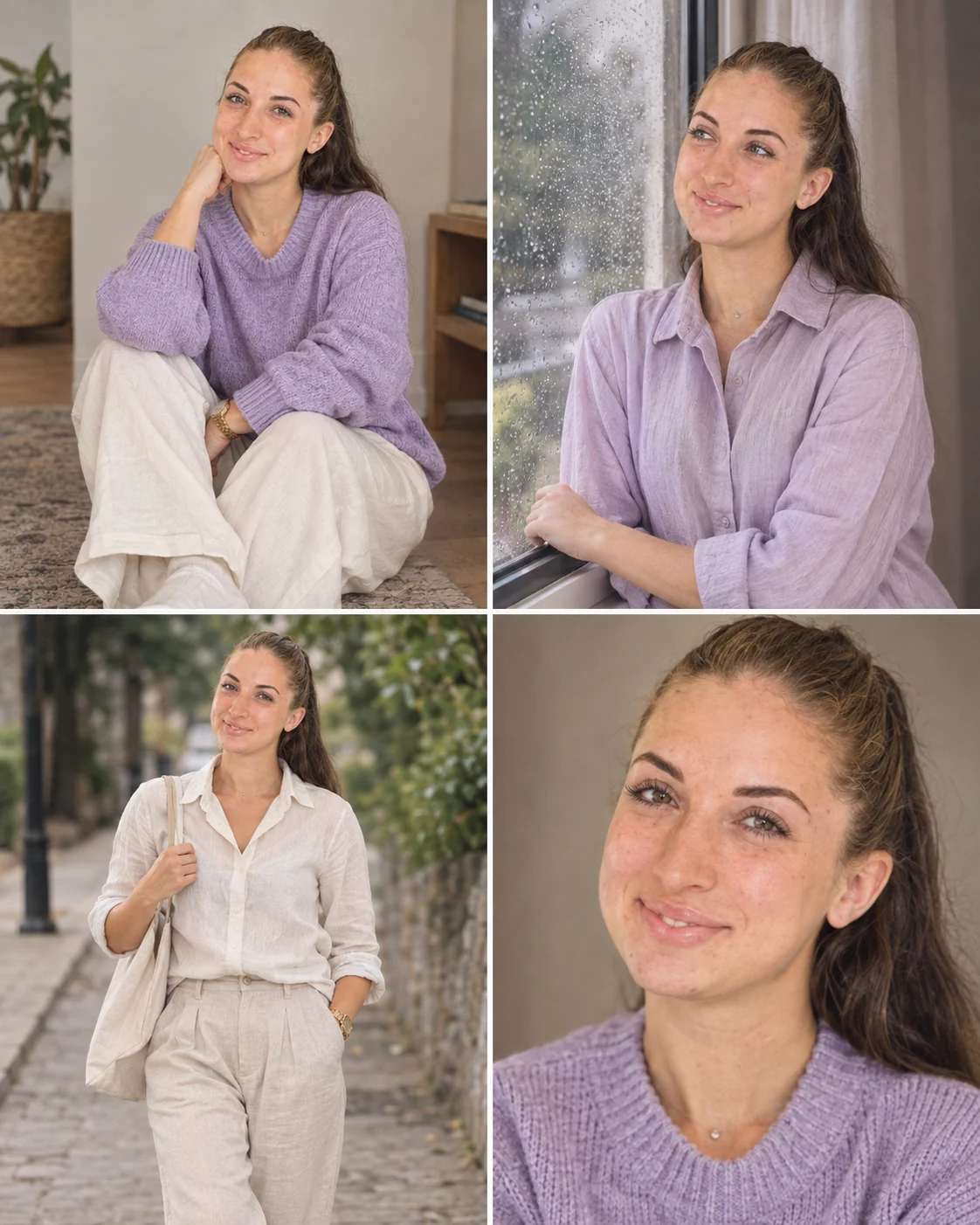
Four-Moment Artistic Portrait Photo Prompt
Create a four-panel portrait showing four natural moments with one identity, linked by a muted lavender, cream and dusty-gray editorial grade.
Using the uploaded photo, create a photorealistic four-panel editorial portrait of the same person, with four distinct moments connected into one cohesive photographic story. KEEP - Preserve the exact facial structure from the uploaded photo, including forehead shape, eyebrow structure, eye shape, natural eye colour, nose proportions, lips, cheeks, jawline, chin, facial proportions, and natural asymmetry. Keep the original skin tone and real skin texture, including pores, fine lines, freckles, and visible marks. Preserve the original hairline, hair density, hair texture, and hairstyle pattern. Keep facial hair exactly as shown if present. Preserve the person's natural body proportions, including shoulder width, neck, torso, arms, hands, fingers, legs, height impression, and overall build. Keep the person clearly recognizable across all four panels. CHANGE - Build four separate but visually connected scenes. Panel one shows the person sitting naturally on a simple indoor floor wearing a soft lavender knitted sweater and loose cream trousers. Panel two shows the person beside a rain-marked window in a lavender or cream outfit, looking outside. Panel three shows the person walking outdoors in a relaxed editorial outfit made from natural cotton or linen. Panel four is a close-up portrait with the same hairstyle and clothing palette. SCENE - Arrange all four panels in a clean vertical collage with narrow visual separation. Use a quiet indoor setting for the seated and window panels, a softly textured outdoor walkway for the walking panel, and a neutral close-up background. Keep backgrounds gently blurred so the person remains the visual focus. LIGHT - Use soft window light from the side for indoor panels, diffused overcast daylight for the outdoor panel, and broad frontal-side light for the close-up. Keep shadows consistent and physically connected to each face. CAMERA - Photograph each panel with an 85mm lens at f/2, camera positioned around chest height for full scenes and eye height for the close-up. Use natural perspective and moderate background compression. GRADE - Apply a muted lavender, warm cream, and dusty-gray grade with restrained saturation, soft contrast, fine film grain, and gentle highlight roll-off. OUTPUT - Create a 4:5 vertical composition at 1200 × 1500 pixels, with all four panels sharp enough for social media cropping. DO-NOT - No face slimming, no skin whitening, no changed eye colour, no plastic smoothing, no invented jewellery or tattoos, no face merging, no identity changes.
Photo Guide
- Use a clear photo at least 1200px wide so facial details survive all panels.
- A front or three-quarter angle works best because both eyes and the jawline stay visible.
- Use even daylight; avoid strong coloured lights that can alter the skin tone.
- Keep the full hairline visible, especially for the four repeated identity checks.
- A rainy-window photo reference blends best when natural window light is visible.
How to Build
- 1Open Gemini and choose image generation with the uploaded photo as reference.
- 2Upload one clear identity photo with the face fully visible.
- 3Paste the prompt and keep the output ratio at 4:5.
- 4Generate once, then inspect identity consistency across all four panels.
- 5Regenerate if clothing, lighting, or panel poses become visually inconsistent.
- 6If the first result changes the face, use a clearer source photo and regenerate.
Pro Tips
- Choose a photo with visible skin texture so repeated faces stay consistent.
- Keep the same hair pattern visible so the four panels do not drift.
- Use muted clothing so the lavender and cream grade stays cohesive.
- Avoid sunglasses or heavy shadows because both eyes guide identity matching.
- Check hands in the walking panel because motion can distort fingers.
Share This Prompt
About the Author
Naziya
Creative AI writer at MFDA, sharing trendy photo-editing prompts and fresh ideas for beautiful, stylish AI images.