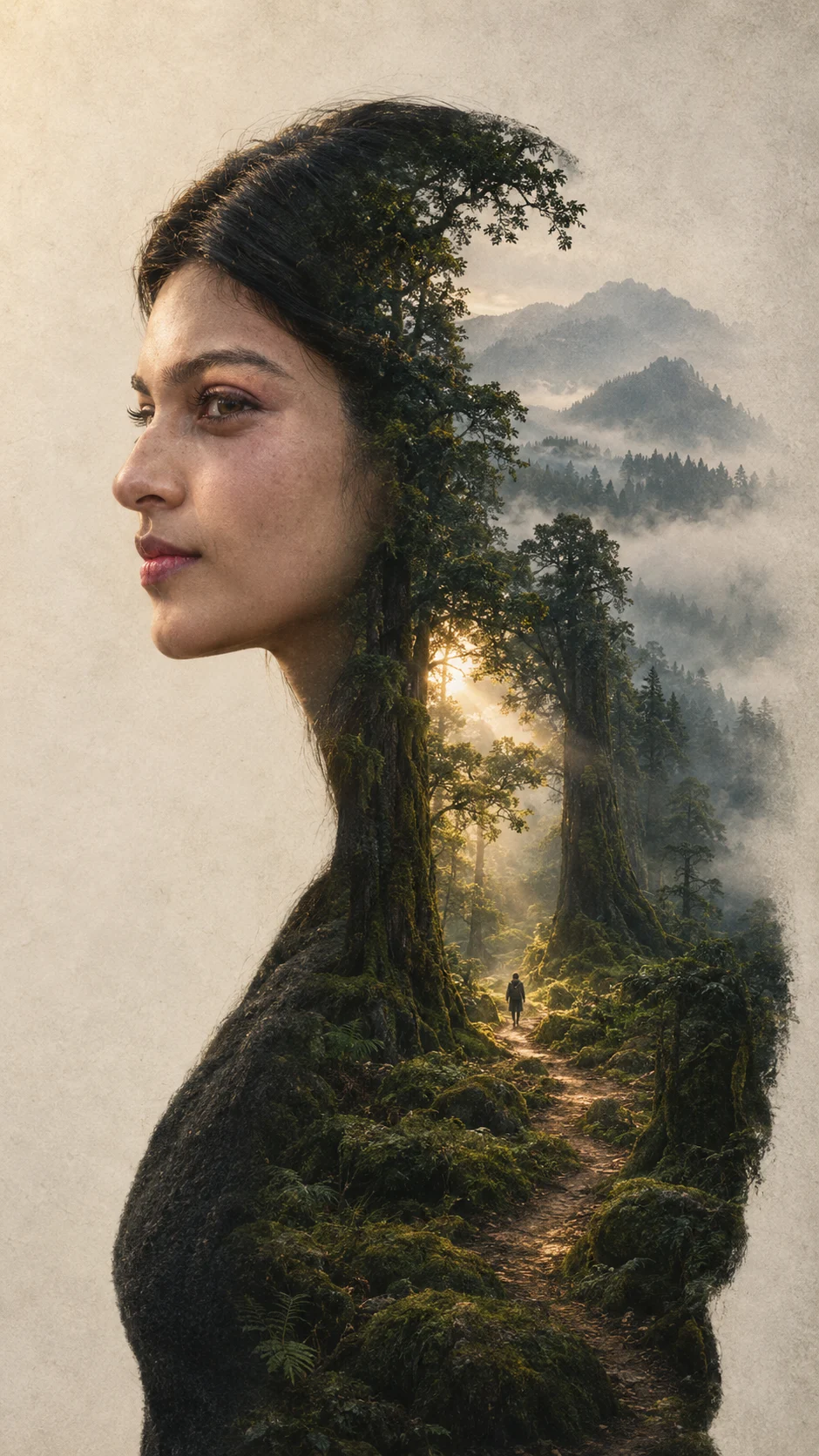
Forest Inside the Head Surreal Portrait
Create a surreal side-profile portrait where an ancient misty forest fills the subject’s silhouette like a detailed inner world.
Using the uploaded photo, create a photorealistic conceptual portrait of the same person in a vertical 9:16 composition, with their side-profile silhouette containing an ancient forest. KEEP - Keep the exact face structure from the uploaded photo, including forehead shape, eyebrow structure, eye shape and natural eye colour, nose proportions, lips, cheeks, cheekbones, jawline, chin, ears, and natural facial asymmetry. Keep the original skin tone and visible skin texture, including pores, fine lines, freckles, and natural marks. Keep the original hairline, hair density, hair texture, and facial-hair pattern exactly as shown; if facial hair is absent, keep it absent. Keep the person’s natural body proportions, neck width, shoulder width, and overall physical build. Do not redesign their identity. CHANGE - Change the pose into a clean left-facing side profile with the head and shoulders forming a dark charcoal silhouette. Replace the interior of that silhouette with a vast ancient forest containing enormous moss-covered trees, narrow earthy paths, distant mountain ridges, and low layers of fog. Dress the person in a simple matte charcoal wool top with no visible branding or jewellery. Change the environment into a quiet woodland landscape at early morning, with muted deep forest green, moss brown, charcoal, fog gray, and restrained warm-gold highlights. SCENE - Place the subject against a pale, softly textured background so the profile outline remains clearly readable. Inside the silhouette, create a winding forest path leading toward a small opening where warm sunlight enters through the trees. Add one tiny solitary human figure walking along this path for scale. Keep the distant mountains softly obscured by atmospheric fog. LIGHT - Use soft warm morning light entering from the upper-left, gently illuminating the forest opening and the edges of the silhouette. Keep the outer face edge naturally shaded so the forest and profile feel integrated rather than pasted together. CAMERA - Use an 85mm lens at f/2.8, camera at chest height, with the side profile centered and minimal perspective distortion. Keep the silhouette edges crisp while allowing distant forest details to fall into soft atmospheric blur. GRADE - Apply a muted cinematic grade with deep greens, earthy browns, charcoal shadows, warm beige highlights, low saturation, moderate contrast, subtle vintage film grain, and lightly weathered fine-art texture. OUTPUT - Render at vertical 9:16 aspect ratio, 2160 × 3840 pixels, with detailed facial contours and realistic environmental textures. DO-NOT - No face slimming, no skin whitening, no changed eye colour, no plastic smoothing, no invented jewellery or tattoos, no altered facial proportions, no extra facial features, no text, no logos, and no cartoon-style rendering.
Photo Guide
- Upload a sharp photo where the full face and hairline are visible.
- Use a front or slight three-quarter photo with enough detail for a side profile.
- Even, natural daylight helps preserve the original skin tone and facial texture.
- Keep both shoulders visible if possible so the silhouette can include the upper body.
- For this look, avoid heavy shadows because they can merge with the forest interior.
- Blurred faces, filters, or sunglasses can ruin the identity-preservation result.
How to Build
- 1Use Gemini Image Generation and choose the 9:16 portrait format.
- 2Upload one clear reference photo before pasting the complete prompt.
- 3Paste the prompt unchanged so the KEEP and CHANGE sections stay together.
- 4Set output quality to the highest available image-quality option.
- 5Generate the image and check the profile outline against your reference photo.
- 6If the first result is wrong, regenerate while stressing KEEP before changing anything else.
Pro Tips
- Use a photo with visible hairline so the silhouette follows the real head shape.
- Choose soft daylight so the forest does not overpower the original skin tone.
- Keep the face unobstructed so the nose and jaw contours remain accurate.
- Use a neutral expression so the conceptual silhouette stays clean and readable.
- Avoid busy clothing because it can compete with the forest details inside the silhouette.
Share This Prompt
About the Author
Naziya
Creative AI writer at MFDA, sharing trendy photo-editing prompts and fresh ideas for beautiful, stylish AI images.