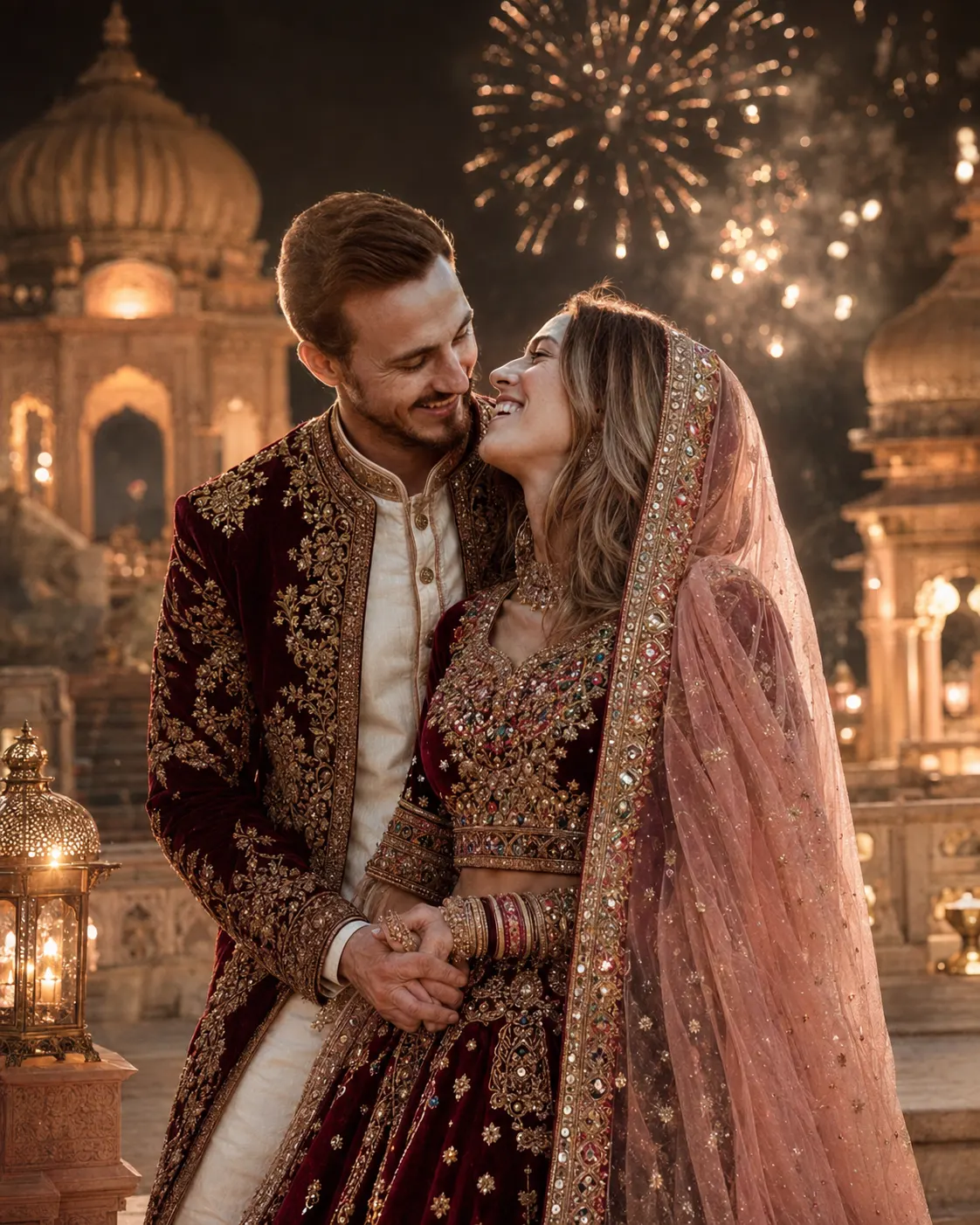
Fireworks Palace Wedding Couple Portrait
Create a realistic royal wedding portrait from your photo, keeping your face unchanged while adding palace lights, fireworks and rich Indian attire.
Using the uploaded photo, create a photorealistic royal Indian wedding portrait of the same person or couple, preserving their real identity while changing the styling and setting into a grand palace celebration. KEEP - Keep the exact face structure from the uploaded photo, including forehead shape, eyebrow position, eye shape and natural eye colour, nose shape, lips, cheeks, cheekbones, jawline, chin, ears, facial proportions and natural facial asymmetry. Keep the original skin tone, pores, fine skin texture, hairline, facial hair where present, and body proportions. Keep the person's natural age, recognizable likeness and realistic expression structure. Do not redesign either face to match a generic model. CHANGE - Change the wardrobe into detailed traditional Indian wedding clothing. Dress the bride in a ruby-maroon velvet lehenga with multicolour embroidery, reflective mirror work, gold zari borders, pearl embellishments and a blush-pink embroidered veil. Dress the groom in a clean white silk kurta with a burgundy-and-gold embroidered royal jacket. Add only culturally appropriate jewellery visible in the reference styling, without altering the face. SCENE - Place the couple on the terrace of a historic Indian palace at night. Put carved palace domes, stone arches and warm lanterns behind them. Add golden fireworks across the distant sky, with subtle smoke around the bursts. Keep the architecture softly out of focus while the couple remains sharply defined. Pose them standing close, holding hands and looking naturally into each other's eyes. LIGHT - Use warm lantern light from the front-left to illuminate both faces, with gentle golden fireworks creating a soft rear rim light. Keep shadows soft and consistent with the facial direction. CAMERA - Shoot at 85mm, f/1.8, camera at chest height, with shallow depth of field and natural portrait compression. GRADE - Use warm amber highlights, deep burgundy tones, controlled contrast and restrained cinematic film grain. Keep skin tones neutral and realistic rather than orange. OUTPUT - Create a vertical 4:5 composition at 2048 × 2560 resolution, with both people fully readable and enough space above them for fireworks. DO-NOT - No face slimming, no skin whitening, no changed eye colour, no plastic smoothing, no invented jewellery or tattoos.
Photo Guide
- Use a sharp daylight or evenly lit photo where both faces are fully visible.
- Keep forehead, hairline, jawline and ears unobstructed for accurate identity.
- A front-facing or slight three-quarter angle works best for this close couple pose.
- Avoid harsh coloured light because it can distort the natural skin tone.
- For this look, keep the original body proportions visible to guide the royal outfits.
- The biggest failure is a blurry source photo with hidden facial features.
How to Build
- 1Use Midjourney V7 with Omni Reference for the uploaded photo.
- 2Paste the full prompt and set aspect ratio to 4:5.
- 3Use Omni Reference strength around 75% to protect facial identity.
- 4Choose a natural photorealistic output rather than an illustration style.
- 5Check both faces first before judging the fireworks or palace details.
- 6If faces drift, raise reference strength and regenerate from the same photo.
Pro Tips
- Keep both faces similarly exposed so the model does not favour one identity.
- Use a high-resolution source so pores and facial proportions survive generation.
- Avoid sunglasses or heavy shadows because they hide the eye structure.
- Keep the source hairstyle visible where possible so the hairline stays consistent.
- Use a calm expression in the source to make the eye contact look natural.
Share This Prompt
About the Author
Naziya
Creative AI writer at MFDA, sharing trendy photo-editing prompts and fresh ideas for beautiful, stylish AI images.