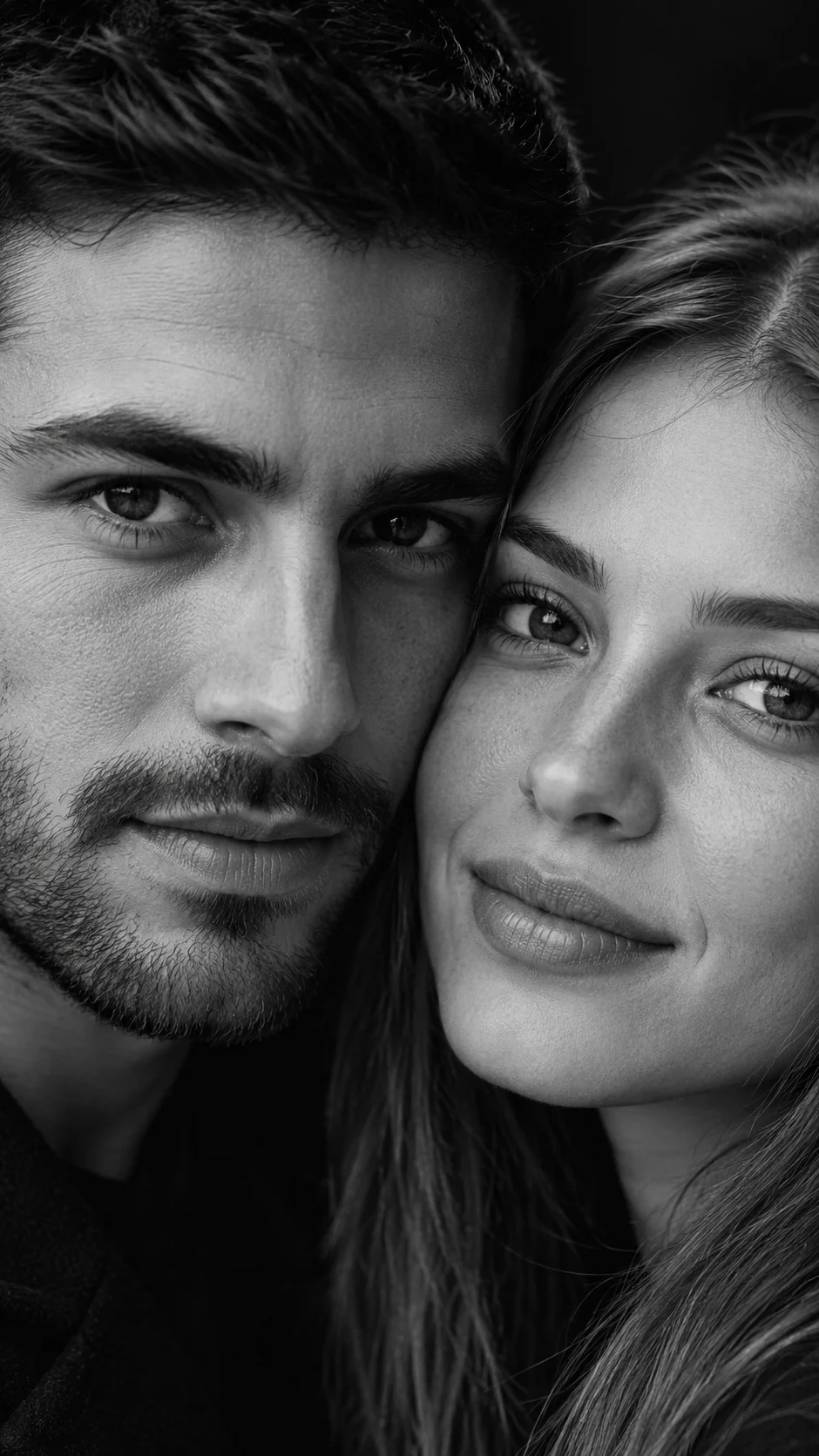
Eyes Above Lips Black-and-White Couple Portrait
A dramatic couple close-up that keeps both identities clear while framing their eyes and lips with crisp monochrome editorial detail.
Using the uploaded photo, create a photorealistic vertical 9:16 black-and-white editorial close-up of the same two people, framing both pairs of eyes in the upper half and both lips near the lower edges of the image. KEEP — Preserve each person’s exact facial identity from the uploaded photo. Keep the original forehead shape, eyebrow placement, eye shape and natural eye colour, nose bridge and tip, lips, cheeks, cheekbones, jawline, chin, ears, facial width, and natural facial asymmetry. Keep each person’s original skin tone translated naturally into monochrome, including visible pores, fine texture, subtle under-eye details, natural marks, and realistic skin variation. Keep the original hairline, hair density, hair texture, hairstyle, and facial-hair pattern where visible. Keep their natural body proportions, shoulder width, neck structure, and head shape. Do not merge their identities. CHANGE — Reframe both people into an extremely close side-by-side composition, with their inner facial areas slightly overlapping toward the centre without covering either identity. Dress them in simple matte-black tailored clothing with a fine cotton or wool texture, keeping clothing mostly outside the tight facial crop. Replace the background with a seamless deep-black studio backdrop. Use controlled high-key facial highlights against deep shadows, while keeping natural pores and eyelashes visible. SCENE — Place both subjects directly beside each other in a dark professional studio. Their faces nearly touch, with both looking straight into the camera with calm, restrained expressions. Keep the background completely blurred and visually unobtrusive. LIGHT — Use a large softbox positioned slightly above and directly in front of the subjects, with gentle frontal fill and subtle side falloff. Use neutral 5200K light so both faces share the same illumination. CAMERA — Shoot at 85mm, f/4, camera at eye height, with close portrait compression and precise focus on both sets of eyes. GRADE — Convert to rich black-and-white with deep blacks, controlled highlights, crisp midtone skin texture, and subtle film grain inspired by premium monochrome fashion editorials. OUTPUT — Vertical 9:16 composition at 16K ultra-high resolution, with both eyes and lips remaining sharply defined. DO-NOT — no face slimming, no skin whitening, no changed eye colour, no plastic smoothing, no altered facial proportions, no generic faces, no invented jewellery or tattoos, no merged identities.
Photo Guide
- Use a sharp, high-resolution photo where both faces are clearly visible.
- Choose an eye-level photo so the close crop does not distort facial proportions.
- Even front lighting helps preserve matching skin texture across both faces.
- Keep eyebrows, eyes, nose, lips, jawline, and hairline unobstructed.
- A photo with heavy shadows across either eye can weaken this look.
How to Build
- 1Open Gemini or ChatGPT and select image generation.
- 2Upload a clear photo containing both people and paste the prompt.
- 3Choose a vertical 9:16 output and highest available quality.
- 4Keep both faces selected as the identity references when supported.
- 5Generate several variations while preserving the same framing.
- 6If faces drift, use a clearer source photo and regenerate with identity kept.
Pro Tips
- Use a photo where both people face forward so eye alignment stays precise.
- Keep the original eyebrow shapes visible so the upper-face crop stays recognizable.
- Avoid sunglasses because the eyes are the main visual anchor.
- Choose similar lighting on both faces so monochrome contrast feels natural.
- Keep lips unobstructed because they form the lower framing boundary.
Share This Prompt
About the Author
Naziya
Creative AI writer at MFDA, sharing trendy photo-editing prompts and fresh ideas for beautiful, stylish AI images.