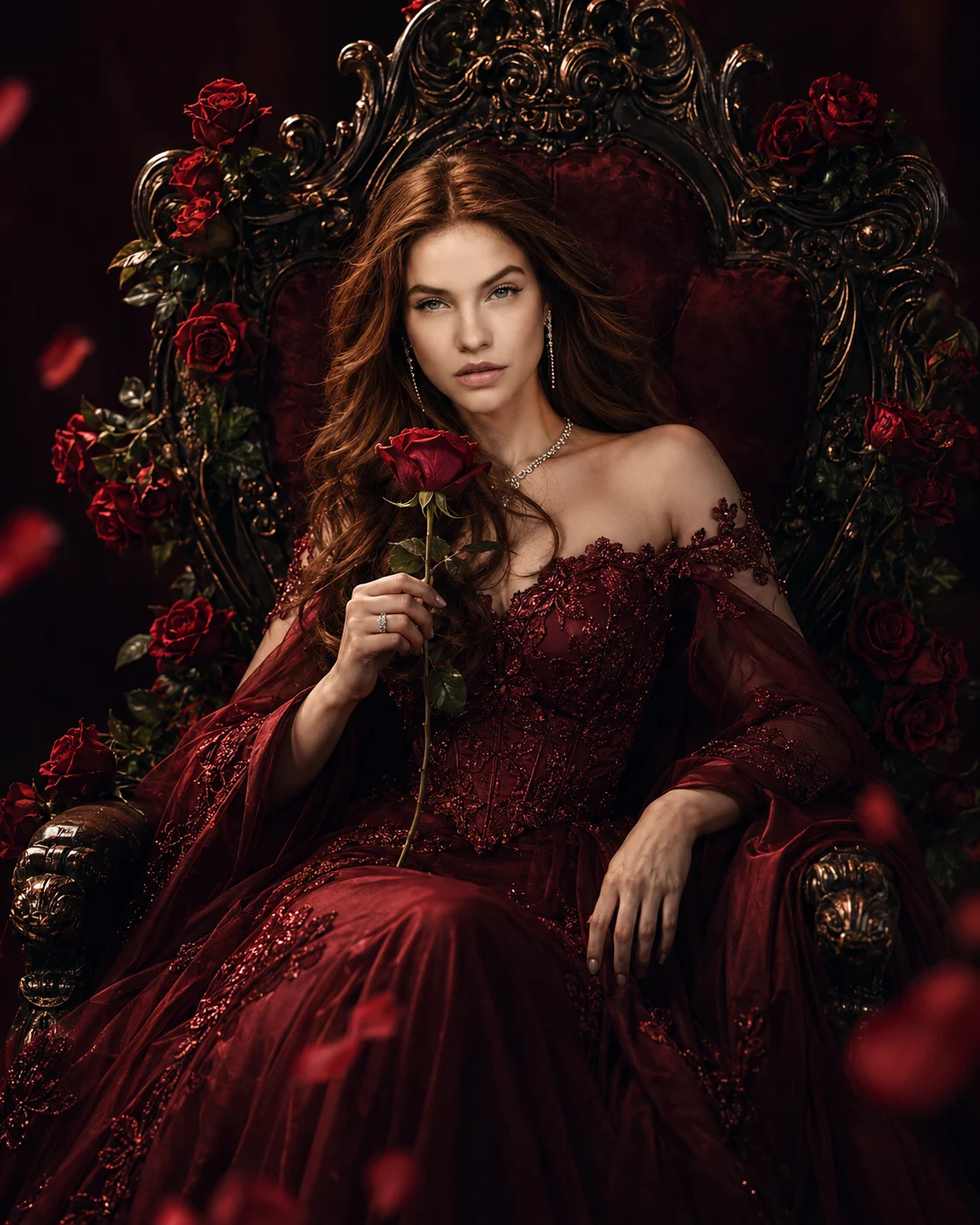
Enchanted Rose Queen Throne Portrait
Create a cinematic portrait in a wine-red embroidered gown on a dark antique throne surrounded by deep-red roses, with realistic lighting and preserved facial identity.
Using the uploaded photo, create an ultra-realistic cinematic fantasy-fashion portrait of the same person seated on a dark antique throne decorated with deep-red roses and restrained metallic detailing. KEEP — Preserve the person's exact facial identity, forehead proportions, eyebrow shape and placement, original eye shape and colour, nose bridge and tip, lip shape, cheek volume, cheekbones, jawline, chin, ears, facial width, and natural asymmetry. Retain the original skin tone, visible pores, fine skin texture, natural marks, authentic age, and existing expression characteristics. Keep the original hairline, hair colour, hair texture, and visible facial hair exactly as shown. Preserve natural body proportions, shoulder width, neck length, arm proportions, and hand structure. Do not replace the face with a generic fantasy character. CHANGE — Dress the subject in a flowing wine-red evening gown with a fitted bodice, intricate tonal floral embroidery, delicate lace accents, and layered fabric falling naturally around the throne. Add realistic folds and subtle satin highlights without making the material look metallic. Position the subject in a graceful seated pose, holding one deep-red rose and looking down at it with a serene expression. Introduce a dark antique throne with carved details, subtle bronze accents, and carefully arranged roses. SCENE — Place the subject in a controlled fantasy studio with a deep-burgundy background fading into near-black at the edges. Keep the throne fully grounded, with visible contact shadows beneath the seat and realistic scale relative to the subject. Allow only a few rose petals in the foreground, with gentle blur rather than distracting motion effects. LIGHT — Use a large diffused key light from the front-left, positioned slightly above eye level, at approximately 4500K. Add soft frontal fill to retain facial detail and a restrained warm rim light behind the shoulders. Match the face illumination to the gown, roses, and throne so the subject does not appear pasted into the scene. CAMERA — Shoot at eye level using an 85mm portrait lens at f/2.8. Frame the complete seated pose in a vertical 4:5 composition, keeping the face, rose, embroidered bodice, and throne details sharply readable. GRADE — Apply a cinematic burgundy-and-charcoal colour grade with controlled contrast, deep shadows, natural skin colour, and restrained highlights. Keep embroidery and rose petals distinct in the darker areas. OUTPUT — Generate a vertical 4:5 image at 2048 × 2560 pixels or the closest supported resolution, with realistic anatomy and fine material detail. DO NOT slim the face, whiten the skin, change eye colour, smooth skin into plastic, alter body proportions, invent jewellery or tattoos, add extra fingers, distort the throne, or introduce text or watermarks.
Photo Guide
- Use a sharp, high-resolution photo with the entire face clearly visible.
- Choose a front-facing or gentle three-quarter angle for accurate facial structure.
- Use even facial lighting so the new warm rim light blends naturally.
- Keep the hairline, shoulders, hands, and visible facial hair unobstructed.
- A dark outfit may hide gown details, so choose a photo with clear body contours.
- Avoid heavily filtered selfies because they weaken natural skin texture.
How to Build
- 1Open Gemini and select image generation with your uploaded photo.
- 2Upload one clear reference photo and keep it as the identity source.
- 3Paste the complete prompt without removing the KEEP or CHANGE sections.
- 4Choose a vertical 4:5 aspect ratio and the highest available image quality.
- 5Check that the face, hands, throne, and rose remain anatomically realistic.
- 6If the first result is wrong, regenerate with the failed detail specified clearly.
Pro Tips
- Use a photo with visible shoulders so the seated pose follows natural proportions.
- Keep the original eye colour explicit so the dark fantasy grade cannot change it.
- Limit foreground petals so they do not obscure the face or held rose.
- Retain visible facial texture so warm rim lighting does not create plastic skin.
- Specify contact shadows beneath the throne so it looks grounded in the studio.
- If embroidery disappears in dark areas, request brighter fabric detail without lifting the whole background.
Share This Prompt
About the Author
Naziya
Creative AI writer at MFDA, sharing trendy photo-editing prompts and fresh ideas for beautiful, stylish AI images.