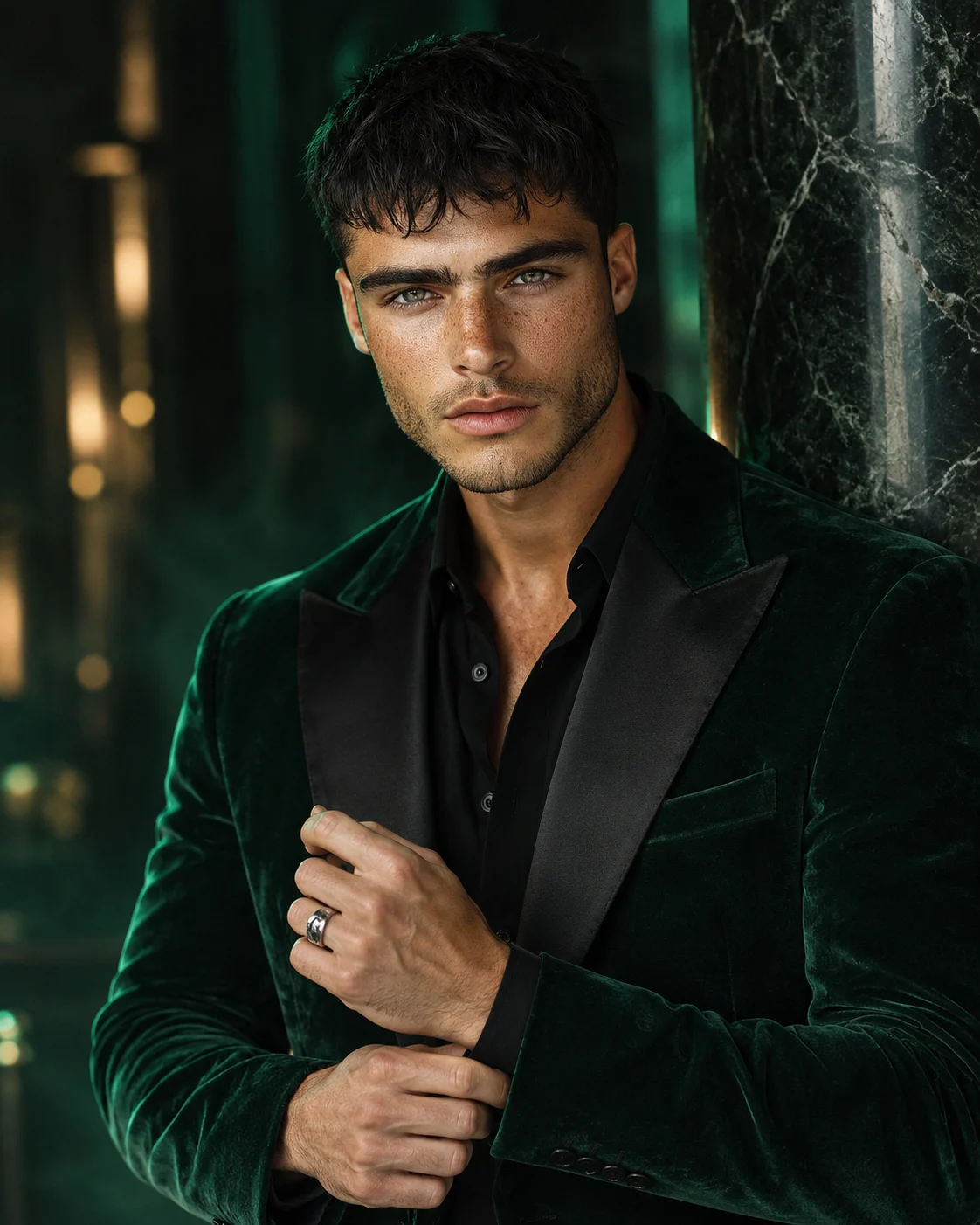
Emerald Velvet Blazer Portrait with Cinematic Green Lighting
Create a cinematic men's fashion portrait in an emerald velvet blazer with black satin lapels, sculpted silver details, and dramatic green studio lighting.
Using the uploaded photo, create a photorealistic luxury menswear portrait of the same person wearing an emerald-green velvet blazer beside a dark marble pillar, with restrained silver accents and cinematic emerald lighting. KEEP — Preserve the person's exact recognizable identity from the uploaded photo. Retain the original face shape, forehead proportions, facial width, eyebrow placement, eye shape and natural eye colour, nose bridge and tip, lip shape, cheek volume, cheekbones, jawline, chin, ears, and natural facial asymmetry. Keep the original skin tone, visible pores, natural skin texture, age characteristics, hairline, hair density, hair texture, and hair colour. Preserve existing facial hair, including its natural outline and density, if present. Maintain the person's original neck length, shoulder width, body proportions, and recognizable posture. Do not replace the face with a generic fashion model. CHANGE — Replace the original clothing with a tailored deep emerald-green velvet blazer featuring black satin peak lapels and a fitted matte-black shirt with the top button open. Add one sculptural silver ring only if it suits the raised hand and remains anatomically natural. Pose the person beside a polished dark marble pillar, with one hand gently adjusting the opposite cuff and the other resting naturally near the waist. Use emerald-green edge lighting, controlled shadows, and subtle atmospheric haze. SCENE — Set the portrait in a dark luxury studio with a black-green marble pillar behind the subject. Keep the background understated, with faint green reflections and softly blurred architectural details. The velvet pile should show directional texture rather than a flat green surface. LIGHT — Place a large soft key light above and slightly to the front-left of the camera, illuminating the face evenly. Add a restrained emerald rim light from behind on the opposite side to separate the blazer from the dark background. Keep realistic skin colour under the green accent lighting. CAMERA — Shoot at eye level using an 85mm portrait lens at f/1.8. Focus sharply on both eyes, with shallow depth of field, natural facial proportions, realistic velvet fibres, and accurate hand anatomy. GRADE — Use deep emerald, matte black, and subtle silver tones. Apply cinematic contrast, controlled highlights, rich shadow detail, and restrained filmic colour grading without tinting the person's natural skin green. OUTPUT — Create a vertical 4:5 portrait, framed from the waist up, with high-resolution detail suitable for a luxury menswear editorial. DO NOT slim the face, whiten the skin, change the eye colour, smooth the skin into plastic, alter facial hair, invent jewellery or tattoos, distort the hands, or change the person's identity.
Photo Guide
- Use a sharp, high-resolution photo where both eyes and facial details are visible.
- Choose a front-facing or slight three-quarter angle to preserve facial proportions.
- Use even light on the face so the green rim light does not distort skin colour.
- Keep the hairline, ears, jawline, and any existing facial hair unobstructed.
- A dark outfit is fine, but avoid green lighting that already colours the face.
- Avoid blurry selfies, beauty filters, and photos with strong coloured shadows.
How to Build
- 1Open ChatGPT or Gemini and select image generation or image editing.
- 2Upload a clear photo of the person whose identity must remain unchanged.
- 3Paste the complete prompt into the image generation input.
- 4Choose a 4:5 portrait aspect ratio if the tool offers that setting.
- 5Select the highest available image quality or resolution setting.
- 6Generate the portrait and inspect the face, hands, blazer texture, and lighting.
- 7If the result is wrong, re-upload the original and specify only the details to fix.
Pro Tips
- Use a photo with visible facial detail so emerald edge light does not obscure identity.
- Keep the key light neutral so the skin retains its natural colour.
- Specify velvet pile and black satin lapels to prevent the blazer looking flat.
- Keep the silver ring minimal so the hand remains believable and uncluttered.
- Ask for a softer green rim light if it spills across the eyes or cheeks.
- If the face drifts, correct facial identity before adjusting styling or background.
Share This Prompt
About the Author
Naziya
Creative AI writer at MFDA, sharing trendy photo-editing prompts and fresh ideas for beautiful, stylish AI images.