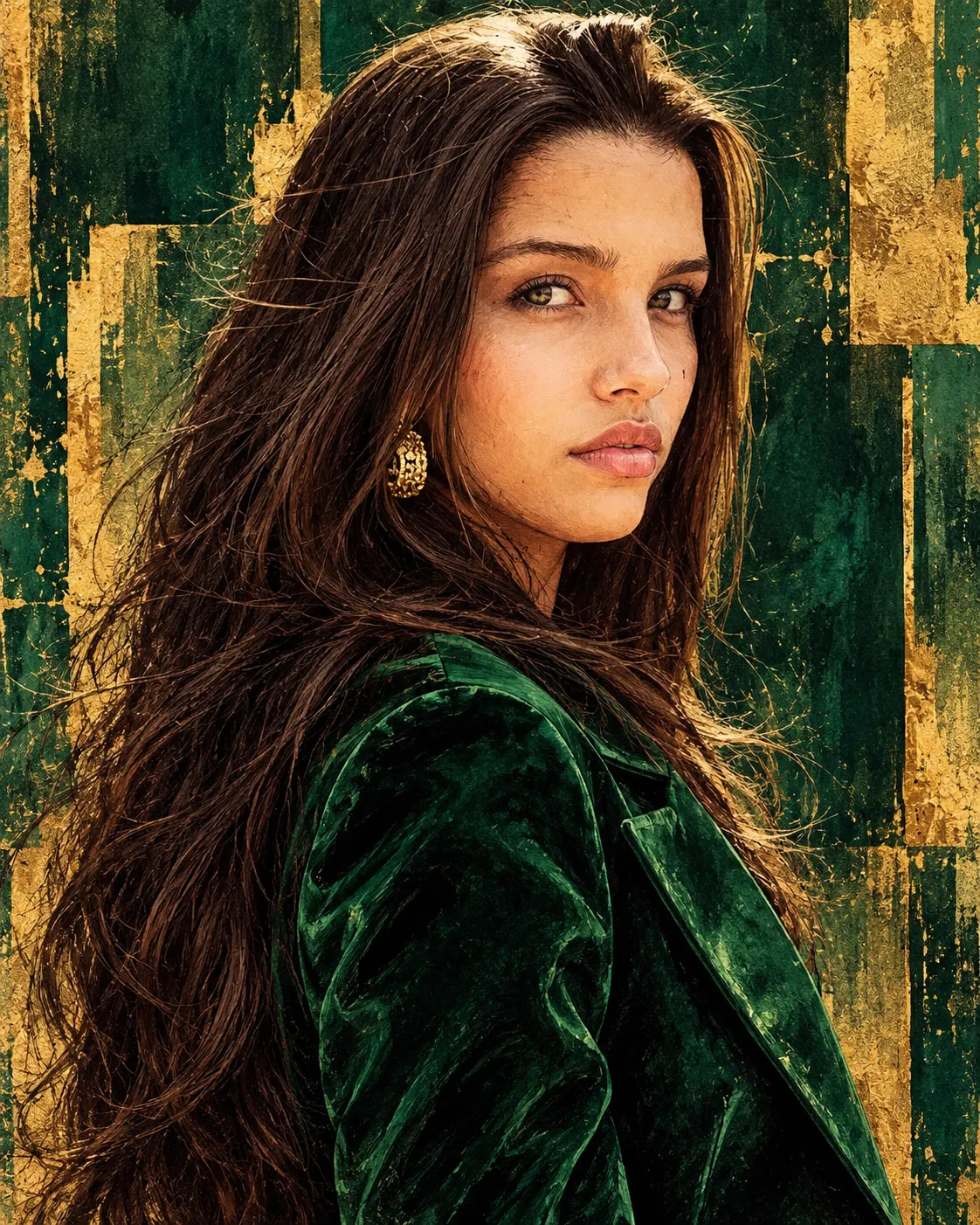
Emerald Enigma – Luxury Green Graphic Novel Portrait
Transform your photo into a regal emerald-green fashion illustration with gold leaf textures, expressive charcoal outlines and dramatic editorial lighting.
Using the uploaded photo, create a sophisticated hand-painted luxury fashion illustration of the same recognizable person, styled as the Emerald Enigma — The Green Queen. Use a vertical 4:5 head-and-shoulders composition extending to the upper torso, with a centered, commanding editorial presence. KEEP — Preserve the person's exact facial identity and original facial geometry. Retain the original forehead height, facial width, eyebrow shape, eye shape and natural eye colour, nose bridge and tip, lip contours, cheek volume, cheekbones, jawline, chin, ears and natural facial asymmetry. Maintain the original skin tone, visible pores, natural skin texture, marks and age. Preserve the exact hairline, hairstyle, hair density, texture and colour, including naturally loose strands. Retain facial hair if present, neck structure, shoulder width and natural body proportions. Keep the person's recognizable expression and natural facial characteristics unchanged. Do not reconstruct or reinterpret the face as a generic illustrated character. CHANGE — Replace the wardrobe with a structured emerald-green velvet blazer featuring broad tailored shoulders, precise lapels and subtle fabric texture. Add refined gold-tone earrings only if they are clearly visible in the reference styling direction; do not obscure the ears or invent additional accessories. Transform the environment into a deep forest-green geometric fashion backdrop with irregular gold-leaf brushstrokes, charcoal contours and painterly shadows. SCENE — Position the subject against layered rectangular forest-green painted panels. Add distressed gold pigment around the outer shoulders and behind the head. Keep the background softly textured but visually distinct from the sharply rendered face. Suggest a controlled luxury editorial studio setting at late-afternoon-inspired warmth. LIGHT — Use soft frontal lighting slightly above eye level, with warm golden illumination across the forehead, cheeks and nose. Introduce controlled dark-green shadows beneath the chin and along the blazer while retaining natural facial depth. CAMERA — Simulate an 85mm portrait lens at f/2.8, camera positioned slightly below eye level, with natural facial perspective and sharp facial details. GRADE — Apply deep emerald, antique gold, muted olive and charcoal tones. Use strong tonal contrast, visible dry-brush marks, expressive ink outlines, layered painterly shading and subtle canvas grain. OUTPUT — Vertical 4:5 aspect ratio, 2048 × 2560 resolution, detailed premium editorial illustration. DO NOT — No face slimming, skin whitening, changed eye colour, plastic smoothing, altered facial proportions, invented jewellery, tattoos, face replacement or identity blending. Do not turn the illustration into photorealism or 3D rendering.
Photo Guide
- Use a sharp original photo with enough resolution to see facial details.
- Choose a front-facing or slightly low-angle portrait.
- Use even natural light so facial proportions remain easy to read.
- Keep both ears, hairline, jawline and shoulders visible.
- A green or neutral outfit helps the emerald wardrobe transformation blend.
- Avoid heavy beauty filters; they weaken charcoal facial detail.
How to Build
- 1Open Gemini and select the image generation feature.
- 2Upload your original portrait as the identity reference.
- 3Paste the complete prompt without removing the KEEP section.
- 4Choose portrait orientation and a 4:5 aspect ratio.
- 5Select the highest available image quality setting.
- 6Generate the illustration and inspect facial identity carefully.
- 7If the face changes, regenerate using the original photo and strengthen KEEP.
Pro Tips
- Choose a photo with visible shoulder edges so the blazer fits naturally.
- Keep the original hairline unobstructed so charcoal outlines follow it accurately.
- Use a neutral expression photo for consistent facial geometry.
- Avoid green lighting in the source photo so skin tones stay natural.
- Choose a photo with visible ears so the gold earrings can sit correctly.
- Keep the face unobstructed so gold brushstrokes never cover identifying features.
Share This Prompt
About the Author
Naziya
Creative AI writer at MFDA, sharing trendy photo-editing prompts and fresh ideas for beautiful, stylish AI images.