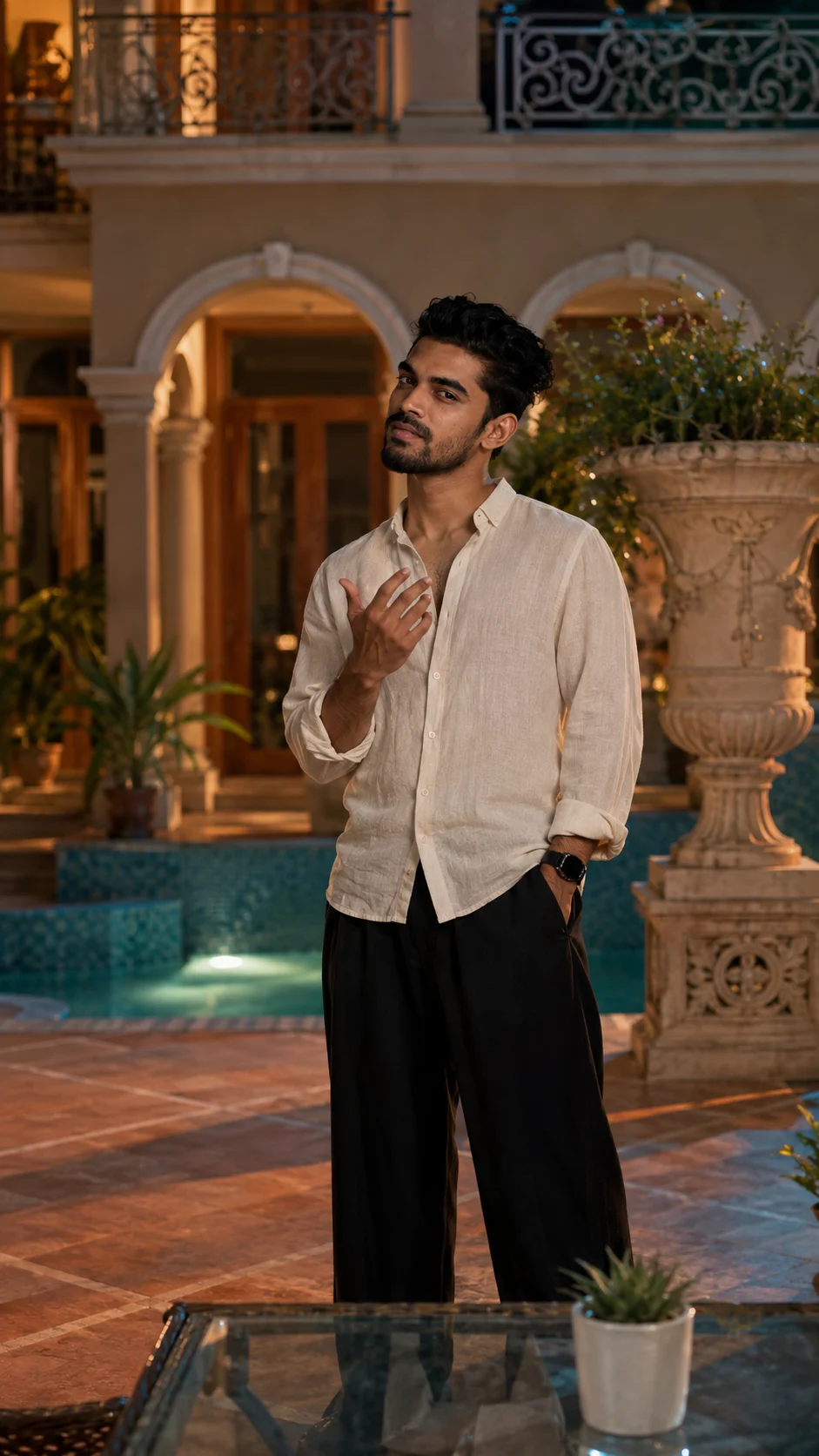
Elegant Courtyard Cinematic Portrait
Create a cinematic courtyard portrait with an ivory linen shirt, black trousers, warm light, turquoise water, and preserved facial identity.
Using the uploaded photo, create a photorealistic cinematic portrait of the same person standing in an elegant tiled courtyard. KEEP - Keep the exact facial identity from the uploaded photo. Preserve forehead shape, eyebrow placement, eye shape and natural eye colour, nose structure, lips, cheeks, cheekbones, jawline, chin, ears, facial proportions, natural asymmetry, skin tone, pores, and visible skin texture. Keep the original hairline, hairstyle characteristics, facial hair if present, and natural body proportions. Do not beautify or reconstruct the face. CHANGE - Change the wardrobe to a loose off-white linen shirt with natural creasing and relaxed sleeves, paired with loose black wide-leg trousers. Change the setting to an ornate cream courtyard with rounded arches, wooden doors, wrought-iron balcony details, tropical plants, turquoise tiled water, and a large carved stone urn behind the subject. Change the pose so the subject faces the camera, raises one hand naturally near the chest, and keeps the other hand in a trouser pocket. Change the lighting to warm evening courtyard light and use a muted beige, cream, teal, and green colour grade. SCENE - Place the subject in a spacious luxury courtyard during late afternoon moving into early evening. Keep the carved urn clearly behind and slightly right of the subject, with arches and wooden doors visible behind them. Keep the foreground glass table and small plant softly visible rather than heavily blurred. LIGHT - Use soft warm light coming from the front-left, gently illuminating the face while creating mild shadow on the opposite cheek. Keep the light around 3500-4500K, with soft reflected illumination from the courtyard and water. CAMERA - Shoot at 50mm, f/2.8, with the camera at chest height. Use natural perspective, moderate background separation, realistic depth, and enough focus to retain architectural detail. GRADE - Apply a restrained cinematic grade with warm beige highlights, muted teal shadows, natural skin tones, medium contrast, and subtle film grain. OUTPUT - Create a 9:16 aspect ratio at 8K resolution with realistic anatomy and physically accurate fabric, water, glass, and architectural reflections. DO-NOT - No face slimming, no skin whitening, no changed eye colour, no plastic smoothing, no invented jewellery or tattoos.
Photo Guide
- Use a sharp, high-resolution photo where the full face and hairline are visible.
- Choose a front or near-front angle so the facial proportions remain readable.
- Soft natural daylight works best for matching the warm courtyard lighting.
- Keep facial hair, ears, jawline, and natural skin texture clearly visible.
- This look works best when the source face has even, unobstructed lighting.
- Avoid sunglasses or heavy shadows across the face; they can cause identity drift.
How to Build
- 1Open Gemini and upload the clearest available portrait of yourself.
- 2Paste the full Prompt Content without removing the KEEP section.
- 3Choose image generation with a vertical 4:5 output if available.
- 4Use the uploaded photo as the identity reference, not just a text description.
- 5Generate the image and inspect the face before judging the background.
- 6If the first result is wrong, regenerate while keeping the source photo unchanged.
Pro Tips
- Use a source with visible skin texture so the model preserves realistic pores.
- Keep both eyes unobstructed so their original shape and colour stay consistent.
- Choose a relaxed source expression to make the chest-level gesture look natural.
- A visible hairline helps prevent unwanted hairstyle and forehead changes.
- Avoid low-resolution selfies because facial proportions can shift between runs.
Share This Prompt
About the Author
Naziya
Creative AI writer at MFDA, sharing trendy photo-editing prompts and fresh ideas for beautiful, stylish AI images.