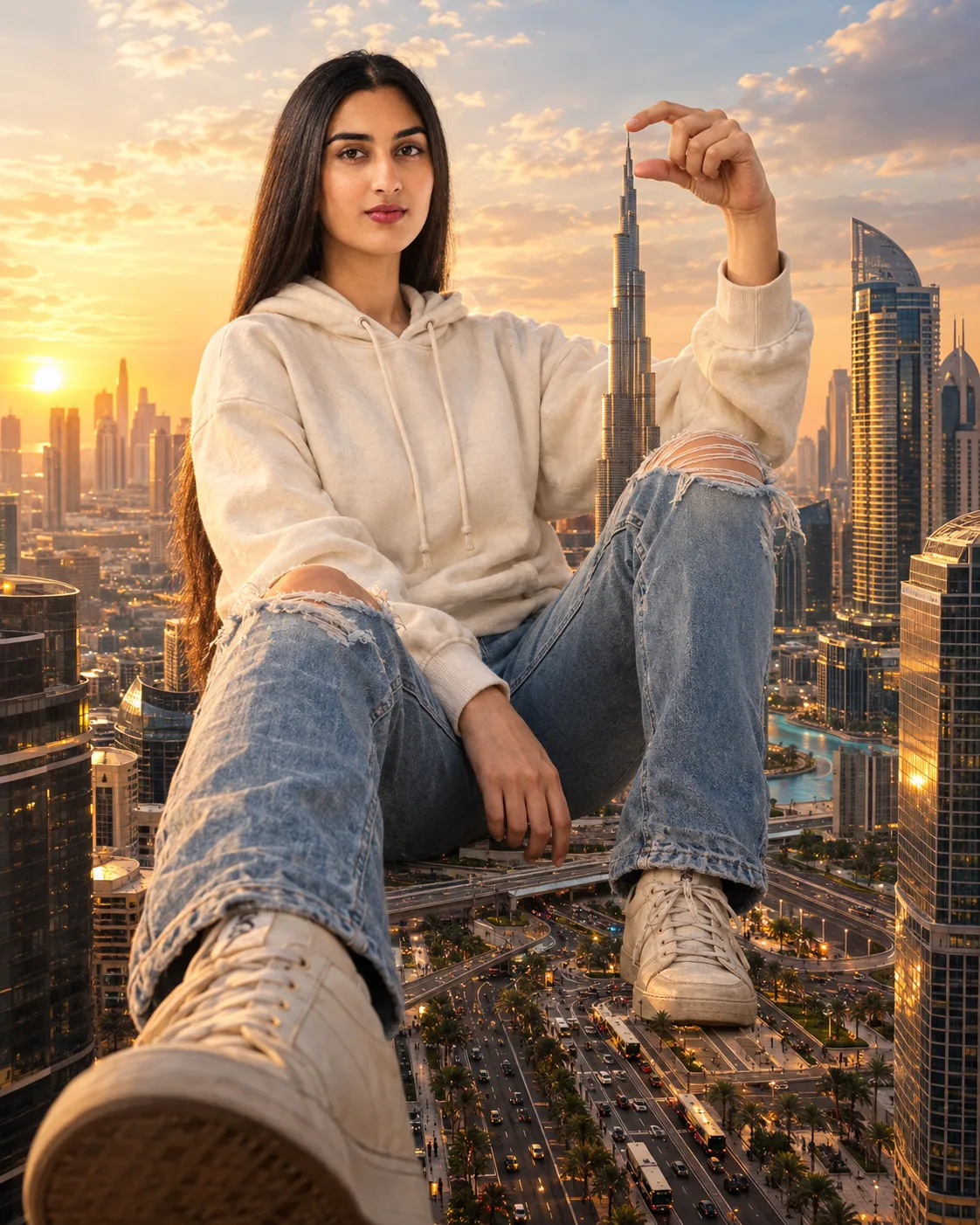
Dubai Skyscraper Giant Illusion Portrait
Create a surreal Dubai travel portrait where you appear giant among skyscrapers, holding a miniature Burj Khalifa above tiny traffic.
Using the uploaded photo, create a highly realistic surreal cinematic travel portrait of the same person appearing giant among Dubai skyscrapers at golden hour. KEEP — Preserve the uploaded person’s exact facial identity, including forehead shape, eyebrow structure, eye shape and natural eye colour, nose structure, lips, cheeks, jawline, chin, facial proportions, and natural facial asymmetry. Keep the original skin tone, visible pores, fine texture, freckles, marks, and natural complexion. Preserve the exact hairline, hair density, hair texture, hairstyle pattern, and facial hair if present. Keep natural body proportions, shoulder width, torso shape, arm length, leg proportions, hand structure, and height-to-body relationship. The giant scale must change perspective, not the person’s anatomy or identity. CHANGE — Dress the same person in a [cream oversized cotton hoodie] with visible fleece texture, ribbed cuffs and natural folds, paired with [light-blue distressed denim jeans] showing authentic seams, faded areas and ripped knees, plus [beige canvas sneakers]. Seat the person casually between Dubai skyscrapers, with one knee raised and the other leg extending toward the foreground. Raise one hand as if delicately holding a miniature [Burj Khalifa] between the fingertips. SCENE — Set the scene during late golden hour above a broad Dubai boulevard. Surround the subject with modern glass towers, reflective façades and dense city architecture. Place tiny luxury cars, buses and pedestrians far below to establish the giant-person illusion. Keep distant buildings slightly softened by atmospheric haze while the subject and nearby architecture remain detailed. LIGHT — Use low warm sunlight from the left-front side at approximately 3800–4500K. Add soft golden highlights across the face, hoodie and hands, with gentle shadows on the opposite cheek so the subject matches the environment. CAMERA — Use a 24mm wide-angle lens at low waist height relative to the giant subject, around f/8 for deep focus across the person and miniature street. GRADE — Use warm amber highlights, muted blue-gray shadows, medium contrast, natural skin tones, restrained saturation, and subtle cinematic film grain. OUTPUT — Create a vertical 4:5 composition at 2048×2560 resolution with realistic scale, architecture, fabric texture, vehicles, hands and facial detail. DO-NOT — No face slimming, no skin whitening, no changed eye colour, no plastic smoothing, no invented jewellery or tattoos, no facial reconstruction, no altered anatomy, no extra fingers, no duplicated limbs, no warped buildings, no cartoon or CGI appearance, and no watermark.
Photo Guide
- Use a sharp photo of at least 1200px width for stable facial detail.
- A front or three-quarter face angle works best for the giant perspective.
- Use neutral daylight rather than strong coloured indoor lighting.
- Keep both hands visible if possible so the miniature-building pose renders cleanly.
- Show the full hairline and face; sunglasses can weaken identity matching.
- Avoid blurry faces, which can cause facial drift during the scale transformation.
How to Build
- 1Open Gemini and select image generation with photo upload enabled.
- 2Choose a 4:5 portrait ratio before adding the uploaded photo.
- 3Paste the complete prompt after attaching the clearest identity photo.
- 4Keep the original photo as the primary identity reference.
- 5Check the fingertips, feet, face and miniature Burj Khalifa placement.
- 6If the first result is wrong, regenerate with the same photo and prompt.
Pro Tips
- Use a full-body source so the seated giant pose keeps believable proportions.
- Choose jeans or trousers in the source photo so leg anatomy stays consistent.
- Avoid extreme facial angles so the wide-angle scene does not distort the face.
- Keep the source expression natural so the giant travel scene feels photographic.
- Use a simple background photo so Dubai architecture replaces it cleanly.
Share This Prompt
About the Author
Naziya
Creative AI writer at MFDA, sharing trendy photo-editing prompts and fresh ideas for beautiful, stylish AI images.