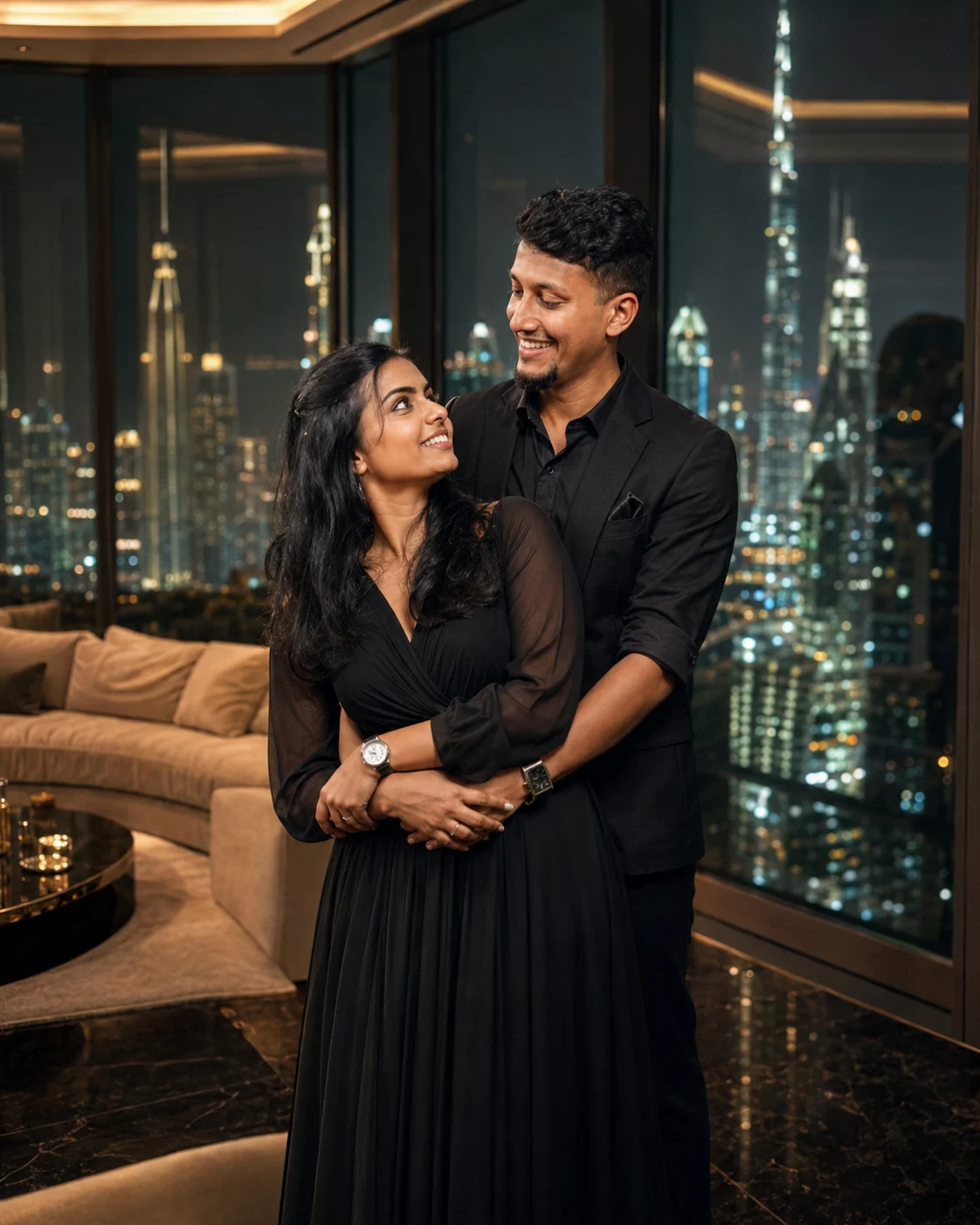
Dubai Royal Penthouse Couple Portrait
Create a recognizable luxury couple portrait in a Dubai penthouse with black eveningwear, marble interiors, warm city lights, and cinematic depth.
Using the uploaded photo, create a cinematic luxury couple portrait set inside a high-rise Dubai penthouse at night, keeping the uploaded person clearly recognizable as the same individual. KEEP — Keep the uploaded person's exact face structure, eye shape and natural eye colour, skin tone and visible skin texture, hairline, facial hair if present, and natural body proportions. Preserve the original jawline, cheek structure, nose shape, lip shape, forehead proportions, and distinctive facial details. Keep the person's natural age and identity unchanged. Do not reconstruct or beautify the face from scratch. CHANGE — Change the wardrobe to a sharply tailored black evening outfit made from matte wool or smooth satin, with realistic folds and stitching. Add a sophisticated partner beside the uploaded person wearing coordinated black formal eveningwear. Change the setting to a polished luxury penthouse with dark marble flooring, a large cream-toned sofa, brushed-metal accents, and floor-to-ceiling glass windows. Use a confident, intimate standing pose with natural body contact rather than an exaggerated romantic pose. Add warm architectural lighting and distant Dubai city lights outside. SCENE — Place the couple beside the windows around 10 PM, with the illuminated skyline visible behind them. Keep the nearest interior details reasonably sharp while distant buildings fall into a soft blur. The glass should show subtle realistic reflections without obscuring either face. LIGHT — Light both faces primarily from the front-left at a soft 45-degree angle using warm indoor illumination around 3200K. Add a weaker neutral fill from the window side and a restrained warm rim light from behind so facial shadows remain physically consistent. CAMERA — Use an 85mm lens at f/1.8, camera positioned at chest height, with natural perspective and shallow depth of field. Keep both faces within the sharp focus zone. GRADE — Use deep blacks, warm champagne highlights, controlled contrast, natural skin colour, subtle cinematic grain, and restrained teal-blue tones in the distant night skyline. OUTPUT — Create a vertical 4:5 composition at 2048 × 2560 resolution, keeping both full faces unobstructed. DO NOT — no face slimming, no skin whitening, no changed eye colour, no plastic smoothing, no invented jewellery or tattoos, no altered facial proportions, no duplicate facial features, and no artificial-looking skin.
Photo Guide
- Use a sharp photo of at least 1024px on the longest side.
- A front or slight 3/4 face angle works best for the 85mm portrait framing.
- Use even facial lighting; harsh side shadows can confuse identity details.
- Keep the forehead, jawline, hairline, and both eyes clearly visible.
- A daylight photo usually blends better than a dark indoor selfie here.
- The biggest failure is a heavily filtered photo with softened facial features.
How to Build
- 1Open Gemini and choose image generation with the highest quality available.
- 2Upload one clear face photo without beauty filters or face-altering edits.
- 3Paste the full prompt and keep the output ratio at 4:5.
- 4Generate the image at the highest available resolution.
- 5Check the face against the source before accepting the result.
- 6If the face drifts, use the same photo and regenerate with identity preservation stronger.
Pro Tips
- Choose a photo with visible skin texture so the warm light looks believable.
- Avoid sunglasses so the eye shape remains stable between generations.
- Use a clean hairstyle in the source so the hairline survives the edit.
- Keep the partner slightly behind the subject so both faces stay readable.
- A darker source outfit helps the generated black eveningwear look natural.
Share This Prompt
About the Author
Naziya
Creative AI writer at MFDA, sharing trendy photo-editing prompts and fresh ideas for beautiful, stylish AI images.