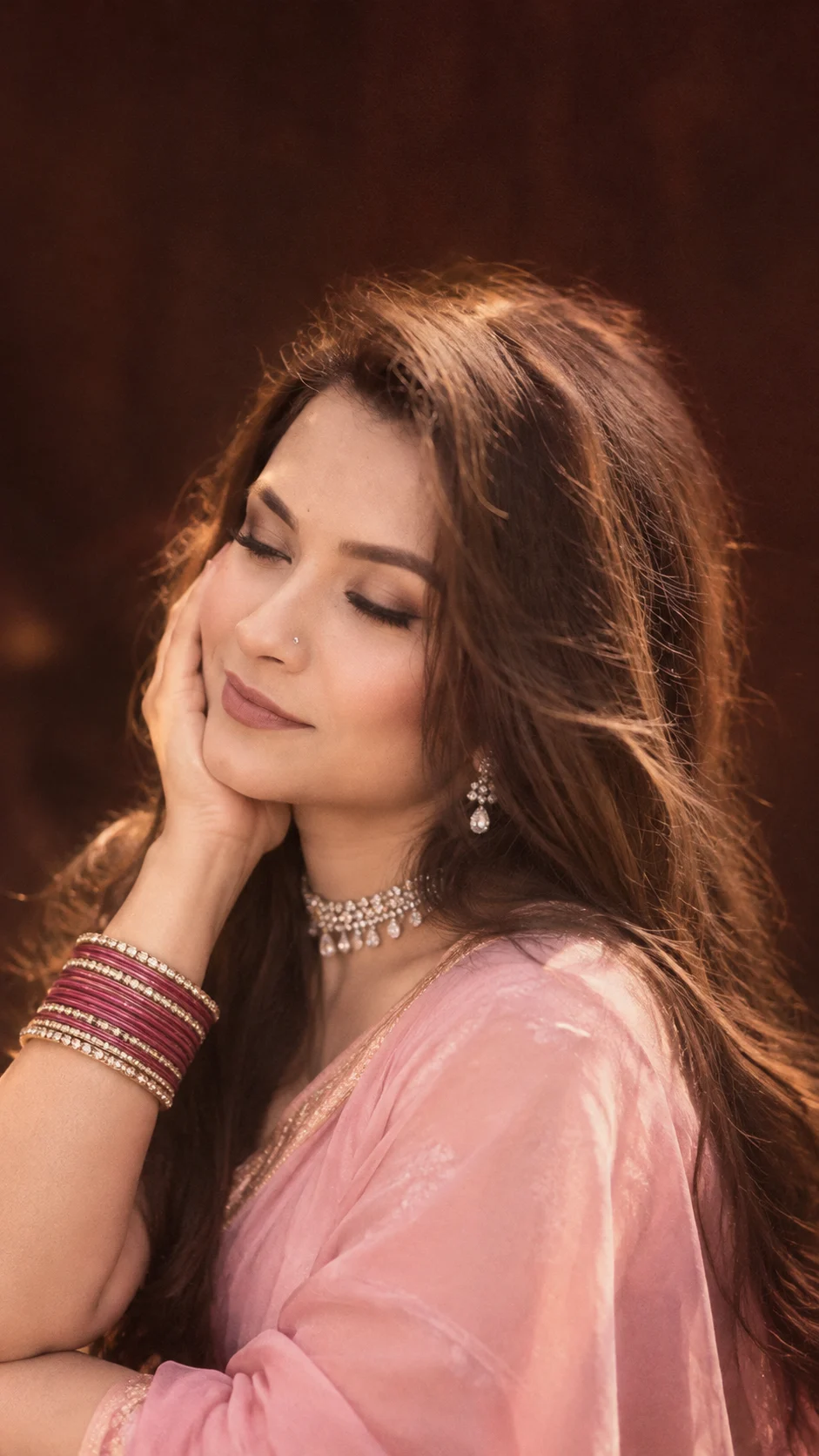
Dreamy Pink Saree and Golden Flash Wallpaper Portrait
Create a dreamy pink saree portrait or golden-flash lock screen with soft lighting, traditional jewelry, and natural facial identity preserved.
Using the uploaded photo, create a photorealistic vertical 9:16 dreamy Indian portrait designed as an elegant smartphone wallpaper, with a soft vintage finish and natural facial identity preserved. KEEP — Preserve the person's exact recognizable facial identity from the uploaded photo. Keep the original forehead shape, eyebrow placement, eye shape and natural eye colour, nose bridge and tip, lips, cheeks, cheekbones, jawline, chin, ears, facial width, and natural facial asymmetry. Preserve the original skin tone, visible pores, fine lines, marks, and realistic skin texture. Keep the original hairline, hair density, natural hair texture, and hair colour. Retain visible facial hair, body proportions, neck structure, and natural hand proportions wherever present. Do not replace the person with a generic model. CHANGE — Style the subject in a baby-pink silk saree with a matching short-sleeved blouse, a sparkling diamond choker, matching drop earrings, a delicate nose ring, and dark-pink and gold bangles. Pose the subject in a close-up composition with one cheek resting gently against one hand, eyes softly closed, and a relaxed, subtle smile. Keep the jewelry realistic and proportionate. For an alternative golden-flash wallpaper, use loose center-parted dark hair, a warm candid expression, and a simple outfit consistent with the uploaded person's appearance. SCENE — Place the subject against a dark reddish-brown indoor background with no distracting objects. Use a close crop that emphasizes the face, hair, hand, and jewelry. Add restrained vintage softness and subtle motion blur around the outer hair and background, keeping facial features sharp. Leave uncluttered space near the top for an optional phone lock-screen clock. LIGHT — Use soft frontal camera-flash lighting with a warm golden-orange colour temperature around 3200–4000K. Keep highlights on the forehead, cheeks, jewelry, and bangles controlled. Preserve natural shadows beneath the chin and around the hair so the face remains connected to the scene. CAMERA — Simulate an 85mm portrait lens at f/1.8, positioned at eye level, with shallow depth of field and realistic perspective. Focus precisely on the face and preserve detailed skin and fabric texture. GRADE — Apply warm amber highlights, muted reddish-brown shadows, gentle contrast, subtle film grain, and a soft vintage glow. Avoid excessive bloom, strong orange skin shifts, or heavy blur. OUTPUT — Create a vertical 9:16 image at the highest available resolution. Keep the composition suitable for a smartphone wallpaper. If adding an iPhone-style interface, leave clock text and status icons as a separate editable overlay where possible. DO NOT slim the face, whiten the skin, change eye colour, smooth the skin into plastic, invent jewellery or tattoos, alter facial identity, distort fingers, or blur the eyes and defining facial features.
Photo Guide
- Use a sharp, high-resolution portrait with the face clearly visible.
- Choose a front-facing or three-quarter angle with natural facial proportions.
- For the golden-flash look, use a warm indoor photo with visible facial detail.
- Keep hair, forehead, cheeks, and the hand visible if recreating the close-up pose.
- A dark background helps the warm flash and pink clothing stand out.
- Avoid heavily filtered photos or strong blur across the eyes and face.
How to Build
- 1Open Gemini or ChatGPT with image generation and upload your reference photo.
- 2Choose image editing or reference-image generation rather than text-only generation.
- 3Paste the complete prompt and keep the output ratio at 9:16.
- 4Use moderate image guidance if available to balance identity and styling.
- 5Generate the portrait first; add accurate clock text separately if needed.
- 6If the face drifts, strengthen KEEP instructions and regenerate with higher reference strength.
Pro Tips
- Use a photo with visible facial detail so the AI can retain your identity.
- Keep the frontal flash warm but controlled so skin tones remain believable.
- Specify baby-pink silk and dark-pink bangles to preserve the intended colour palette.
- Keep motion blur outside the face so the eyes, lips, and jewelry stay detailed.
- Leave clear space above the head so lock-screen text does not cover the portrait.
Share This Prompt
About the Author
Naziya
Creative AI writer at MFDA, sharing trendy photo-editing prompts and fresh ideas for beautiful, stylish AI images.