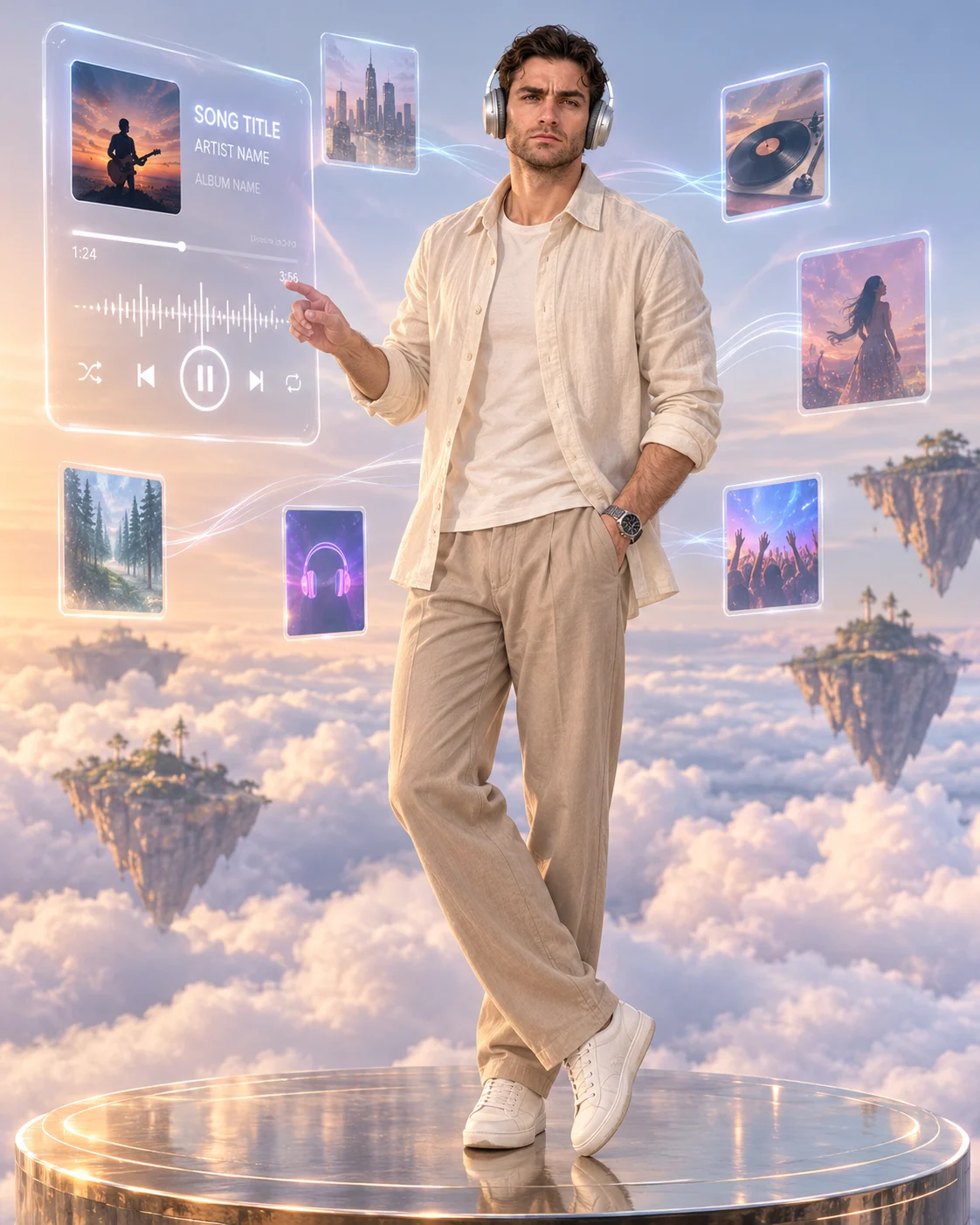
Dreamy Floating Music Player Cloud Portrait
Create a dreamy cloud-top music portrait with floating glass song cards, elegant headphones, soft sunrise lighting, and your preserved facial identity.
Using the uploaded photo, create a photorealistic full-body music-universe portrait with floating glass music players above a sea of clouds, in a vertical 4:5 composition. KEEP — Preserve the person's exact facial identity and original facial geometry, including forehead shape, eyebrow placement, eye shape and natural eye colour, nose bridge and tip, lip shape, cheek volume, cheekbones, jawline, chin, ears, facial width, and natural asymmetry. Retain the original skin tone, visible pores, fine skin texture, natural marks, hairline, hair density, hairstyle, hair colour, and facial hair if present. Keep the original gender, apparent age, shoulder width, neck proportions, and natural body shape. Do not reconstruct the face or substitute a generic model. CHANGE — Dress the subject in a flowing ivory cotton-linen overshirt with visible weave, relaxed creases, and an open front over a plain warm-white inner top. Add tailored beige trousers with natural draping, clean white leather sneakers, and matte-silver over-ear headphones fitted correctly around the ears. Pose the subject upright on a circular floating platform, with one arm relaxed and the other hand gently extended toward a nearby music card. SCENE — Suspend the platform above a vast sea of soft white clouds at sunrise. Place a large translucent glass music player in the upper-left quadrant, displaying [SONG TITLE], [ARTIST NAME], [ALBUM ARTWORK], a playback timeline, waveform, and distinct playback controls. Arrange six smaller album-art cards at varied depths, connected by faint luminous sound waves. Add distant floating islands, a pale blue horizon, soft lavender atmospheric haze, and realistic cloud shadows. Keep the subject unobstructed and the interface clearly separated from the face. LIGHT — Use soft sunrise light from the upper-left, with warm champagne highlights on the clothing and gentle frontal fill across the face. Add subtle cool-blue rim light along the shoulders. Glass reflections and platform shadows must follow the same light direction. CAMERA — Use a 50mm lens at f/2.8, camera at chest height, with a full-body frame and natural perspective. Keep the face sharp and distant clouds softly separated. GRADE — Blend pearl white, powder blue, pale lavender, and warm champagne. Use restrained contrast, natural skin tones, delicate highlight bloom, and subtle film grain. OUTPUT — Vertical 4:5 aspect ratio, high-resolution 8K-style detail, realistic anatomy, legible interface text, and consistent facial identity. DO NOT slim the face, whiten the skin, change eye colour, smooth skin into plastic, invent jewellery or tattoos, distort hands, duplicate subjects, obscure facial features, or add unwanted logos and watermarks.
Photo Guide
- Use a sharp, high-resolution photo with the entire face clearly visible.
- Choose a front-facing or three-quarter angle with natural facial proportions.
- Soft, even daylight helps preserve skin texture and accurate facial identity.
- Keep the original hairstyle, hairline, and facial hair unobstructed.
- A clear full-body photo helps match the floating platform and outfit proportions.
- Avoid harsh shadows that conflict with the soft sunrise and cloud lighting.
How to Build
- 1Open ChatGPT and select its image-generation feature.
- 2Upload one clear identity photo as the reference image.
- 3Paste the complete prompt into the image-generation message.
- 4Replace [SONG TITLE], [ARTIST NAME], and [ALBUM ARTWORK] with your choices.
- 5Request a vertical 4:5 composition with high-resolution output.
- 6Check the face, six smaller cards, glass reflections, and platform shadows.
- 7If the result is wrong, regenerate with specific corrections while keeping the face unchanged.
Pro Tips
- Use a clear album cover so the main glass player remains visually readable.
- Keep the largest player above-left to prevent overlap with the subject's face.
- Choose ivory and beige clothing to complement the pearl-white cloud environment.
- Use a photo with visible hands so the reaching pose remains anatomically natural.
- Keep the original eye colour explicit to reduce identity drift across generations.
- Avoid excessive glass glow so song titles and playback controls remain legible.
Share This Prompt
About the Author
Naziya
Creative AI writer at MFDA, sharing trendy photo-editing prompts and fresh ideas for beautiful, stylish AI images.